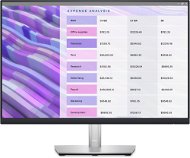
This page contains frequently asked questions about 24" Dell P2423 Professional. If you are considering buying this product, you may want to read the discussion or ask more questions about 24" Dell P2423 Professional. They will be answered by our specialists.
Dobrý den, kde se dá na monitoru nastavit Blue light reduction? Mám starší verzi podobného monitoru DELL, tam byl v nastavení obrazu (Movie, game, cool, warm) také zvláštní režim "Eye saver", nepamatuji si už název. Díval jsem se do manuálu a nic takového tam nyní není. Je redukce modrého světla v režimu Standard, nebo jak redukce funguje?
Děkuji, Petr
Dobrý den, kde se dá na monitoru nastavit Blue light reduction? Mám starší verzi podobného monitoru DELL, tam byl v nastavení obrazu (Movie, game, cool, warm) také zvláštní režim "Eye saver", nepamatuji si už název. Díval jsem se do manuálu a nic takového tam nyní není. Je redukce modrého světla v režimu Standard, nebo jak redukce funguje?
Děkuji, Petr
Zdravim,
V edicii p2422h sa s kombinaciou p2422he dalo dosiahnut pomocou MST ze sa monitory chainli a stacil jeden DP resp. usb-C z notebooku, v tejto novsej edicii som sa nikde nedopatral ako to riesit, kedze ak sa nemylim ma len 1DP a nepodporuje MST, je ku tomu nejake ine riesenie? Dakujem
Zdravim,
V edicii p2422h sa s kombinaciou p2422he dalo dosiahnut pomocou MST ze sa monitory chainli a stacil jeden DP resp. usb-C z notebooku, v tejto novsej edicii som sa nikde nedopatral ako to riesit, kedze ak sa nemylim ma len 1DP a nepodporuje MST, je ku tomu nejake ine riesenie? Dakujem
Dobrý den, zakoupil jsem tento monitor a pokud jej připojím přes Display Port k PC dochází k horizontálním výpadkům signálu, což je velmi rušivé. Zkusil jsem tedy monitor připojit k notebooku, který běžně provozuji s 27" monitorem přes Display Port, a obraz buď nenaběhne vůbec nebo celkově bliká a monitor se časem přepne do stby. Připojení přes HDMI rozhraní však vypadá v pořádku. Je to na výměnu/reklamaci monitoru, případně co s tím? Děkuji.
Dobrý den, zakoupil jsem tento monitor a pokud jej připojím přes Display Port k PC dochází k horizontálním výpadkům signálu, což je velmi rušivé. Zkusil jsem tedy monitor připojit k notebooku, který běžně provozuji s 27" monitorem přes Display Port, a obraz buď nenaběhne vůbec nebo celkově bliká a monitor se časem přepne do stby. Připojení přes HDMI rozhraní však vypadá v pořádku. Je to na výměnu/reklamaci monitoru, případně co s tím? Děkuji.
Try our cookiesAlza.cz a. s., Company identification number 27082440, use cookies and other data to ensure the proper functioning of the website and, with your consent, also, among other things, to personalize advertising and the content of our websites. By clicking on the “I understand“ button, you agree to the use of cookies and the transfer of data regarding the behavior on the website for displaying targeted advertising on social networks and advertising networks on other websites.
We use 8 categories of cookies on our website:
Technical cookies
These are strictly necessary for the functioning of the website and the features you choose to use. Without them, our website would not work; you wouldn't be able to log in to your user account, for example.
Functionality cookies
These cookies allow us to remember your basic choices and improve the user experience. These include remembering your preferred language or allowing you to stay logged in permanently.
Social media cookies
These cookies allow us to easily link you to your social media profile and, for example, allow you to share products and services with your friends and family.
Content personalisation
These cookies allow us to show you content and ads according to the information we have about you to best meet your needs. This includes what content you have viewed, or on what device you are accessing our website.
Non-personalised advertising
These cookies allow us to show you general ads for products and services.
Personalised advertising
Thanks to these cookies, we and our partners can offer you relevant products and services based on your purchases, your shopping behaviour and your preferences.
Audience metrics
These cookies allow us to optimise our site for your convenience based on how you use it. The aim is to remember or anticipate your choices. This includes, for example, the use of features, their location, or the behaviour on the page.
By giving your consent to the processing of cookies, functionality and analytical cookies will be installed on the device you use to browse the website (click on the "I understand" button for both categories, or you can select only one of the categories by clicking on the "Settings" button). We always install technical cookies on your device, even without your explicit consent, because without them our website would simply not work.
You can revoke your consent to the processing of cookies. In connection with our company's cookie processing, you also have the following rights: the right to access cookies, delete, modify, supplement and correct them, restrict processing and the right to lodge a complaint with the Office for Personal Data Protection. Read more about your rights.