Try our cookiesAlza.cz a. s., Company identification number 27082440, uses cookies to ensure the functionality of the website and with your consent also to personalisage the content of our website. By clicking on the “I understand“ button, you agree to the use of cookies and the transfer of data regarding the behavior on the website for displaying targeted advertising on social networks and advertising networks on other websites.
We use 8 categories of cookies on our website:
Technical cookies
These are strictly necessary for the functioning of the website and the features you choose to use. Without them, our website would not work; you wouldn't be able to log in to your user account, for example.
Functionality cookies
These cookies allow us to remember your basic choices and improve the user experience. These include remembering your preferred language or allowing you to stay logged in permanently.
Social media cookies
These cookies allow us to easily link you to your social media profile and, for example, allow you to share products and services with your friends and family.
Content personalisation
These cookies allow us to show you content and ads according to the information we have about you to best meet your needs. This includes what content you have viewed, or on what device you are accessing our website.
Non-personalised advertising
These cookies allow us to show you general ads for products and services.
Personalised advertising
Thanks to these cookies, we and our partners can offer you relevant products and services based on your purchases, your shopping behaviour and your preferences.
Audience metrics
These cookies allow us to optimise our site for your convenience based on how you use it. The aim is to remember or anticipate your choices. This includes, for example, the use of features, their location, or the behaviour on the page.
Third party cookies
These are third party cookies, and you can find out more about them and our partners here.
By giving your consent to the processing of cookies, functionality and analytical cookies will be installed on the device you use to browse the website (click on the "I understand" button for both categories, or you can select only one of the categories by clicking on the "Settings" button). We always install technical cookies on your device, even without your explicit consent, because without them our website would simply not work.
You can revoke your consent to the processing of cookies. In connection with our company's cookie processing, you also have the following rights: the right to access cookies, delete, modify, supplement and correct them, restrict processing and the right to lodge a complaint with the Office for Personal Data Protection. Read more about your rights.
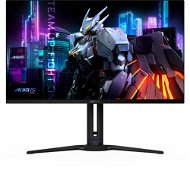
Interested in reviews of 32" GIGABYTE AORUS FO32U2? It got 4.7 out of 5 stars from our customers. Find specific customer reviews of 32" GIGABYTE AORUS FO32U2 below. We will appreciate if you also share your experiences with 32" GIGABYTE AORUS FO32U2 after purchasing.
Incredible colours compared to the lcd. It doesn't even compare
Speed
Whoever tastes 4k never wants anything else
Straight screen-who has a curved one, so then it looks like a bulge. That's why I have to go back and wait for the oled bent to come out soon. I can't get used to it.
almost ideal size and resolution (I would prefer 27")
QD-OLED response, color, contrast TOP
font legibility seamless
brightness in sunlight for me sufficient, but there is room for improvement
Make every game and video an HDR experience with RTX HDR
the stand does not have a crazy big base
Windows software to control brightness etc.
KVM and USB-C DP alt mode works great, power delivery has always been enough for me
possibility to change the resolution and diagonal from the display menu, when the bezels are turned off - the advantage of OLED
when I play the game in full screen mode in 4k 240hz, when switching to desktop and back I always have 2-5s black screen - it's supposedly a problem due to DSC in nVidia graphics
annoying pixel clean notifications at night (I have a pc in my bedroom and it lights it all up)
timer setting on pixel clean stopped working after fw update
glossy finish of the display - a very delicate matter for dirt/scratches
An anti-reflective layer that surprisingly works on a shiny surface
4k resolution, 240 FPS, beautiful colors, HDR
The status diode, which only lights up slightly at night, does not disturb the bedroom
Quickly wake the monitor from sleep
Sophisticated fully automatic system against pixel burnout
Automatic Pixel clean after 4 hours, does not interrupt - starts itself after the monitor goes to sleep (1 hour after the transition), or after the monitor is turned off (you can set the time from when after turning off), or start manually
Pixel clean takes 6 minutes
Power delivery 18W manages to keep my work laptop at the same percentage of battery charge, so it does not discharge when connected via USB-C
HDR profiles suit me. I run Windows in HDR, when switching to a game I sometimes remember and turn on the HDR Game profile (two movements of the button)
Controlling and moving shortcuts of the menu buttons from the bottom of the monitor suits me perfectly
Status diode - white operation, orange sleep, flashing green Pixel cleaning program in progress
Extended 3-year warranty. I really believe it' s impossible to burn pixels with the protections they have set (image scrolling, logo dimming, static image detection when idle, and brightness dimming
Glossy finish, after installation I could already see the marks on the screen and thought to myself and yay, endless polishing. But it doesn' t happen like that.
I dare to say that it is currently the best on the market
No software bugs. I recommend downloading and installing the latest firmware update from the manufacturer' s website
Readability of the font - flawless. This monitor is the furthest in development I would say. It already has better readability than VA and IPS panels (or at least the same as the better ones)
I have a Vesa installed on my arm, so I can' t rate the included stand.
With the correct G-Sync settings in Windows according to the instructions on YouTube, freesync premium works great and the games are incredibly smooth
On Fortnite 4K resolution, DLSS on for performance, high (not ultra) details, I get around 200FPS on GPU RTX 4080 super
The monitor is absolutely silent - no fan as previous OLED models often contain
The monitor does not heat up
Transition from a curved display - I really missed the curved display terribly for the first week - even my eyes saw the convex display from habit. I am getting used to it
Power delivery could be stronger, but it' s enough. For me, it is pointless to pay 3-4 thousand extra for a higher model