Try our cookies Alza.cz a. s., Company identification number 27082440, use cookies and other data to ensure the proper functioning of the website and, with your consent, also, among other things, to personalize advertising and the content of our websites. By clicking on the “I understand“ button, you agree to the use of cookies and the transfer of data regarding the behavior on the website for displaying targeted advertising on social networks and advertising networks on other websites.
Alzak icon
Catalogue
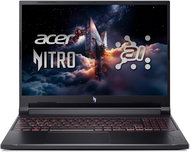
Acer Nitro V 16 AI Shale Black (ANV16-42-R1M5) - Gaming Laptop

Reviews Acer Nitro V 16 AI Shale Black (ANV16-42-R1M5)

Interested in reviews of Acer Nitro V 16 AI Shale Black (ANV16-42-R1M5)? It got 4.0 out of 5 stars from our customers. Find specific customer reviews of Acer Nitro V 16 AI Shale Black (ANV16-42-R1M5) below. We will appreciate if you also share your experiences with Acer Nitro V 16 AI Shale Black (ANV16-42-R1M5) after purchasing.

User Reviews

Filip, Hodoninflag
Rated 08/09/2026, variant Acer Nitro V 16 AI Shale Black (ANV16-42-R1M5)
Verified purchase
After 3 days of use, it started to freeze, the display would flicker or turn off completely. The battery doesn't last as long as they claim; I only used it at school for taking notes and generating 3D images, and it can't even survive 4 hours straight without being plugged in. A 27000mAh (140W) power bank isn't enough to charge or even sustain it. In my experience, I wouldn't recommend it for work or school. It can have all the performance it wants, but in most other aspects, it's a total flop.
Speed
Retrieved from
option to tune
The screen started flickering after 3 days.
The graphics card randomly restarts.
The display turns off and it freezes (can't be restarted)
Battery
Sound
0 ×Report
Automatic translation
Customer, Sokolovflag
Rated 30/08/2026, variant Acer Nitro V 16 AI Shale Black (ANV16-42-R1M5)
Verified purchase
A lot of people complain about a black screen after closing a game, but you don't have to restart the whole notebook at all – you just need to restart the graphics adapter: Ctrl, Shift, Windows button and the B key. For me, it's a decent notebook on the whole and for this price it's fine. I'm just disappointed that when I wanted to play a VR game, the lack of more graphics memory is a bit of an issue. Otherwise, it handles everything else nicely and works great. If you don't want the notebook's battery to drain while gaming, just switch it to balanced mode and you can play without any problems.
Copilot button
0 ×Report
Automatic translation
Martin, Plzeňflag
Rated 08/08/2026, variant Acer Nitro V 16 AI Shale Black (ANV16-42-R1M5)
Verified purchase - review from a price comparison website
Ai
0 ×Report
Automatic translation
Anonymous customerflag
Rated 13/07/2026, variant Acer Nitro V 16 AI Shale Black (ANV16-42-R1M5)
Verified purchase
This year’s surprise and proof that you can get a good laptop for 17,000.
Value for money – it outperforms some much more expensive laptops (from personal experience)
Nice design
A fairly quiet machine
Spatial sound enhancement system
A custom programme for controlling driving modes that actually works (Turbo, Performance, Quiet)
Cooling is very good
The RTX 3050 6GB graphics card is sufficient for a 1920x1200 monitor, and the Ryzen 5 processor is well-matched to the graphics card
shorter charging cable
The multitasking they promised could be a bit better
Apparently, the processor is soldered to the motherboard, so you can forget about upgrading the components
0 ×Report
Automatic translation
Lada, Brnoflag
Rated 29/04/2026, variant Acer Nitro V 16 AI Shale Black (ANV16-42-R1M5)
Verified purchase
After about three months, it started to crash, the screen goes black and only a hard reboot helps. The complaint was rejected, I don't know why yet, but I'm already angry.
0 ×Report
Automatic translation
Anonymous customerflag
Rated 19/04/2026, variant Acer Nitro V 16 AI Shale Black (ANV16-42-R1M5)
Verified purchase
after two months on warranty, stopped working out of nowhere, black screen, didn't work even factory setting option
fast discharge, real life max 2h during play
0 ×Report
Automatic translation
Customer, Červený Újezdflag
Rated 27/02/2026, variant Acer Nitro V 16 AI Shale Black (ANV16-42-R1M5)
Verified purchase
Total scrub not to buy! after playing any game it starts to lag terribly and sometimes even turns off the picture, a month was on the complaint, they found nothing... and still the same problem, I have everything up to date.
0 ×Report
Automatic translation
Anonymous customerflag
Rated 11/02/2026, variant Acer Nitro V 16 AI Shale Black (ANV16-42-R1M5)
Verified purchase
when playing 10 years old games (AC Odyssey) when powering from the site discharges the battery at a rate of 20% per hour, because the consumption is 160W and the adapter only 135W,,, which is good when you want to odnaucit play longer than 3-4 hours, naročnejsi games I have not played there will be discharging maybe even faster,,, otherwise it is a rather average plastic notas. I don't think it will last long
power consumption 160W adapter 135W
0 ×Report
Automatic translation
Petr, Doksyflag
Rated 03/02/2026, variant Acer Nitro V 16 AI Shale Black (ANV16-42-R1M5)
Verified purchase - review from a price comparison website
The speed of 6 cores is known and restores. frequency 180Hz also
Screen format awesome!
A great brightening
It's got very visible prints
Battery ( in non-game mode)battery life not much
0 ×Report
Automatic translation
František, Příbramflag
Rated 03/02/2026, variant Acer Nitro V 16 AI Shale Black (ANV16-42-R1M5)
Verified purchase - review from a price comparison website
It only worked for a few hours, now it's been under repair for 14 days.
0 ×Report
Automatic translation
1 - 10 from 16
P-DC1-WEB32