Try our cookies Alza.cz a. s., Company identification number 27082440, uses cookies to ensure the functionality of the website and with your consent also to personalisage the content of our website. By clicking on the “I understand“ button, you agree to the use of cookies and the transfer of data regarding the behavior on the website for displaying targeted advertising on social networks and advertising networks on other websites.
Alzak icon
Catalogue
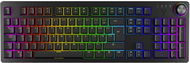
YENKEE YKB 3410 PANZER 2.0 - CZ - Gaming Keyboard

Reviews YENKEE YKB 3410 PANZER 2.0 - CZ

Interested in reviews of YENKEE YKB 3410 PANZER 2.0 - CZ? It got 4.6 out of 5 stars from our customers. Find specific customer reviews of YENKEE YKB 3410 PANZER 2.0 - CZ below. We will appreciate if you also share your experiences with YENKEE YKB 3410 PANZER 2.0 - CZ after purchasing.
62.99 €
In stock > 5 pcs
Add to Cart More Information

User Reviews

Miroslav, Zvoleflag
Rated 19/04/2026, variant YENKEE YKB 3410 PANZER 2.0 - CZ
Verified purchase
Just a good keyboard, suitable for typing and playing.
pleasant writing
not particularly noisy
0 ×Report
Automatic translation
Anonymous customerflag
Rated 09/04/2026, variant YENKEE YKB 3410 PANZER 2.0 - CZ
Verified purchase
great mechanical keyboard at a great price
Enter in portrait - over two lines. For me decisive, as I am used to it from my laptop. Unfortunately, most keyboards today have Enter in one line.
Volume control wheel
Backlight animation and colours can be set even without software
0 ×Report
Automatic translation
Companyflag
Rated 29/12/2025, variant YENKEE YKB 3410 PANZER 2.0 - CZ
Verified purchase
so far so good
nothing
0 ×Report
Automatic translation
Filip, Trutnovflag
Rated 15/11/2025, variant YENKEE YKB 3410 PANZER 2.0 - CZ
Verified purchase
Beautiful led lighting
Rotary panel for audio control
Option of macros and button changes
Tool to remove the button scratches it, very poor design
Tool for removing the switch too small, breaks the plastic covering when removing it
0 ×Report
Automatic translation
Jan, Praha 10 - Malešiceflag
Rated 19/07/2025, variant YENKEE YKB 3410 PANZER 2.0 - CZ
Verified purchase
nice workmanship
backlight adjustment options
the response of the keys is sometimes worse
0 ×Report
Automatic translation
Radek, Písekflag
Rated 16/05/2025, variant YENKEE YKB 3410 PANZER 2.0 - CZ
Verified purchase - review from a price comparison website
I don't know, sometimes it almost writes itself and sometimes my keys don't respond, I would probably reconsider the purchase twice
0 ×Report
Automatic translation
Michal, Vsetínflag
Rated 06/05/2025, variant YENKEE YKB 3410 PANZER 2.0 - CZ
Verified purchase
This is an OEM Chinese product and the Czech company probably had minimal opportunity to influence it, otherwise it could have turned out much better. The backlight modes contain dozens of animations that make no practical sense. However, what is needed practically is not completed (profiles do not store everything). You can remap keys or set macros to them, but both don't make sense, because who would remap, say, the A key to a macro and lose the A? Thus, the possibilities of remapping functions are rich, but unusable. Remapping generally makes sense only for unused and therefore dedicated macro keys, which some Logitech keyboards have, but here it is completely missing. Czech characters are too small and some alternatives CZ vs EN are hardly recognizable. So if we don't need macros, but just a simple keyboard with crazy backlighting, the keyboard is usable fine.
Robust, heavier
It has about an 8mm border around the edge of the keys, so there's somewhere to park your fingers
Edge backlight can be turned off
Static backlight can be set to one colour
The wheel backlight resets to the default rainbow every time you turn it off, while the key and edge backlighting is remembered. It's irritating.
Profiles cannot save the wheel backlight.
SW is typical Chinese junk. It is not possible to set the backlight of each key separately.
Backlight modes are typically Chinese nonsense
Multimedia keys shared with F1-F12, a ubiquitous evil. They're supposed to be separate.
Keys are quieter, but still too loud to work in a quiet office with multiple people
Incomplete macros
Diacritics too small
0 ×Report
Automatic translation
Martin, Jihlava 1flag
Rated 27/04/2025, variant YENKEE YKB 3410 PANZER 2.0 - CZ
Verified purchase
the keyboard is really quiet, unlike other mechanical keyboards
is very pleasant to the touch
keys are recessed into the keyboard body
thanks to rubber frets it holds firmly on the table
It has multiple preset RGB profiles that can be switched between even without SW
Sw is clear and in English, but you have to download it on the manufacturer's website, on the product page of this keyboard. Not in the list of SW downloads
The keyboard has a 1.8m long cable with a USB-C connector that comes into the keyboard, and a USB-A that comes into the PC - no reduction required to connect to the PC
2 replacement switches and replacement tools included
The backlight mode of the keyboard edge and scroll wheel must be switched using keyboard shortcuts instead of SW. These abbreviations are listed in the instructions
left shift is smaller than on conventional keyboards
0 ×Report
Automatic translation
David, Praha 9 - Střížkovflag
Rated 24/04/2025, variant YENKEE YKB 3410 PANZER 2.0 - CZ
Verified purchase - review from a price comparison website
24/7 shopping
great to see and then possible to buy
purchase and speed
0 ×Report
Automatic translation
Jan, Brnoflag
Rated 16/04/2025, variant YENKEE YKB 3410 PANZER 2.0 - CZ
Verified purchase
touch - very pleasant to the touch, it has that "velvet" surface of the keycaps
sound - super sound of the switches outemu box red, not too loud, for me on one
hot-swap - both switches and keycaps can be changed + tools and 3 spare switches in the box
weight - holds beautifully on the table and does not travel
quality - the keyboard feels good, solid, does not creak anywhere
RGB - lots of settings, you can adjust the backlighting of each key separately, the side bar and the volume wheel
Multiple RGB profiles in the keyboard software that allow quick switching of custom set backlighting (but only stores the keys, not the bar or wheel)
overall I rate it 9/10 only because of software problems
here and there some keys stick out higher than others, but it is not noticeable when typing
due to the "velvet" surface of the keycaps, fingerprints remain visible here and there, but it's not a big deal
in setting custom RGB profiles in the keyboard software I have not yet managed to save a bar or wheel in the profile, only the keys themselves - so after switching the profile you have to change them again manually
0 ×Report
Automatic translation
1 - 10 from 16
P-DC1-WEB13