Try our cookies Alza.cz a. s., Company identification number 27082440, use cookies and other data to ensure the proper functioning of the website and, with your consent, also, among other things, to personalize advertising and the content of our websites. By clicking on the “I understand“ button, you agree to the use of cookies and the transfer of data regarding the behavior on the website for displaying targeted advertising on social networks and advertising networks on other websites.
Alzak icon
Catalogue
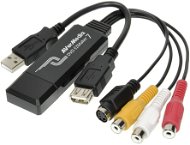
AVerMedia TV DVD EZMaker 7 - Capture Card

Reviews AVerMedia TV DVD EZMaker 7

Interested in reviews of AVerMedia TV DVD EZMaker 7? It got 4.0 out of 5 stars from our customers. Find specific customer reviews of AVerMedia TV DVD EZMaker 7 below. We will appreciate if you also share your experiences with AVerMedia TV DVD EZMaker 7 after purchasing.
83.90 €
In stock > 5 pcs
Add to Cart More Information

User Reviews

Jan, Lysá nad Labemflag
Rated 01/03/2025, variant AVerMedia TV DVD EZMaker 7
Verified purchase
The card pretends to be a progressive 25 FPS, but in reality it's always two consecutive fields combined, with odd and even rows shifted in time. It is necessary to convert the captured video to interlaced 50FPS using ffmpeg for example, and then only compress it, or remove the interlacing using the bwdif algorithm. If done correctly, the quality is good. Occasionally, the image will blur after prolonged use. If I let the card rest, it will fix itself after a few minutes. Both the copies I've had have done it.
works under Linux
no integrated deinterlace (I take it as an advantage)
can get full 50 fps from it
sometimes the picture is blurred
it is necessary to understand a little bit about processing
the included software sucks
0 ×Report
Automatic translation
Jiří, Třemošnáflag
Rated 23/02/2025, variant AVerMedia TV DVD EZMaker 7
Verified purchase
It works, just download the new drivers from the manufacturer's website beforehand. I have my own editing program, so there was no need to activate anything. Feel free to use a capture like OBS, which is free.
Quick and easy commissioning
Unlike others, it really works
Drivers are compatible with W10/W11 without the need to disable Windows security (which is commonly done with other products)
0 ×Report
Automatic translation
Companyflag
Rated 05/02/2025, variant AVerMedia TV DVD EZMaker 7
Verified purchase
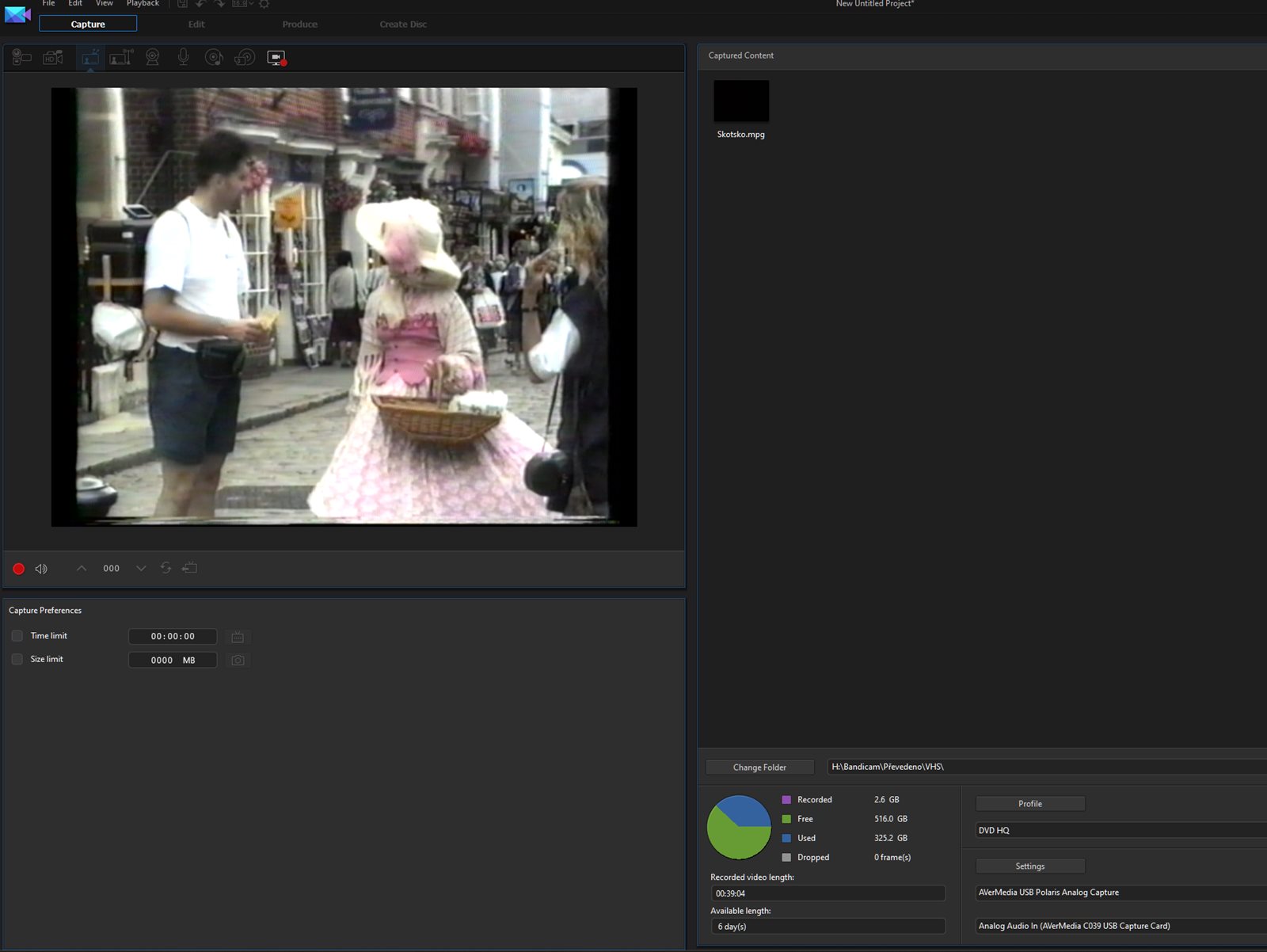
If you feel that you are buying a product that includes the software that allows you to use it, you are sorely mistaken. AVerMedia is doing everything possible to make this impossible. If you ignore the fact that you get a Virtual product key, which you have to transform into a product key (this is not described in the instructions, you can get to the product key via QR code), because putting the product key directly into the box would be too simple, you are in for a nasty surprise: Yes, the software will run with the Product key, but to capture the signal from the input of the device (the primary function of the hardware you bought) you have to buy a (monthly or yearly) paid version. I.e. If the software wasn't "bundled" at all it would save me 20 minutes of installation, code play and subsequent uninstallation. But marketing requires the included software, so it's just included. I'm convinced that most users resign and either return the goods or buy a monthly license and put the device in a drawer to live happily after the video is processed.
Price
Supplied software
0 ×Report
Automatic translation
Daniel, Vémysliceflag
Rated 01/12/2024, variant AVerMedia TV DVD EZMaker 7
Verified purchase
Doesn't work on Win 10 even with the latest drivers
0 ×Report
Automatic translation
Anonymous customerflag
Rated 21/08/2024, variant AVerMedia TV DVD EZMaker 7
Verified purchase
The device is easy to operate, just install the driver and that' s it. Works fine with OBS, I don' t use the included software. It doesn' t have a built-in Time-Base corrector, but that' s not surprising for the price.
Simple wiring
Functional on the latest versions of Windows
Works seamlessly with OBS or VLC
Good image quality
I couldn't find anything
0 ×Report
Automatic translation
Milan, Brněnecflag
Rated 27/07/2024, variant AVerMedia TV DVD EZMaker 7
Verified purchase
Connection is absolutely simple even for a person with a lobotomy. Convert VHS to PC in AVI or Mpeg2. The entire approximately 2-hour cassette had a size of 11 GB. If someone wants a smaller one, just overwrite it using the Xmedia recode software and you have about 1.5 GB of 11 GB. I' m giving a full rating because I only bought it for the VHS transfer and it' s been absolutely flawless. The supplied key does say Invalid, but when you look below, in the next box there is really a generated key for the program and the registration went perfectly fine.
Functional on Windows 11 ver. 23H2
connection for 30s
PowerDirector recording software included
The VHS conversion is perfectly fine
0 ×Report
Automatic translation
Petr, Ostrava - Porubaflag
Rated 13/05/2024, variant AVerMedia TV DVD EZMaker 7
Verified purchase
distorts the image
0 ×Report
Automatic translation
Michal, Řeheniceflag
Rated 12/11/2023, variant AVerMedia TV DVD EZMaker 7
Verified purchase
It's working fine the first time.
The software allows conversion, editing, effects and many other options.
Software not in Czech
Short cables, must get extension cables.
0 ×Report
Automatic translation
Pavel, Prahaflag
Rated 18/10/2023, variant AVerMedia TV DVD EZMaker 7
Verified purchase
works
duplicates what you see on TV
price
does not work with obs or vlc
only works with the included software, which cannot create mp4
it took me 2 days to get it working
0 ×Report
Automatic translation
Anonymous customerflag
Rated 16/07/2023, variant AVerMedia TV DVD EZMaker 7
Verified purchase
The converter is definitely not for beginners. It also works on Windows 11, but it was quite a struggle to get it to work there. Resp. to find the right drivers, which fortunately are provided by the official AVerMedia website itself. I didn't use the included software, I found it completely unnecessary when the device behaves like any other capture and can be sensed e.g. via the intuitive OBS, which I otherwise use as (for me) the best screen capture software. Here it worked equally well. The important thing is to set the right encoder, bitrate (I set 20k just to be safe, but recordings normally operate at 7-8) and frame rate (a stable 25 because of the interlacing, which will allow double the frame rate on playback). Thanks to this, I have achieved recordings of entire VHS tapes without any apparent loss of quality, without any delayed sound (to which reviews often refer) and, most importantly, in the original format without upscaling and other image-spoiling gadgets. As a result, the clips look much better than the ones spun natively within a single player from VHS to DVD, where even unpleasant artifacts were present. For such home playback of family videotapes EZMaker 7 is more than enough, for me personally great satisfaction even after the initial difficulties. I take a star off only for the user-friendliness, it needs a more experienced hand of someone who understands video a bit and has a usable technique. Otherwise, I'm not surprised at all that the average user finds this hardware dog-eat-dog.
With proper wiring and setup, it reliably transfers recordings from old videotapes with no apparent loss of quality.
Circuitous commissioning on Windows 11 and user unfriendliness.
0 ×Report
Automatic translation
11 - 20 from 49
P-DC1-WEB24