


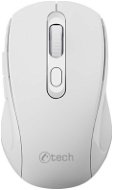
Reviews C-TECH WLM-12 white
Interested in reviews of C-TECH WLM-12 white? It got 4.3 out of 5 stars from our customers. Find specific customer reviews of C-TECH WLM-12 white below. We will appreciate if you also share your experiences with C-TECH WLM-12 white after purchasing.
User Reviews

Customer
Rated 29/10/2023, variant C-TECH WLM-12 black
Verified purchase - review from a price comparison website
nothing
0 ×Report
Automatic translation

Anonymous customer
Rated 29/09/2023, variant C-TECH WLM-12 black
Verified purchase
I bought it more or less when it came on the market and it had more or less no reviews, so I was looking forward to what surprises this new generation of low-cost mice would bring. And oddly enough, it's pretty cool. The price-performance ratio is quite good in that price level of 150 - 200 CZK. The mouse comes with a very basic manual and a tcbest AA battery, but it doesn't seem to be the best. The mouse can switch DPI using the button below the middle wheel. There are 3 options and from a practical hive of poheldu it just changes the movement speed, which is nice because one doesn't have to hunt for it in the OS settings. But what is more interesting is that this mouse can do two protocols: proprietary with a USB 2.0 Type A adapter, which looks cheap, just like the whole mouse, and then the mouse can Bluetooth. The adapter is very light, so there won't be much metal on it and I don't expect the contacts to last very long either. Bluetooth is fine. I tested it with my iPad and it works. Log mode is switched by holding the DPI change button for 3sec, one of the few things mentioned in the manual. But it can be an extremely useful feature, as you can effectively use the mouse with two devices at once and switch between them by holding down the button. For example. USB adapter in PC, Bluetooth connected to tablet and when you hold down the ymš button it starts working more or less immediately on the other device. You can switch back by holding the button again. Mechanically, of course, it's a disaster. The mouse looks cheap, the sound of button presses carries perhaps to the neighbours. Ergonomically it didn't fit me either of course, but I got it for short term laptop work on the train, so ok. I appreciate the sturdy paper box in which I will carry the mouse in my backpack. USB VID: The PID is 1ea7:0066, the VID corresponds to SHARKOON Technologies GmbH, the PID according to the databases corresponds to [Mediatrack Edge Mini Keyboard], the adapter describes itself as "2.4G Mouse". VID is probably used wrongly, because in the manual other companies are mentioned as manufacturer and distributor. Adaptre provides 2 HID interfaces (so it works more or less everywhere). One for the mouse and one for the keyboard (I think the side buttons behave like pressing a keyboard shortcut).
Price
2 types of connectivity (proprietary/Bluetooth)
3 user-switchable DPI modes
Supplied in a rigid box
2 side buttons, which I think are useless, but someone might use them
functional middle wheel
Works with iPad
Does not need special drivers
noisy buttons
looks cheap
I'm having a hard time holding it
0 ×Report
Automatic translation
