


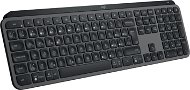
Reviews Logitech MX Keys S Graphite - CZ/SK
Interested in reviews of Logitech MX Keys S Graphite - CZ/SK? It got 4.7 out of 5 stars from our customers. Find specific customer reviews of Logitech MX Keys S Graphite - CZ/SK below. We will appreciate if you also share your experiences with Logitech MX Keys S Graphite - CZ/SK after purchasing.
User Reviews

František, Brno
Rated 22/06/2026, variant Logitech MX Keys S Graphite - CZ/SK
Verified purchase
The keyboard is great; it’s easy to type on. It has programmable buttons, so the 'Lock Windows' button can be disabled! Because of the simplified description of the keys (the EN description is missing), I’m giving it 4 stars; otherwise, I’d give it 5.
comfortable keyboards for typing
backlight
silence
programmable buttons
The description of the keys is not as comprehensive as usual. Key labels for the English keyboard are missing (e.g. underscore, curly brackets, etc.). If you’re also using an EN keyboard, you’ll have to type it from memory.
0 ×Report
Automatic translation
Iva, Praha 10
Rated 05/06/2026, variant Logitech MX Keys S Graphite - CZ/SK
Verified purchase - review from a price comparison website
quality workmanship and design
0 ×Report
Automatic translation

Jan, Brno
Rated 29/04/2026, variant Logitech MX Keys S Graphite - CZ/SK
Verified purchase - review from a price comparison website
I was looking for a keyboard for a really long time and finally ended up with this one. Despite a few minor cons, it's a perfect keyboard that I can only recommend.
Quiet
Stable
Illuminated Czech characters
Backlight intensity can be adjusted
Logitech keyboard software is simple and intuitive
Connection to up to 3 PCs
Fn key for me personally awkwardly to the right of the space bar
The lock/unlock key is very close to the minus key. Unwanted squeezing occurs. But the function of this key can be reconfigured, so it's not that big a deal.
0 ×Report
Automatic translation

Company
Rated 04/04/2026, variant Logitech MX Keys S Graphite - CZ/SK
Verified purchase
Well written
Backlight
Non-standard labels. Instead of dual CZ/EN some kind of incomprehensible mix. I should have bought EN + stickers: (
Volume control partially requires Fn (when Fx keys are used as default, not multimedia ones)
Context menu button in an unusual place
0 ×Report
Automatic translation
Company
Rated 01/04/2026, variant Logitech MX Keys S Graphite - CZ/SK
Verified purchase
The keyboard looks great at first glance and works.
After a year, the keyboard started to peel over the arrow keys and that is not expected for a product at this price. Complaint rejected.

0 ×Report
Automatic translation

Pavel, Řevnice
Rated 30/03/2026, variant Logitech MX Keys S Graphite - CZ/SK
Verified purchase - review from a price comparison website
Great key layout for my needs. It's quite heavy so it sits perfectly on the table. I welcome backlighting
0 ×Report
Automatic translation
Anonymous customer
Rated 18/03/2026, variant Logitech MX Keys S Graphite - CZ/SK
Verified purchase
2 weeks of use and when typing normally some keys start to squeak. One spends "100 EUR" for a "silent" keyboard because I have a PC in my living room and I don't want to disturb others too much when I'm working. And this is worse than some gaming for 450 CZK after two years. I probably should have put a critical review on it, when someone's space bar started squeaking and they drilled it after claiming it was oiled, that the keyboard was ok in terms of noise.
I guess there's nothing really positive, except that what I press works.
It's a rickety piece of junk.
Quality does not match the price
I still can't get used to the fact that they stuff 4 more function keys above the num pad - I keep locking my PC instead of typing minus: -)
0 ×Report
Automatic translation

Jan, Kaplice
Rated 14/03/2026, variant Logitech MX Keys S Graphite - CZ/SK
Verified purchase
acts with quality
pleasant writing
backlight, battery
possibility to switch devices
0 ×Report
Automatic translation

Petr, Mělník 1
Rated 08/03/2026, variant Logitech MX Keys S Graphite - CZ/SK
Verified purchase - review from a price comparison website
Quickly switches between devices
Battery lasts long and works even when charging
Pleasant grip
The button to lock the OS is right above the "-", but it can be configured.
0 ×Report
Automatic translation

Ivo, Praha 7 - Holešovice
Rated 02/03/2026, variant Logitech MX Keys S Graphite - CZ/SK
Verified purchase - review from a price comparison website
Wireless keyboard with white backlit keys, modern design, quiet keys with low stroke.
0 ×Report
Automatic translation
