Try our cookies Alza.cz a. s., Company identification number 27082440, uses cookies to ensure the functionality of the website and with your consent also to personalisage the content of our website. By clicking on the “I understand“ button, you agree to the use of cookies and the transfer of data regarding the behavior on the website for displaying targeted advertising on social networks and advertising networks on other websites.
Alzak icon
Catalogue
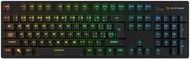
Rapture X-RAY Wireless Gateron G Pro 3.0 Red black - CZ/SK - Gaming Keyboard

Reviews Rapture X-RAY Wireless Gateron G Pro 3.0 Red black - CZ/SK

Interested in reviews of Rapture X-RAY Wireless Gateron G Pro 3.0 Red black - CZ/SK? It got 4.1 out of 5 stars from our customers. Find specific customer reviews of Rapture X-RAY Wireless Gateron G Pro 3.0 Red black - CZ/SK below. We will appreciate if you also share your experiences with Rapture X-RAY Wireless Gateron G Pro 3.0 Red black - CZ/SK after purchasing.

User Reviews

Luděk, Malé Svatoňoviceflag
Rated 08/04/2025, variant Rapture X-RAY Wireless Gateron G Pro 3.0 Red black - CZ/SK
Verified purchase - review from a price comparison website
It doesn't communicate with Bluetooth
0 ×Report
Automatic translation
Vladimír, Berounflag
Rated 31/03/2025, variant Rapture X-RAY Wireless Gateron G Pro 3.0 Red black - CZ/SK
Verified purchase
probably good. but not for me.
0 ×Report
Automatic translation
Jiří, Boskoviceflag
Rated 01/03/2025, variant Rapture X-RAY Wireless Gateron G Pro 3.0 Red black - CZ/SK
Verified purchase
The first piece I received had a blemish on the S key and the corner on the ESC key was shining through. After the complaint I received a new piece that had the keys in perfect condition, but for a change the grease from the switches seeped onto the body of the keyboard. After removing the keys and cleaning the body, everything is fine. So I can see that the processing is not much, but if you hit a good piece, so the keyboard I do not have much to complain about when you get it at a bargain price. It is comfortable to type on, it is not the quietest, the clacking of the keys is unheard: ) I think everyone can choose from the lighting effects, I personally prefer the static colors, of which there could be more to choose from (7 colors + 1 color mix). What is a very good feature is remembering the lighting settings before switching off and the ability to set your own backlight - however, the Windows key and FN will not be lit for the custom backlight you create. I also haven't figured out a way to quickly switch from a custom saved setting to the last backlight I used. All characters on the keyboard are backlit (main more, secondary more subtly). It's quite heavy, sits firmly on the table and doesn't slide off due to its lesser strength. The advantage is the possibility of wired and also wireless connection, that's why I got it. I tried to connect the keyboard via bluetooth to a TV LG OLED55B1 with WebOS 6 and everything worked perfectly, via USB dongle it did not connect to the TV. The keyboard can therefore be used universally between multiple devices (a total of five and 3 via BT, 1 via USB dongle and 1 via USB cable), however, what makes it a little complicated is access to the USB-C connector. The latter could be better solved, because the connector is hidden under the keyboard in an awkwardly small space, so disconnecting it is not the easiest. What might bother some people is that the keyboard emits a somewhat high-pitched squeaky tone when the backlight is on and wired, least noticeable with red or green static backlighting or backlighting with some light overlays. The first piece was louder, the second piece is quieter. For this sound to be audible, you have to have a really quiet computer and be in a quiet environment with your head above the keyboard or very close to the keyboard. All control of the backlight and also switching between devices is done using keyboard shortcuts via the FN key, everything is easy to control and remember.
choice of many backlight effect settings
wired and wireless operation
Bluetooth compatibility with webOS 6
noisier keys
squeaky sound when wired and backlight is on
poor access to the USB-C connector
small selection of colours from the backlight colour palette
output control
0 ×Report
Automatic translation
Anonymous customerflag
Rated 27/02/2025, variant Rapture X-RAY Wireless Gateron G Pro 3.0 Red black - CZ/SK
Verified purchase
Looks like a weak battery, but I haven't confirmed it yet
0 ×Report
Automatic translation
Anonymous customerflag
Rated 24/02/2025, variant Rapture X-RAY Wireless Gateron G Pro 3.0 Red black - CZ/SK
Verified purchase
Great keyboard, looks nice, nice to play, the response and sounds of the keys are nice for me. Unfortunately there is a problem with the backlight, which is very well done, there are a lot of styles, transitions, colors and intensities to choose from, but as mentioned here, it soon goes into power saving mode and goes out, then you need to wake it up with any key. Personally, I don't see this as a big minus, but I would welcome if such intervals could be set e.g. in the software. Another con, the bigger one, is the backlight switching off when the charge drops. After a few hours of playing, my keyboard went dark and I was looking for what was wrong. Finally I connected it via usb and it lit up again with about 40-50% battery left. Discharging doesn't seem to me to be very vigorous, but it shouldn't have to go out halfway through the charge.
Appearance and design
Style, colour and backlight options
Easy and fast switching between devices
Quiet and pleasant to operate
After a while, the light will go out
When the charge drops below about 50%, it works without backlighting
Shorter endurance
0 ×Report
Automatic translation
Customerflag
Rated 21/02/2025, variant Rapture X-RAY Wireless Gateron G Pro 3.0 Red black - CZ/SK
Verified purchase - review from a price comparison website
Some keyboards are unresponsive
0 ×Report
Automatic translation
Alexandr, Klatovyflag
Rated 09/02/2025, variant Rapture X-RAY Wireless Gateron G Pro 3.0 Red black - CZ/SK
Verified purchase
I would expect more from a not so cheap keyboard. There is no software for this keyboard and it can only be set using the buttons on the keyboard. But it's a terrible misery. The keyboard turns off the backlighting at 50% of the battery, which is too damn low for me. It also turns off the backlight after a moment of inactivity. Which is fine for saving energy, but I'd like to set different values. Otherwise, I have the keyboard connected via usb transmitter and it's pretty bad. It drops out a lot and I have to keep it plugged in most of the time. But it's probably also because I have multiple wireless devices and there is some collision, so I'll try to solve this problem.
Nice backlight
Pleasant key material
Quite robust
Absolutely cannot be set
0 ×Report
Automatic translation
Kamil, Praha 14flag
Rated 07/02/2025, variant Rapture X-RAY Wireless Gateron G Pro 3.0 Red black - CZ/SK
Verified purchase
Great for that price
0 ×Report
Automatic translation
Tomáš, Prahaflag
Rated 03/02/2025, variant Rapture X-RAY Wireless Gateron G Pro 3.0 Red black - CZ/SK
Verified purchase
The backlighting is theatrical
Czech prints including punctuation (hooks/commas)
Numeric keypad
Sufficient key print size (the SPC keyboard had an even larger print, though), AND it's not flea-proof and appreciated by older people with reading glasses.
Lacking software support, backlighting is only set with keyboard shortcuts (including wireless/cable switching) And it's impossible to remember.
Can't set a stable backlight, keeps running a wave.
Software, please!
0 ×Report
Automatic translation
Michaela, Pragueflag
Rated 07/01/2025, variant Rapture X-RAY Wireless Gateron G Pro 3.0 Red black - CZ/SK
Verified purchase
she's pretty
the keys clack nicely
after a month of use it does not transfer all characters to the pc and has to be pushed
the charging cable is really complicated to plug in
0 ×Report
Automatic translation
21 - 30 from 39
P-DC1-WEB17