Try our cookiesAlza.cz a. s., Company identification number 27082440, uses cookies to ensure the functionality of the website and with your consent also to personalisage the content of our website. By clicking on the “I understand“ button, you agree to the use of cookies and the transfer of data regarding the behavior on the website for displaying targeted advertising on social networks and advertising networks on other websites.
We use 8 categories of cookies on our website:
Technical cookies
These are strictly necessary for the functioning of the website and the features you choose to use. Without them, our website would not work; you wouldn't be able to log in to your user account, for example.
Functionality cookies
These cookies allow us to remember your basic choices and improve the user experience. These include remembering your preferred language or allowing you to stay logged in permanently.
Social media cookies
These cookies allow us to easily link you to your social media profile and, for example, allow you to share products and services with your friends and family.
Content personalisation
These cookies allow us to show you content and ads according to the information we have about you to best meet your needs. This includes what content you have viewed, or on what device you are accessing our website.
Non-personalised advertising
These cookies allow us to show you general ads for products and services.
Personalised advertising
Thanks to these cookies, we and our partners can offer you relevant products and services based on your purchases, your shopping behaviour and your preferences.
Audience metrics
These cookies allow us to optimise our site for your convenience based on how you use it. The aim is to remember or anticipate your choices. This includes, for example, the use of features, their location, or the behaviour on the page.
Third party cookies
These are third party cookies, and you can find out more about them and our partners here.
By giving your consent to the processing of cookies, functionality and analytical cookies will be installed on the device you use to browse the website (click on the "I understand" button for both categories, or you can select only one of the categories by clicking on the "Settings" button). We always install technical cookies on your device, even without your explicit consent, because without them our website would simply not work.
You can revoke your consent to the processing of cookies. In connection with our company's cookie processing, you also have the following rights: the right to access cookies, delete, modify, supplement and correct them, restrict processing and the right to lodge a complaint with the Office for Personal Data Protection. Read more about your rights.
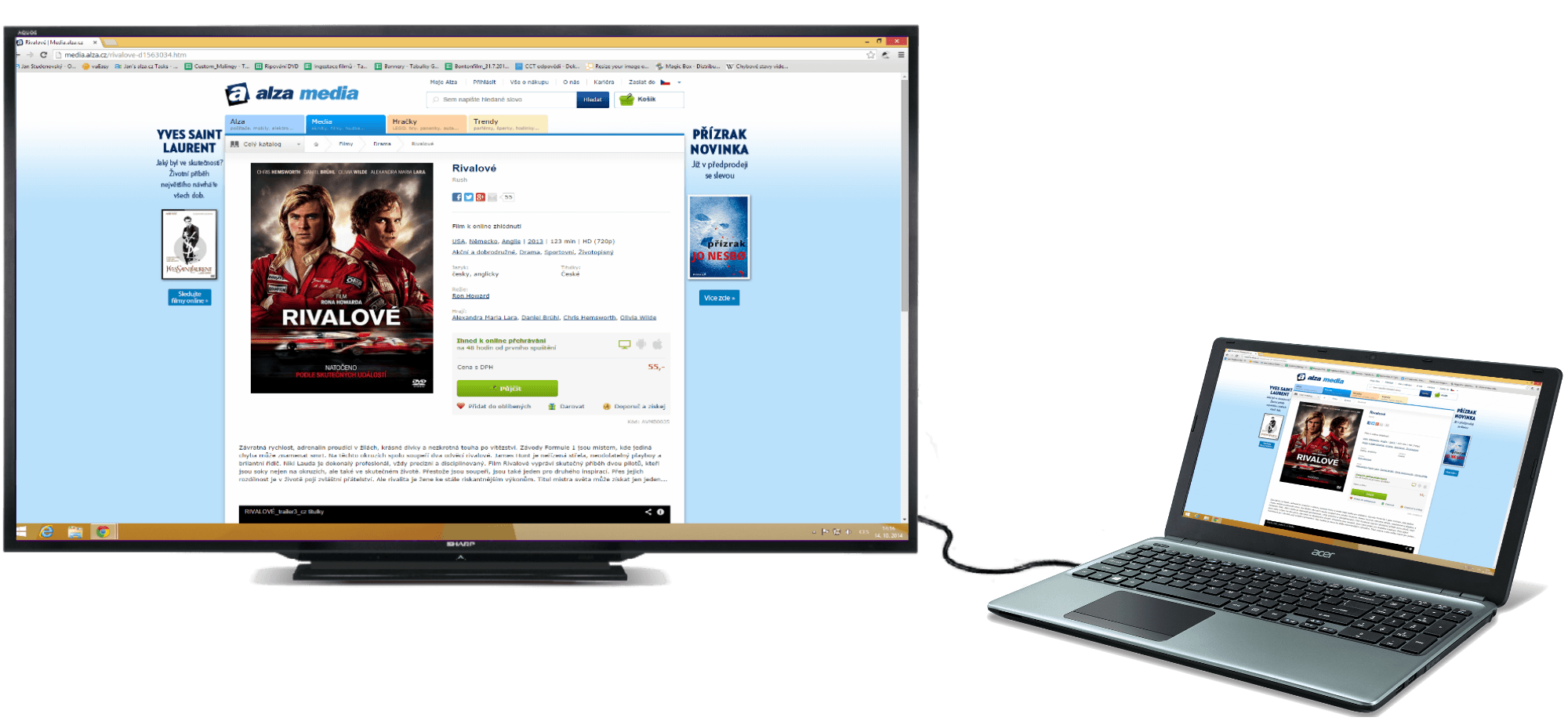
Film môžete jednoducho prehrať v počítači ako na YouTube. Po zaplatení sa vám film ihneď zobrazí. Ak si ho budete chcieť prehrať na obrazovke televízora, ponúkame vám jednoduchý návod. Potrebujete len kábel na prepojenie počítača s televízorom.
Ako pripojiť notebook k televízoru
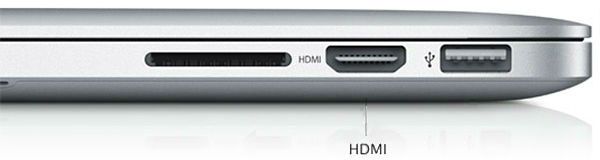
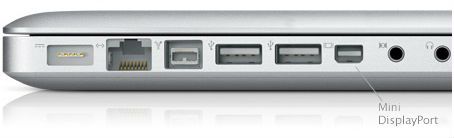
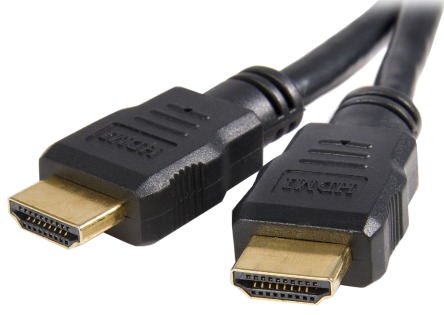
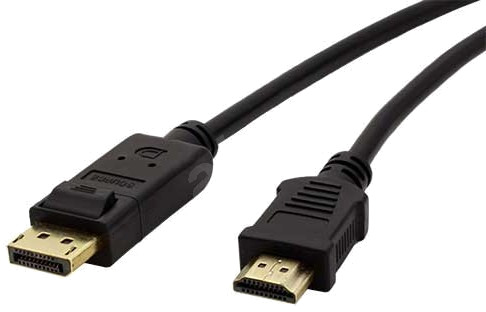
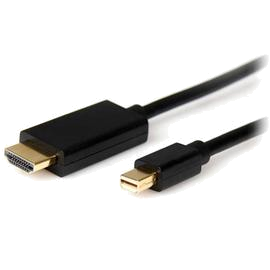
Televízor má vždy HDMI. Podľa fotografií zistite, aký konektor má váš notebook a aký prepojovací kábel bude vhodný.
HDMI -> HDMI
DisplayPort -> HDMI
Mini DisplayPort -> HDMI
Windows
Prepojte televízor a počítač vhodným káblom
Zapnite počítač a nastavte televízor tak, aby zobrazoval signál zo správneho vstupu (HDMI), štandardne pomocou tlačidla "Source" na diaľkovom ovládaní
Počítač by mal automaticky nájsť druhú obrazovku a začať na nej zobrazovať plochu. Ak sa tak nestalo, stlačte súčasne tlačidlo Windows a P
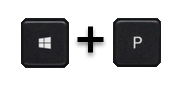
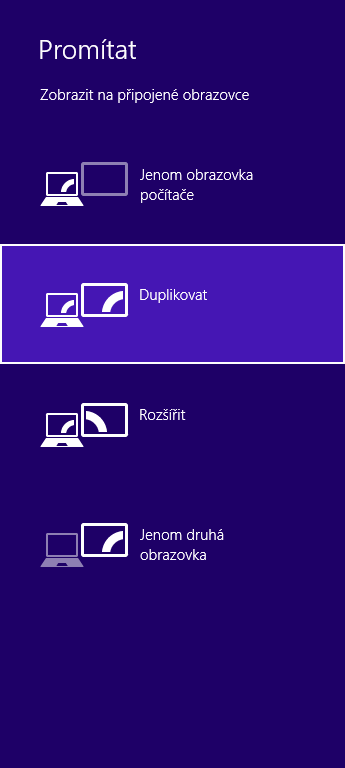
Potom sa vám objaví táto ponuka zmeny zobrazovacieho zariadenia
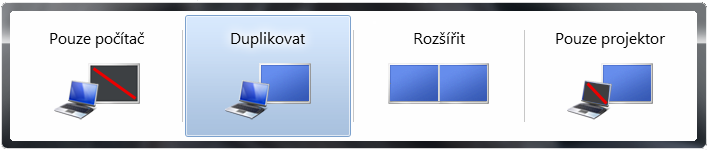
Vyberte možnosť Duplikovať a na televízore sa zobrazí pracovná plocha PC
Apple OS X
Na prepojenie počítača Apple a televízora je nutné zaobstarať redukciu Mini-DisplayPort -> HDMI
Prepojte televízor a počítač vhodným káblom
Zapnite počítač a nastavte televízor tak, aby zobrazoval signál zo správneho vstupu (HDMI), štandardne pomocou tlačidla "Source" na diaľkovom ovládaní
Mac by mal automaticky nájsť druhý monitor a rozšíriť na neho obrazovku. Ak chcete zmeniť nastavenie tak, aby bol na oboch obrazovkách rovnaký obraz, vyberte v nastavení "Monitory". Tam v záložke "Usporiadanie" označte políčko "Odzrkadlené monitory".
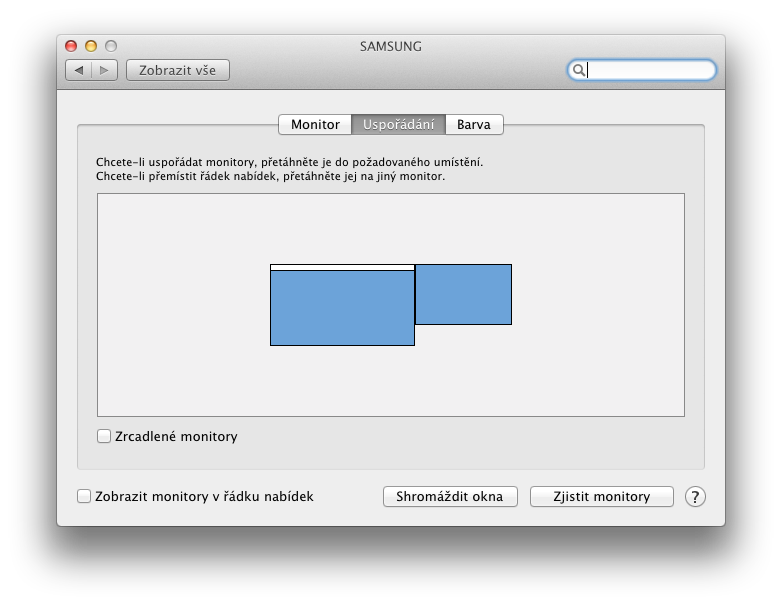
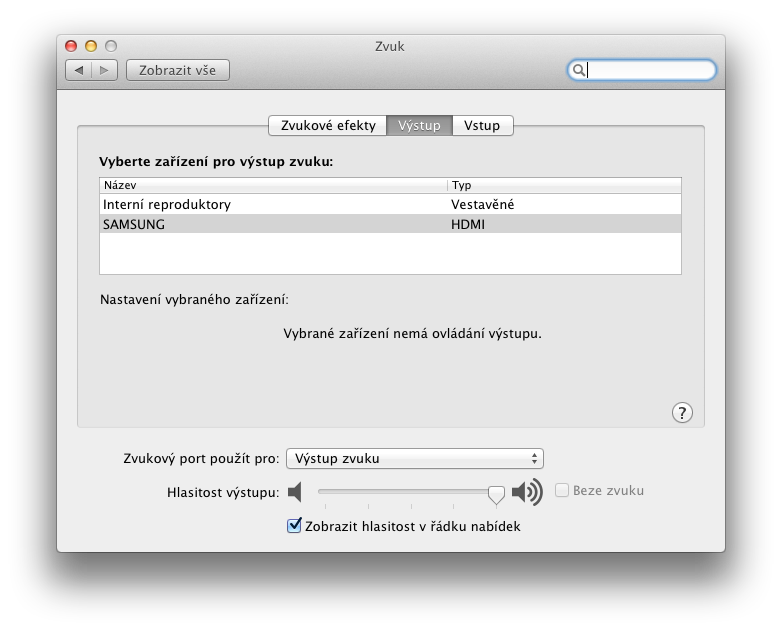
Možno vám po spustení filmu bude hrať zvuk len z počítača. Choďte teda do nastavenia, do položky "Zvuk", kde v záložke "Výstup" zvolíte ako výstupné zariadenie zvuku televízor.