Try our cookiesAlza.cz a. s., Company identification number 27082440, use cookies and other data to ensure the proper functioning of the website and, with your consent, also, among other things, to personalize advertising and the content of our websites. By clicking on the “I understand“ button, you agree to the use of cookies and the transfer of data regarding the behavior on the website for displaying targeted advertising on social networks and advertising networks on other websites.
We use 8 categories of cookies on our website:
Technical cookies
These are strictly necessary for the functioning of the website and the features you choose to use. Without them, our website would not work; you wouldn't be able to log in to your user account, for example.
Functionality cookies
These cookies allow us to remember your basic choices and improve the user experience. These include remembering your preferred language or allowing you to stay logged in permanently.
Social media cookies
These cookies allow us to easily link you to your social media profile and, for example, allow you to share products and services with your friends and family.
Content personalisation
These cookies allow us to show you content and ads according to the information we have about you to best meet your needs. This includes what content you have viewed, or on what device you are accessing our website.
Non-personalised advertising
These cookies allow us to show you general ads for products and services.
Personalised advertising
Thanks to these cookies, we and our partners can offer you relevant products and services based on your purchases, your shopping behaviour and your preferences.
Audience metrics
These cookies allow us to optimise our site for your convenience based on how you use it. The aim is to remember or anticipate your choices. This includes, for example, the use of features, their location, or the behaviour on the page.
By giving your consent to the processing of cookies, functionality and analytical cookies will be installed on the device you use to browse the website (click on the "I understand" button for both categories, or you can select only one of the categories by clicking on the "Settings" button). We always install technical cookies on your device, even without your explicit consent, because without them our website would simply not work.
You can revoke your consent to the processing of cookies. In connection with our company's cookie processing, you also have the following rights: the right to access cookies, delete, modify, supplement and correct them, restrict processing and the right to lodge a complaint with the Office for Personal Data Protection. Read more about your rights.
Interested in reviews of 49" Dell Ultrasharp U4924DW? It got 3.4 out of 5 stars from our customers. Find specific customer reviews of 49" Dell Ultrasharp U4924DW below. We will appreciate if you also share your experiences with 49" Dell Ultrasharp U4924DW after purchasing.
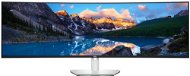
Two 27" QHD in a single panel — and, best of all, without a bezel in the middle I bought the U4924DW to replace a pair of 27" monitors, and after a few weeks of daily use, it’s exactly what you’d expect from a 32:9 dual-QHD display. A resolution of 5120×1440 works out at around 108 PPI, which is the same pixel density as a 27" QHD display — so effectively I’m getting two of those panels side by side, but without that annoying gap or bezel in the middle. Ideal for development: The IDE takes up half the screen, with the terminal and documentation next to it, and a browser or Slack in the corner – and there’s still room to spare. Snap/tiling layouts (whether on Windows or tiling on Linux) really come into their own on this screen. Important for Linux users: I’m running it on Arch Linux and, after a few weeks, I haven’t encountered a single problem — 5120×1440 booted up without any fiddling, no messing about with the resolution or native mode. That’s by no means a given with 32:9 panels, so thumbs up. The display is an IPS Black panel, so the blacks and overall contrast are noticeably better than on a standard IPS display — it’s comfortable for working with text all day long, and the anti-glare finish effectively reduces reflections. The factory calibration and colour coverage are more than I need for coding, so even occasional image editing is no problem. The stand is fully adjustable (height/tilt) and features the same build quality as the UltraSharp range. For now, I'm running it exclusively via DisplayPort; It also has a USB-C dock with power supply, KVM and 2.5GbE, but I didn’t need to set that up. On the downside, to be fair: It's a 60Hz panel. It’s absolutely fine for work, but if you fancy a bit of gaming now and then, don’t expect high refresh rates — this is purely a workhorse. I’d definitely recommend it to developers and anyone who works with lots of windows open at once — and it works seamlessly on Linux.
Two 27-inch QHD displays with a frameless centre (5120×1440, ~108 PPI)
Plenty of space side by side — ideal for development and multitasking
It booted natively on Arch Linux; no resolution issues
A large and very well made monitor for office work. It can be seen that it is only 60 Hz LCD technology and not LED or OLED. Resolution and display quality sufficient for office work. It wouldn't be for gaming
really big monitor
thunderbolt-dock function for laptop is great
processing very good
lots of USB ports
retractable 2xUSB-C + USB-A ports under the bottom edge of the monitor
less deflection than I expected
response time and display rather only for office applications