


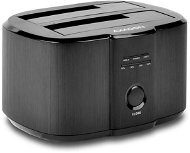
Reviews AXAGON ADSA-ST DUAL HDD
Interested in reviews of AXAGON ADSA-ST DUAL HDD? It got 4.6 out of 5 stars from our customers. Find specific customer reviews of AXAGON ADSA-ST DUAL HDD below. We will appreciate if you also share your experiences with AXAGON ADSA-ST DUAL HDD after purchasing.
User Reviews

Jaroslav, Brno
Rated 08/11/2023, variant AXAGON ADSA-ST DUAL HDD
Verified purchase - review from a price comparison website
Superspeed and functionality. Proven quality.
0 ×Report
Automatic translation

Jiří, Tichá
Rated 26/10/2023, variant AXAGON ADSA-ST DUAL HDD
Verified purchase
Good helper when cloning ssd.
0 ×Report
Automatic translation
Ladislav, Jablonec nad Nisou 5
Rated 08/10/2023, variant AXAGON ADSA-ST DUAL HDD
Verified purchase - review from a price comparison website
HDD shielding without using a calculator
0 ×Report
Automatic translation
Anonymous customer
Rated 03/10/2023, variant AXAGON ADSA-ST DUAL HDD
Verified purchase
Someone (a few years back) writes negative reviews because they had an older version that had a different fw. Someone had bad luck and a defective piece. Someone's grumbling that he lost his data again. but usually by their own fault. It worked perfectly for me. I recommend it!
really clones 1:1, WORKS even without PC !
control primitive, but to understand it better read the detailed instructions from the net 3 times, otherwise you risk the data. Cloning really works without a PC.
can be used as an external box when inserting two discs and via USB to PC
when working with the connection to the PC, it is necessary to make sure that you disconnect correctly from the win and then switch off the button and electricity(! )
The speed of cloning the old 128GB bootable HDD to the new 500GB SSD HDD around 10min, I think good.
clones too easily, one wrong press and data is gone
ATTENTION clones with the disk id and therefore after cloning and replacing the boot disk e.g. can't use the original HDD in the same PC without changing the id(but that's not a bug)
ATTENTION cloning also with disk id i.e. after connecting two disks after cloning via USB to PC, you will not see the disks (until you change the HDD id on the PC)
it is necessary to think and read the beautiful Czech detailed instructions. Always clone a smaller disk to a larger one (! ) Otherwise, of course, it doesn't work. but it's not a mistake!
0 ×Report
Automatic translation

Martin, Darkovice
Rated 22/09/2023, variant AXAGON ADSA-ST DUAL HDD
Verified purchase
It wiped out 4 HDDs before I found out 100% that the fault was in this device. The first one that was destroyed contained important data that I wanted to back up via this means. The other three discs were older and unnecessary. I'm only stating this to make it clear that I'm 100% sure it's a device error!
0 ×Report
Automatic translation

Oldřich, Milovice
Rated 21/09/2023, variant AXAGON ADSA-ST DUAL HDD
Verified purchase
OK
0 ×Report
Automatic translation

Pavel, Leč
Rated 27/08/2023, variant AXAGON ADSA-ST DUAL HDD
Verified purchase - review from a price comparison website
Without using a PC I cloned my first disk, I wanted to clone from the old HDD to the new SSD, which I didn't succeed in the end, probably because the SSD had a smaller capacity than the HDD and all the data that was on the original disk I deleted, even Recuva didn't restore them afterwards, but that was my mistake, which I paid for my hastiness, so I believe that the next clone will already take place in the right order: -)
0 ×Report
Automatic translation

Tomáš, Praha
Rated 25/08/2023, variant AXAGON ADSA-ST DUAL HDD
Verified purchase
Price
Ease of use
Design
Don't buy! It runs reliably for the first year or two, then it starts messing up the disk structure, I wrote off 4TB on one piece and today on another piece 6TB of data because of this crap
0 ×Report
Automatic translation

Robin, Babice nad Svitavou
Rated 22/08/2023, variant AXAGON ADSA-ST DUAL HDD
Verified purchase
Overpriced for what's inside.
works
cloning works
hasn't burned yet
the disk shuts down after 10 minutes and cannot be moved
THE DISK SHUTS DOWN AFTER 10 MINUTES AND CANNOT BE MOVED
Wasn't it enough twice before?
The cable/connector was damaged.
Oh, and the disk shuts down after 10 minutes and can't be moved, so it will soon dispose of the rotating disk.
0 ×Report
Automatic translation
Anonymous customer
Rated 22/07/2023, variant AXAGON ADSA-ST DUAL HDD
Verified purchase
HDd reader + Copying with discu ns disc
Nothing
0 ×Report
Automatic translation
