Try our cookies Alza.cz a. s., Company identification number 27082440, uses cookies to ensure the functionality of the website and with your consent also to personalisage the content of our website. By clicking on the “I understand“ button, you agree to the use of cookies and the transfer of data regarding the behavior on the website for displaying targeted advertising on social networks and advertising networks on other websites.
Alzak icon
Catalogue
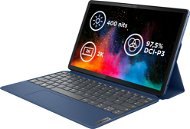
Lenovo IdeaPad Duet 3 11IAN8 Abyss Blue - Tablet PC

Reviews Lenovo IdeaPad Duet 3 11IAN8 Abyss Blue

Interested in reviews of Lenovo IdeaPad Duet 3 11IAN8 Abyss Blue? It got 4.1 out of 5 stars from our customers. Find specific customer reviews of Lenovo IdeaPad Duet 3 11IAN8 Abyss Blue below. We will appreciate if you also share your experiences with Lenovo IdeaPad Duet 3 11IAN8 Abyss Blue after purchasing.
504.90 €
In stock > 5 pcs
Add to Cart More Information

User Reviews

Michaela, Plzeňflag
Rated 08/12/2025, variant Lenovo IdeaPad Duet 3 11IAN8 Abyss Blue
Verified purchase - review from a price comparison website
none yet
price
power
0 ×Report
Automatic translation
Anonymous customerflag
Rated 22/01/2025, variant Lenovo IdeaPad Duet 3 11IAN8 Abyss Blue
Verified purchase
My device has 8GB and an N100 processor. I don't recommend the N200, almost identical performance and in Benchmark the N100 beats the N200 on single-core by 3% and on multi-core by 25%. WIN11 is a waste of money, buy WIN 11s and reinstall on an older system.
A 4* facility, N100, 200 - no mean feat. Stylus placement and Windows 11 are a waste of money, too bad it can't be bought without the OS
The device was reinstalled immediately on Windows 10 Pro - a complete improvement, increased PC speed and complete functionality
Strong magnets in the housing
Beautiful design
Keyboard is a bit of a habit for big hands due to the size, otherwise perfect + touchpad
45W charger with USB-C, also suitable for phones - charges very fast
Securely packed
Quality of the whole device
I'm lowering the whole rating to 0 stars because of Windows 11 (it's a pity that the rating can't be divided into SW and HW)
Get ready for half an hour of rejection of Windows 11's intrusive programs, services and diagnostic data before you even start your tablet
You need to secure your tablet even if you don't want to
Log in to the internet, otherwise the device will not start
Sign in to your Windows account, otherwise you won't be able to start the device
You have to reject several free programs, and anyway after installation they are part of Windows 11 and forcefully start when you turn on your computer (Office, Teamspeak, Windows cloud, Edge, McAfee security, Lenovo apps and dozens more + full of ads on trial)
The placement of the stylus is the only big minus on the HW - it's hard to take out. The tablet has to be folded down and squeezed by force in the dent on the cover. I don't understand why the stylus isn't retractable or magnet on the side, for example. I prefer to use the touchpad because of this
0 ×Report
Automatic translation
Anonymous customerflag
Rated 23/02/2024, variant Lenovo IdeaPad Duet 3 11IAN8 Abyss Blue
Verified purchase
I bought a touchscreen laptop mainly for school and it's absolutely fine with me. Browsing on Google, watching a movie in the app and taking notes all at once is easy to manage. Bluetooth, wifi normal. I was a little worried about running out of space (128GB total storage, windows about 30GB), but it doesn't seem like a threat. The keyboard is smaller, which may be unusual. A touchpad on the keyboard is a great idea, you won't even know how many times you use it in a day. Since I couldn't find the pen (lenovo digital stylus 3) anywhere on the internet (information, reviews or the product itself), I conclude that if you misplace it, it can't be purchased separately. About the pen: an AAAA battery is inserted into it, which is practically always on. So far I have about a week and it is definitely not dead (according to a few reviews it should last a couple of months, but I don't know what the truth is). The pen has a pressure-differentiating tip (text is "thicker" when you press down), and the device screen supports palm rejection (if you want to write with the pen while keeping your hand on the screen). The last thing the pen offers are two functional buttons. The bottom one works in Microsoft programs (notes, word. ) as an eraser, the top one as a lasso to mark the text. (the rubber erases the whole strokes and you have to learn a bit with the lasso) For me it's a great touch device for school, so I recommend it
stylus cover included with keyboard cover
charger, stylus included
leather cover
speakers that are absolutely sufficient for movies/series out loud
the device immediately recognizes if the keyboard is connected (some programs automatically change the layout slightly when the keyboard is connected/disconnected)
the camera on the front is sufficient for video calls in a good environment (in dim/direct light the image quality is not the best)
during normal use (internet browsing/movies/notes at school) the device lasts me about 6 hours
the charger is lightweight
camera on the back (however, you have to consider if you need it)
if you want to separate the display from the keyboard, it is not the best solution where to attach it (but this is only a cosmetic defect)
the battery doesn't last 12.5 hours as stated here, however it still lasts quite a long time
0 ×Report
Automatic translation
P-DC1-WEB01