


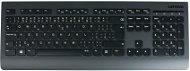
Reviews Lenovo Professional Wireless Keyboard - CZ
Interested in reviews of Lenovo Professional Wireless Keyboard - CZ? It got 4.8 out of 5 stars from our customers. Find specific customer reviews of Lenovo Professional Wireless Keyboard - CZ below. We will appreciate if you also share your experiences with Lenovo Professional Wireless Keyboard - CZ after purchasing.
User Reviews

Vysoké učení technické v Brně, Fakulta chemická, Brno 12
Rated 04/07/2025, variant Lenovo Professional Wireless Keyboard - CZ
Verified purchase - review from a price comparison website
it doesn't rattle: -)
0 ×Report
Automatic translation

HOWKEY s.r.o., Praha
Rated 04/02/2025, variant Lenovo Professional Wireless Keyboard - CZ
Verified purchase
practical key layout
"classic" Enter key size
quality workmanship
Lenovo
0 ×Report
Automatic translation

Jaroslav, Praha 4 - Michle
Rated 10/12/2024, variant Lenovo Professional Wireless Keyboard - CZ
Verified purchase
Nice key layout.
Does not slide on the table, has rubberized feet
Volume and calculator buttons.
It does not pair easily with a USB receiver.
There are no instructions.
You need to hold the pairing button and be about 5 cm away from the USB receiver.
I would have expected a more sophisticated solution from Lenovo.
0 ×Report
Automatic translation
Anonymous customer
Rated 05/06/2024, variant Lenovo Professional Wireless Keyboard - CZ
Verified purchase
So this looks very good. maybe the buttons will work continuously for a while like on the logitech K270 that I bought in January of this year. I do not recommend this place to anyone.
but this Lenovo works well for me, it has everything I need, it writes well. and it has a classic numeric pad and quick keys for sound volume and a calculator, which I sometimes find useful. I don' t mind the fact that it doesn' t have a caps lock light, I always tear the caps lock key away like a useless fossil from the prehistory of typewriters. for me only the keyboard causing typos.
0 ×Report
Automatic translation

Karolína, Praha 7
Rated 18/05/2024, variant Lenovo Professional Wireless Keyboard - CZ
Verified purchase
great layout of the keys
big Enter (double line)
large backspace
Printscreen button
Numeric keypad with large enter
volume control and calculator button
big right Shift
big space (long)
F keys
large arrows (not the half-sized ones that many keyboards have now - especially on laptops, but also plug-in ones)
wireless connection works great
legs for lifting
the battery lasts a really long time in it, it doesn' t eat much
Czech (you have marked where ě, š, č, etc. )
gradual lowering of the keyboard from the spacebar to the table - rest for the hands
could be a big left shift
0 ×Report
Automatic translation

Václav, Praha 22
Rated 08/03/2024, variant Lenovo Professional Wireless Keyboard - CZ
Verified purchase
I spent a long time choosing a keyboard that I would be comfortable typing on (code, emails, no gaming). I've tried countless mechanical keyboards. I've tried keyboards that are expensive, overpriced and cheap. In the end, I reached for the laptop classic and I don't regret it at all. If this keyboard had a CAPS LOCK indicator, better volume control and perhaps less wobbly keys, I'd rate it 10/10.
Completely classic key layout, no extra shenanigans. Left SHIFT short, ENTER large.
The keyboard is the same as on Lenovo laptops
Heavy, stays in place on the table
Beveled sides that make the keyboard comfortable to lift
Quiet
The keyboard worked including all function keys on the first try on Win 11 without any drivers
Higher price, which in my opinion is not justified
Without backlight
Connection with classic USB-A dongle without Bluetooth fallback
No CAPS LOCK indicator
The buttons above the number pad (volume control and calculator) are unremarkable and the quality of the keys is a class below the rest of the keyboard.
The keys are fine to press, but they feel a bit unstable, they wobble.
The feet have only one half-hog, which is lower than I'm used to with other keyboards. A centimetre more bevel would be better.
The power button is on the bottom of the keyboard. I have, for example. Logitech K270, and it has a better switching solution.
The dongle is hidden underneath next to the batteries. If you move the keyboard and dongle frequently, I would be afraid that the battery cover will come off.


0 ×Report
Automatic translation
Radomír, Roztoky
Rated 01/12/2023, variant Lenovo Professional Wireless Keyboard - CZ
Verified purchase
Cool keyboard for home office
No annoying cables
0 ×Report
Automatic translation
Anonymous customer
Rated 01/01/2023, variant Lenovo Professional Wireless Keyboard - CZ
Verified purchase
Quality construction
Volume and calculator buttons
The same as the keyboard on Lenovo NTB, so it is perfect for typing
Not rechargeable via cable
Could be backlit (habit from NTB)
Could be Bluetooth (now only for 1 device via USB dongle)
0 ×Report
Automatic translation
