


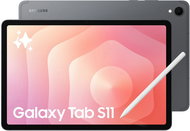
Reviews Samsung Galaxy Tab S11 12GB/256GB Gray
Interested in reviews of Samsung Galaxy Tab S11 12GB/256GB Gray? It got 5.0 out of 5 stars from our customers. Find specific customer reviews of Samsung Galaxy Tab S11 12GB/256GB Gray below. We will appreciate if you also share your experiences with Samsung Galaxy Tab S11 12GB/256GB Gray after purchasing.
User Reviews

Darina, Dubnica nad Váhom 1
Rated 02/11/2025, variant Samsung Galaxy Tab S11 12GB/256GB Gray
Verified purchase
odporúčam, skvelá voľba, ak chcete naj Android tablet
super rozlíšenie obrazovky
je rýchly
moc nehreje
DEX mód
batéria nevydrží dlhšie, než v S10, ale stále dobré
0 ×Report

Jiří, Praha 6 - Suchdol
Rated 07/09/2026, variant Samsung Galaxy Tab S11 12GB/256GB Gray
Verified purchase - review from a price comparison website
High-quality display (sharp picture)
Lightweight and portable (slim body, low weight)
Also compatible with previous styluses, including some others (I tested it with a Wacom).
no cutout for the front camera on the display
Can be used as a graphics tablet for a PC with software from Samsung, both wirelessly and via USB.
Experimental Linux support in developer mode
after installing the protective glass, the fingerprint reader is very unreliable
The analogue headphone output is missing.
doesn't support vibration
high price
0 ×Report
Automatic translation

Lukáš, Třebíč 1
Rated 28/07/2026, variant Samsung Galaxy Tab S11 12GB/256GB Gray
Verified purchase - review from a price comparison website
A really lovely screen
0 ×Report
Automatic translation

Customer, Tábor
Rated 13/06/2026, variant Samsung Galaxy Tab S11 12GB/256GB Gray
Verified purchase - review from a price comparison website
Quick, easy, and my son is happy
0 ×Report
Automatic translation
Barbora, Praha 10
Rated 12/10/2025, variant Samsung Galaxy Tab S11 12GB/256GB Gray
Verified purchase
The Samsung Galaxy Tab S11 really surprised me. It's light, sleek and powerful. The pen is responsive, writing and drawing is smooth and natural. The display is the perfect size, the colours are vivid and bright. I also appreciate the long battery life and fast charging. A great tablet for work and play!
Battery life
Light
0 ×Report
Automatic translation
Patrik, Říčany
Rated 10/10/2025, variant Samsung Galaxy Tab S11 12GB/256GB Gray
Verified purchase
Great tablet, processor speed, everything perfetkní
Size
Price
Design
Free pencil
0 ×Report
Automatic translation

Filip, Tábor 2
Rated 07/10/2025, variant Samsung Galaxy Tab S11 12GB/256GB Gray
Verified purchase
Galaxy Tab S11 review: User's view after switching from Tab S9
My Galaxy Tab S9 has been a great companion. The display was awesome, the power was on point and the S Pen worked great. I was honestly wondering if upgrading to the Tab S11, two generations newer model, makes any sense at all. But after just a few hours with the new one, I have to say that the differences are more noticeable than I expected and the upgrade has paid off.
First impressions: Thinner and feels faster
Right out of the box, you'll notice that Tab S11 is noticeably thinner. It's not a dramatic difference, but it feels a bit better in the hand and feels more modern. But what surprised me more is the overall agility of the system. My Tab S9 was definitely not slow, but the S11 is just a step ahead everywhere. Switching between apps, working with multiple windows in DeX mode and loading games is lightning fast. The jump in performance thanks to the new MediaTek processor and the increase in RAM to 12 GB in the base is really noticeable.
Where the upgrade is most visible:
With a Pen that finally fits your hand: The new S Pen has a hexagonal shape, similar to a classic pencil. It feels much more natural and comfortable to hold than the round stylus on the Tab S9. The nib has also been improved to be more precise and writing and drawing is now much closer to the feeling of writing on paper. For someone who often takes notes, this is a great enhancement. However, the S Pen no longer has a bluetooth connection and is therefore passive. For someone who has used the S Pen e.g. to the remote control, that could be a problem. I personally don't mind, I use it mainly for writing and appreciate that it no longer needs charging.
Brighter display and longer support: The display on the Tab S9 was fantastic, but the S11 takes it even further with a higher maximum brightness. In direct sunlight, legibility is slightly better. But software support was also a key factor for me. Samsung promises 7 years of updates, meaning the Tab S11 will be a safe and modern tablet for many years to come, while support for the Tab S9 is slowly coming to an end.
What's left of the old?
The battery has the same capacity, but thanks to the more efficient chip, my tablet lasts a little longer on a single charge. The cameras are still rather complementary and for video calls absolutely sufficient, but it's not for taking holiday photos. And yes, you still have to buy the charger separately.
Is the switch worth it?
If you're happy with the Galaxy Tab S9 and don't need the latest features, you don't necessarily need to upgrade. It's still a high-end tablet. But if, like me, you use your tablet daily for work or study, take frequent notes, and want the security of the latest software for years to come, then switching to the Tab S11 makes sense. That feeling of smoother operation, a vastly improved S Pen and useful AI features make everyday use a much more enjoyable experience. The difference of two generations is simply noticeable here.
High-end Dynamic AMOLED 2X display with 120Hz refresh rate
Perfect performance
Premium and durable design (IP68)
Newly designed, ergonomic S Pen, which no longer has bluetooth and no longer needs to be charged
Long-term software support
For some users, the new S Pen no longer has bluetooth and is therefore passive
0 ×Report
Automatic translation

Otakar, Brno 28
Rated 23/09/2025, variant Samsung Galaxy Tab S11 12GB/256GB Gray
Verified purchase
I use the tablet as an extension to the Google Pixel 10 Pro, which is losing breath in performance, but I appreciate the pure Android and software features. The Samsung tablet has performance that exceeds expectations and helps where the phone falls short.
Display - legibility, anti-glare coating, functional stylus
Battery life
Fast response, system fluidity
AI features
Samsung ecosystem
I appreciate the great progress in the transition from tab S9 to tab S11
Multitasking
Thin body and h, otnost
0 ×Report
Automatic translation
Martin, Praha 8
Rated 10/09/2025, variant Samsung Galaxy Tab S11 12GB/256GB Gray
Verified purchase
I have a good feeling about the new tablet at first sight. It's light, thin and holds up nicely. The design of the tablet itself is nice. I like the new shape of the touch pen, which is faster to grip and easier to hold and work with. The quick tool button on the pen is also useful. With this function, one can adjust, for example, the colour, thickness, etc. more quickly. I also appreciate the DeX function, which allows me to create up to 4 working environments. I haven't tried mirroring to another monitor yet though. There are plenty of other features to make it easier to work or search thanks to AI.
What doesn't look so good to me at first glance is the placement of the stylus on the edge of the tablet. It's held on tightly with a magnet, but I don't feel good about it and I'm worried about losing it somewhere.
touch pen shape
AI features
smoothness and speed
microSD slot
AMOLED display
overall size
design
speaker volume
position for possible pen storage
sometimes the keyboard overlaps over the text field
the display bezel could be a little smaller
0 ×Report
Automatic translation
Richard, Olomouc
Rated 08/09/2025, variant Samsung Galaxy Tab S11 12GB/256GB Gray
Verified purchase
Lightweight and slim design, fits in any bag
Sharp and clear picture, suitable for watching movies
Smooth multitasking, can keep several applications open at once, which can be easily switched between
Suitable for all kinds of students, both for note-taking and for viewing scripts
The pencil is straight in the package so there is no need to buy it
Battery lasts for several days with normal use
Adapter not included
0 ×Report
Automatic translation
