Try our cookies Alza.cz a. s., Company identification number 27082440, uses cookies to ensure the functionality of the website and with your consent also to personalisage the content of our website. By clicking on the “I understand“ button, you agree to the use of cookies and the transfer of data regarding the behavior on the website for displaying targeted advertising on social networks and advertising networks on other websites.
Alzak icon
Catalogue
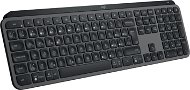
Logitech MX Keys S Graphite - CZ/SK - Keyboard

Reviews Logitech MX Keys S Graphite - CZ/SK

Interested in reviews of Logitech MX Keys S Graphite - CZ/SK? It got 4.7 out of 5 stars from our customers. Find specific customer reviews of Logitech MX Keys S Graphite - CZ/SK below. We will appreciate if you also share your experiences with Logitech MX Keys S Graphite - CZ/SK after purchasing.
104.90 €
In stock > 5 pcs
Add to Cart More Information

User Reviews

Radek, Sezimovo Ústíflag
Rated 31/12/2023, variant Logitech MX Keys S Graphite - CZ/SK
Verified purchase
Hilarious workmanship, in the office and at home will do great.
Really nice design
Usable via Bluetooth and logi receiver
3 different devices(works with my apple pro tablet4gen. )
Backlit and adjustable backlight
I highly recommend the combination with the MX Master3S mouse.
Key stroke
USBC
Some characters you won't find there. Like on other US/CZ keyboards.
Cannot be positioned/fully laid flat. Thanks to the flashlight, she's up. I'm fine with the tilt
I never saw a real photo of the CZ version before I bought it, not even from the manufacturer.
0 ×Report
Automatic translation
Customer, Buštěhradflag
Rated 30/12/2023, variant Logitech MX Keys S Graphite - CZ/SK
Verified purchase
The backlighting setting doesn't work at all: -(
0 ×Report
Automatic translation
Jiří, Prahaflag
Rated 05/12/2023, variant Logitech MX Keys S Graphite - CZ/SK
Verified purchase
Non-standard description of keys, such a hybrid between MAC and PC, moreover only CZ/SK for someone who uses both English and Czech quite unpleasant. The CZ/US layout was standrd for a long time.
0 ×Report
Automatic translation
Petr, Zlivflag
Rated 03/12/2023, variant Logitech MX Keys S Graphite - CZ/SK
Verified purchase
Satisfaction
The play buttons are close. PRICE
0 ×Report
Automatic translation
Vojtěch, Praha 4 - Hodkovičkyflag
Rated 20/11/2023, variant Logitech MX Keys S Graphite - CZ/SK
Verified purchase - review from a price comparison website
Excellent keyboard, does not make noise when typing. Just the right size for large hands, good backlight, connectivity to multiple devices.
0 ×Report
Automatic translation
Pavel, Miroslavflag
Rated 18/11/2023, variant Logitech MX Keys S Graphite - CZ/SK
Verified purchase - review from a price comparison website
Often not steamed
I guess the price
0 ×Report
Automatic translation
Martin, Odolena Vodaflag
Rated 14/11/2023, variant Logitech MX Keys S Graphite - CZ/SK
Verified purchase - review from a price comparison website
An excellent office keyboard that is great to type on. Unfortunately, the current version has only strictly Czech key labels. You won't find English here anymore. The previous version without the "S" in the name had both, thanks to the fact that the CZ characters were engraved on the EN keyboard by the importer afterwards.
Wireless
Excellent adjustable backlight
Heavy
Up to 10 days battery life
Low stroke keys
Connection to up to 3 devices.
In the upgraded version S, the keys do not have labels for the EN keyboard, only CZ characters.
A little spilled beer had etched the transparent cover of the backlight inside. So watch the fluids, clean water probably won't hurt. I was surprised that beer did. Then there will be a significant impact on the uniformity of the backlight.
Not spill resistant
Very difficult to disassemble and clean.
0 ×Report
Automatic translation
Petr, Měcholupyflag
Rated 10/11/2023, variant Logitech MX Keys S Graphite - CZ/SK
Verified purchase
The keyboard meets everything I expect from a Logitech keyboard for work. Everything is intuitive, the buttons are comfortable, the keyboard is well made and heavy, so it holds in place perfectly. Combined with the Logitech Desk Mat Studio Series, it's awesome. I don't buy mice other than Logitech, so again it fits together beautifully. I replaced it with the original LOGITECH Illuminated Keyboard K740, which is unfortunately no longer in production.
Quality workmanship and materials
No delays or backlogs
It has been running for over a week of intense work and the battery is at 65%, which is better than the claimed battery life
0 ×Report
Automatic translation
Pavel, Boskoviceflag
Rated 11/10/2023, variant Logitech MX Keys S Graphite - CZ/SK
Verified purchase
the keyboard is great, it's beautiful to type on, I type faster than on a regular one. But it has one major downside. Left shift. It's terribly small and I make a lot of mistakes in capitalization. The right one is huge, I don't understand why Logitech doesn't make the right one smaller and use the saved space to make the left one bigger. Obviously they invest a lot of money and time into the design of the entire keyboard and this is what they miss. I don't understand.
it's great to write on
backlight
weight
LEFT SHIFT
0 ×Report
Automatic translation
Patrik, Prahaflag
Rated 29/09/2023, variant Logitech MX Keys S Graphite - CZ/SK
Verified purchase
For the price, I expected more from the MX Keys S. At first glance it looks very "smart" but in the end it doesn't offer many useful functions. I expected better compatibility with the Master 3S mouse. There's no reason to have this particular mouse with your keyboard. They are not cooperating with each other in any way. For example, switching between devices could be handled centrally for both devices, not separately. Compared to a classic membrane keyboard for 200 CZK, the experience is obviously better. Well for a similar price one can get a quality mechanical keyboard that is a level above. The keys feel average, I don't get a premium feeling from them. The keyboard body is solid. The description says something about aluminum, but it looks more like all-plastic to me, minimally feeling. I haven't checked to see if there's any aluminum plate inside. The keystrokes feel rather cheap, as with any membrane keyboard, but they are among the better ones. The backlighting shines more around the keys than through the labels, unless you're looking at it directly from above. The hand detection feature to activate the backlight is interesting, but I don't know who will wait 1s in the dark with their hand on the keyboard before the labels light up. There are a lot of multimedia keys on it that I'll never use. For example, on a screen clipping or opening a calculator. Well, at least they can be reprogrammed. The keyboard is very heavy but solid. It does not bend in any way when writing. As a result, it's a fine keyboard, but it feels as premium as any other laptop keyboard. Logitech obviously doesn't give a damn about customer requests, because the SW features I personally miss were suggested by other users a few years back and nothing has changed since then. Logi+ also didn't find any new firmware version for both keyboard and mouse. I don't know if this is a mistake or if Logitech considers their device already perfect.
Very robust construction
Looks modern on the table
Battery life
Nicely processed Czech descriptions
Price/quality ratio
I don't have a premium impression of her
Logi Options+ SW
Compatibility with MX Master 3S
(Short shift for the Czech version)
0 ×Report
Automatic translation
141 - 150 from 159
P-DC1-WEB17