


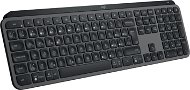
Reviews Logitech MX Keys S Graphite - CZ/SK
Interested in reviews of Logitech MX Keys S Graphite - CZ/SK? It got 4.7 out of 5 stars from our customers. Find specific customer reviews of Logitech MX Keys S Graphite - CZ/SK below. We will appreciate if you also share your experiences with Logitech MX Keys S Graphite - CZ/SK after purchasing.
User Reviews

Petr, Měcholupy
Rated 10/11/2023, variant Logitech MX Keys S Graphite - CZ/SK
Verified purchase
The keyboard meets everything I expect from a Logitech keyboard for work. Everything is intuitive, the buttons are comfortable, the keyboard is well made and heavy, so it holds in place perfectly. Combined with the Logitech Desk Mat Studio Series, it's awesome. I don't buy mice other than Logitech, so again it fits together beautifully. I replaced it with the original LOGITECH Illuminated Keyboard K740, which is unfortunately no longer in production.
Quality workmanship and materials
No delays or backlogs
It has been running for over a week of intense work and the battery is at 65%, which is better than the claimed battery life
0 ×Report
Automatic translation

Pavel, Boskovice
Rated 11/10/2023, variant Logitech MX Keys S Graphite - CZ/SK
Verified purchase
the keyboard is great, it's beautiful to type on, I type faster than on a regular one. But it has one major downside. Left shift. It's terribly small and I make a lot of mistakes in capitalization. The right one is huge, I don't understand why Logitech doesn't make the right one smaller and use the saved space to make the left one bigger. Obviously they invest a lot of money and time into the design of the entire keyboard and this is what they miss. I don't understand.
it's great to write on
backlight
weight
LEFT SHIFT
0 ×Report
Automatic translation

Patrik, Praha
Rated 29/09/2023, variant Logitech MX Keys S Graphite - CZ/SK
Verified purchase
For the price, I expected more from the MX Keys S. At first glance it looks very "smart" but in the end it doesn't offer many useful functions. I expected better compatibility with the Master 3S mouse. There's no reason to have this particular mouse with your keyboard. They are not cooperating with each other in any way. For example, switching between devices could be handled centrally for both devices, not separately. Compared to a classic membrane keyboard for 200 CZK, the experience is obviously better. Well for a similar price one can get a quality mechanical keyboard that is a level above. The keys feel average, I don't get a premium feeling from them. The keyboard body is solid. The description says something about aluminum, but it looks more like all-plastic to me, minimally feeling. I haven't checked to see if there's any aluminum plate inside. The keystrokes feel rather cheap, as with any membrane keyboard, but they are among the better ones. The backlighting shines more around the keys than through the labels, unless you're looking at it directly from above. The hand detection feature to activate the backlight is interesting, but I don't know who will wait 1s in the dark with their hand on the keyboard before the labels light up. There are a lot of multimedia keys on it that I'll never use. For example, on a screen clipping or opening a calculator. Well, at least they can be reprogrammed. The keyboard is very heavy but solid. It does not bend in any way when writing. As a result, it's a fine keyboard, but it feels as premium as any other laptop keyboard. Logitech obviously doesn't give a damn about customer requests, because the SW features I personally miss were suggested by other users a few years back and nothing has changed since then. Logi+ also didn't find any new firmware version for both keyboard and mouse. I don't know if this is a mistake or if Logitech considers their device already perfect.
Very robust construction
Looks modern on the table
Battery life
Nicely processed Czech descriptions
Price/quality ratio
I don't have a premium impression of her
Logi Options+ SW
Compatibility with MX Master 3S
(Short shift for the Czech version)
0 ×Report
Automatic translation

MLC s.r.o., Olšany
Rated 27/09/2023, variant Logitech MX Keys S Graphite - CZ/SK
Verified purchase
For a reason not yet explained, key press combinations, e.g. CTRL+C or CTRL+V is often interpreted as pressing them separately, i.e. as if the CTRL key was pressed separately, followed by the C key, which causes very annoying errors. This usually happens if more time has passed since the last time you pressed any key on the keyboard, e.g. 10 seconds or more. If CTRL+C is pressed immediately after other keystrokes, the problem usually does not occur.
Materials used
Possibility to operate 3 devices
Big problem with pressing key combinations at the same time
Fast depletion of a fully charged battery (even within about 1 day, when working e.g. after 8 hours)
0 ×Report
Automatic translation

Jiří, Havířov 1
Rated 22/09/2023, variant Logitech MX Keys S Graphite - CZ/SK
Verified purchase - review from a price comparison website
quality product
I've already bought three
long battery life (more than a month) after charging
None
0 ×Report
Automatic translation

TLD Vision, s.r.o., Želeč
Rated 15/09/2023, variant Logitech MX Keys S Graphite - CZ/SK
Verified purchase
I bought the keyboard as I have used a K750 in the past and have been very satisfied. Technically it is very well made. It's heavy and solid. From a functional point of view, however, it is completely overcomplicated. The labels are confusing and I find the key layout a bit non-standard as well. I think it's because they're trying to cover all possible platforms.
0 ×Report
Automatic translation

Ivo, Praha 1-Staré Město
Rated 13/09/2023, variant Logitech MX Keys S Graphite - CZ/SK
Verified purchase - review from a price comparison website
For me the backlight
0 ×Report
Automatic translation

Oskar, Praha
Rated 09/09/2023, variant Logitech MX Keys S Graphite - CZ/SK
Verified purchase
pleasant keys
lightweight and portable
good luminosity
super feature to connect multiple devices via bolt
super custom keys/adjustable
a little weaker battery
0 ×Report
Automatic translation

Lukáš, Praha 10
Rated 07/09/2023, variant Logitech MX Keys S Graphite - CZ/SK
Verified purchase
Quality materials, so one smiles while writing. A bunch of features that have already come in handy.
Quality materials
Pleasant writing
Customizing macros
Colour
Price
0 ×Report
Automatic translation

Petr, Lučany nad Nisou
Rated 31/08/2023, variant Logitech MX Keys S Graphite - CZ/SK
Verified purchase
General satisfaction, my only reservation is the position of the right option button (for use with Mac). On mac (magic keyboard) the arrangement is (left to right) space, cmd, option. On this keyboard it's spacebar, cmd, fn, option. Basically, it's all about typing the characters you type with the right option + left hand combination, in my case the very frequently used typing of the call sign. On a Mac, I press option with my right ring finger + left pinky on the 2 key. On this keyboard, I can't reach the right option with my pinky finger, so I have to move my whole hand down to the right to press the right option. In principle, it probably wouldn't be a problem to get used to this and practice it, but since I alternate typing on this keyboard with typing directly on my macbook, I have a big problem with this and will probably be getting rid of this keyboard. If you don't write with all ten, this is not a problem.
everything except the above mentioned negative
position of the right option key
0 ×Report
Automatic translation
