


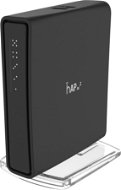
Reviews MIKROTIK RBD52G-5HacD2HnD-TC
Interested in reviews of MIKROTIK RBD52G-5HacD2HnD-TC? It got 4.8 out of 5 stars from our customers. Find specific customer reviews of MIKROTIK RBD52G-5HacD2HnD-TC below. We will appreciate if you also share your experiences with MIKROTIK RBD52G-5HacD2HnD-TC after purchasing.
User Reviews

Václav, Brandýs nad Labem-Stará Boleslav 1
Rated 13/09/2023, variant MIKROTIK RBD52G-5HacD2HnD-TC
Verified purchase
small
endless possibilities of settings when you understand it
0 ×Report
Automatic translation

Jiří, Kadaň
Rated 15/08/2023, variant MIKROTIK RBD52G-5HacD2HnD-TC
Verified purchase
Everything as expected
Mikrotik
I don't know
0 ×Report
Automatic translation
Kryštof, Lety
Rated 16/01/2023, variant MIKROTIK RBD52G-5HacD2HnD-TC
Verified purchase
unique what it can do
for incredibly little money for what he's doing
backup connectivity via USB modem
gigabit ports and run gigabit
wifi 2.4 and 5GHz parade up to AC
perhaps only that it does not have a strong external antenna
0 ×Report
Automatic translation

Jan, Praha
Rated 01/01/2023, variant MIKROTIK RBD52G-5HacD2HnD-TC
Verified purchase
Classic Mikrotik - also this time a great router, but also this time it failed as an AP. If I wasn't buying it for the 5 GHz WiFi, I would give it 5*.
IPsec HW acceleration
GbE ports
RouterOS
PoE, even if only passive
Radar detection delay at 5 GHz
Unstable speed on 5 GHz WiFi - unusable for VR (VD streaming 150 Mbps)
0 ×Report
Automatic translation

Anonymous customer
Rated 11/03/2022, variant MIKROTIK RBD52G-5HacD2HnD-TC
Verified purchase
I recommend it to anyone looking for a small home router with many options.
Small and handy - it fit nicely into my small electrical switchboard
Built-in antennas
very detailed configurable - wide range of settings - routerOS
gig LAN ports
trying to maintain maximum WiFi speed: automatically switches to the 2.4GHz band when I go behind the wall and again automatically switches back to 5GHz when I get closer. This does not always work with the competition. For example, at TPlink, I experienced that the band behind the wall switched to 2.4G and then stayed forever.
I have Synology NAS on my home network - they understand each other perfectly. It was necessary to turn on the UPnP service, then the NASka reached into the router and mapped the ports, and then everything went as it should - access to the NAS and from outside - from the Internet from anywhere.
communication within the network is really good - 1Gbps (actually a hair less 920Mbps) so writing to NAS is fast (115MB / s)
good price/performance ratio
I have it for about two months, I haven' t lost my WiFi or network connection once (I have 6 clients in the network)
all network diagnostics can be monitored in routerOS
parental control
complicated setup - it' s nothing for unpopular networking
when I switched the router to “bridge“ mode, I didn' t get into the settings. I had to restart. Fortunately, I do not use this mode.
USB is missing, such as a network printer
0 ×Report
Automatic translation

Customer, Náměšť nad Oslavou
Rated 22/12/2021, variant MIKROTIK RBD52G-5HacD2HnD-TC
Verified purchase
Small
Output
Professional operating system
Perfect price/performance ratio
Some may not like the complexity of the setup
0 ×Report
Automatic translation

Filip, PRAHA
Rated 11/10/2021, variant MIKROTIK RBD52G-5HacD2HnD-TC
Verified purchase
Lots of music for reasonable money.
A tiny but powerful router with advanced features.
0 ×Report
Automatic translation
Rostislav, Rychnov nad Kněžnou
Rated 01/06/2021, variant MIKROTIK RBD52G-5HacD2HnD-TC
Verified purchase
Small
Quick
Dual-band Wi-Fi
Gigabit ports
Complex configuration
0 ×Report
Automatic translation

Michal, Moravská Třebová
Rated 22/04/2021, variant MIKROTIK RBD52G-5HacD2HnD-TC
Verified purchase
it's just a microtik
almost anything can be set
routing performance
HW acceleration on the switch and for VLANs
with wi-fi you need to play with the router settings and placement
the setting is not for everyone
0 ×Report
Automatic translation
Roman, Chrášťany
Rated 16/01/2021, variant MIKROTIK RBD52G-5HacD2HnD-TC
Verified purchase
Power
Gigabit interface on all Ethernet ports
management options
not suitable for ignorant users who might get confused about the correct settings
0 ×Report
Automatic translation
