Try our cookies Alza.cz a. s., Company identification number 27082440, uses cookies to ensure the functionality of the website and with your consent also to personalisage the content of our website. By clicking on the “I understand“ button, you agree to the use of cookies and the transfer of data regarding the behavior on the website for displaying targeted advertising on social networks and advertising networks on other websites.
Alzak icon
Catalogue
Price
-
Availability
Order status
Newest orders

Components

Do you want to build your own powerful gaming PC, a powerful workstation, or a reliable office PC and have to no idea what to choose from the enormous range of hardware available? Read on for some handy tips on how to choose the right components. To make things even clearer, we will also show you some examples of PC systems built with hardware for specific purposes.

Continue

What Hardware Do I Need to Build My Computer?

A full-featured PC consists of a wide range of hardware. Not sure which components you need? The basic PC parts are a motherboard equipped with a processor, RAM, and a graphics card. All this is then inserted into a PC case with a PSU, or you can buy a power supply unit separately. Then add a hard drive for your data. Depending on what you need, you can also purchase a number of additional accessories for your new computer.

Hardware - Motherboard

The motherboard is the most important part of any PC and basically the foundation for all the other components. Pay extra attention to the type of socket on the motherboard, as the socket determines what processors you will be able to install. Motherboards are available in several different formats:

  • eATX is designed for high-end PC systems with multiple graphics cards.
  • ATX is great for powerful gaming computers and workstations.
  • mATX is suitable for low-cost office PCs and multimedia computers.
  • Mini ITX is recommended for compact office and HTPC computers or Media Centre PCs - they are suitable for multimedia and light, non-demanding applications.

Hardware - Processor

The processor is the brain of the whole computer. Its job is to perform the necessary computational tasks. When building a PC using individual PC parts, you need to choose a processor socket compatible with your motherboard. Depending on the purpose of your new PC, you may also have to consider the number of CPU cores.

  • 2-core processors are suitable for low-cost office assemblies.
  • 4-core CPUs are good for playing games and working with graphics programs.
  • 6-8 core processors are designed for work with demanding applications and playing the latest, most technically challenging games.
  • 8 and multi-core processors are designed primarily for powerful server systems and dedicated computing machines.

Hardware - RAM

RAM is the kind of hardware that supports the processor with computing tasks. Its capacity determines how many operations the operating system is capable of performing at the same time. So, how much RAM do you need?

  • 4GB of RAM is the minimum baseline for most operating systems today, but we recommend that you get at least 8GB to accommodate various modern applications and tasks.
  • 8GB of memory is also sufficient for more powerful office and multimedia PCs.
  • 16GB or more should be your choice if you are buying a workstation or a gaming computer.

i

DDR3 or DDR4? For low-end or mid-range systems, we recommend installing DDR3 memory modules; if you want to have a powerful, high-performance PC, make sure to choose DDR4. Before buying, always check the type of memory supported by your motherboard and processor to avoid any unpleasant surprises later on.

Hardware - Graphics Card

The graphics card is a component that is a must for any gaming PC, but it can also be used in workstations, including powerful office and multimedia PCs. The cards can be divided into four categories, according to their designation:

  • Multimedia graphics cards can handle less demanding tasks, such as watching movies and streaming high-definition videos, playing casual games, and browsing image-heavy websites.
  • Gaming graphics cards are suitable for Full HD gaming or video editing.
  • High-end GPUs are the best what today’s GPU market can offer and can handle demanding 4K games.
  • Professional graphics cards are designed for powerful workstations and are optimised for CAD programs. Despite their high performance, they aren’t particularly well-suited for gaming.

You don’t need anything fancy if you plan to build a PC purely for standard office work. A graphics card integrated on the motherboard or processor will be enough.

Hardware - Hard Drive

Hard drives are PC parts used to store and read data. The main two categories you will encounter are a classic HDD and a fast SSD.

  • For office and multimedia PCs, you should get a classic hard drive that can accommodate a large amount of data. Compared to SSDs, this type is considerably slower.
  • Workstations and gaming PCs work well with a combination of a fast SSD for the operating system and applications and a large HDD to store your files.

High-capacity SSD are also available. Unfortunately, they are still quite expensive.

Hardware - Sound Card

Sound cards are PC parts designed for users who like to listen to music in high quality. In most cases, however, an integrated sound card will be enough - these integrated cards are usually 8-channel. Music and audio enthusiasts should consider getting a powerful sound card, suitable for work with various audio software and gaming.

PC Case

When choosing a PC case, you must choose one with an interior large enough to fit all the required PC parts. PC cases can be divided into several categories:

  • Big Tower - as the name suggests, this is the largest type, suitable for high-performance, high-end PC systems. These cases have plenty of room for future expansion, water cooling, and several fans.
  • Midi Tower - the case you want for your ATX motherboard. This type is suitable for most gaming PCs and workstations.
  • Mini Tower - suitable for mATX motherboards; ideal for low-cost office and multimedia PCs.
  • Mini ITX and HTPC - these are designed for MITX motherboards and are suitable for HTPC assemblies.

Some computer cases come with the PSU already included. With others, they need to be purchased separately.

Hardware - Power Supply

The PSU should be selected with respect to the overall performance of other hardware in the system you are building. You can use this  power supply calculator to calculate the power draw of your new PC. For a modest office system, you will need a PSU with a performance of up to 350W; if you are building a demanding gaming PC or a workstation, make sure to choose an 800W PSU or higher.

Hardware - Cooling

The cooling system maintains the optimum working temperature of hardware even when your PC is under a heavy load. Unless you are building a gaming PC or a powerful workstation, you can settle for the basic cooling you get with your other PC parts. For powerful workstations and high-end gaming computers, however, you should probably consider purchasing some extra powerful fans or even a water cooling system – the most effective PC cooling type available.

PC Assembly Examples

If you are looking for some tips and ideas about specific PC types, check out our custom-built Alza PC assemblies with different components.

  1. Alza GameBox are powerful PCs designed for passionate gamers.
  2. Professional Alza PC workstations are designed for work, streaming, or video editing.
  3. Reliable Alza Office PCs are business-oriented computers for everyday office work and for a reasonable price.
Hide description
Was this information useful?
This form is used only for evaluating the information in the description above.
If you have any question about our products, services, transport or any other request, please contact our customer support.
What should be improved? Is anything missing here? Is anything wrong? Share it with us.
3,327 Results
5.0
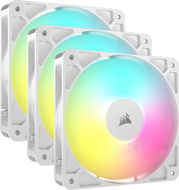
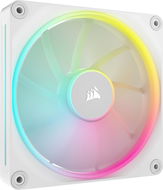
Corsair iCUE LINK LX120 RGB White
PC Fan - size: 120 × 25mm, 400 RPM - 2400 RPM, 12 V, maximum noise level of up to 36 dB, ARGB backlight colour, PWM
38.90 €
Currently Unavailable
Order Code: UYlx12r3
4.5
Elgato Stream Deck Module - 6 Keys
Stream Deck - 6-key control, USB-C output, dimensions 51 × 71 mm (H × W), black
48.90 €
Currently Unavailable
Order Code: ELGHKsd02
5.0
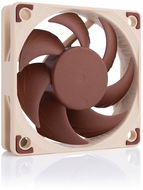
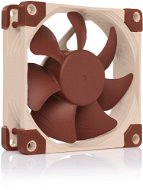
Noctua NF-A6x15 PWM
PC Fan - size: 60 × 15mm, 3500 RPM, 12 V, maximum noise level of up to 19,8 dB, 4pin PWM, PWM
18.90 €
Currently Unavailable
Order Code: CTnfa615a2
5.0
ID-COOLING SE-903-XT FRGB
CPU Cooler - by air cooling, automatic speed control, AM4 and AM5 AMD socket, 1150, 1151, 1155, 1156, 1200, 1700 and 1851 Intel socket, 3× heatpipes, 1×92mm fan, Hydraulic Bearing bearing type, speed from 500 to 2200 RPM, 45,8 CFM airflow, max. noise level 25,8dB, operating voltage 12 V, LED lighting, dimensions 100 × 123 × 65 mm (W×H×D)
18.90 €
Currently Unavailable
Order Code: IDCs903x1
5.0
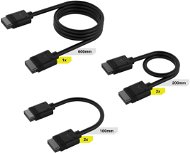
CORSAIR iCUE LINK Cable Kit
RGB Accessory cable set for connecting up to 5 iCUE LINK products
36.90 €
Currently Unavailable
Order Code: DO101a10
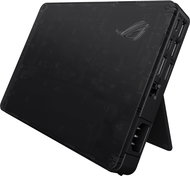
ASUS ROG XG Mobile GC34R RTX 5070 Ti - Docking Station Free delivery
Alzaboxes and stores
ASUS ROG XG Mobile GC34R RTX 5070 Ti
Docking Station - connection using USB-C Thunderbolt 5, power delivery 140 W
+Gift Gift ASUS Perfect Warranty - registration required at www.asus.com/cz/event/perfectwarranty with a value of 33.90 €
1,669 €
Currently Unavailable
Order Code: NA722m55a
3.5
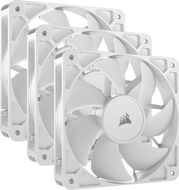
Corsair RS120 ARGB White Triple Pack
PC Fan - size: 120 × 25mm, 420 RPM - 2100 RPM, 12 V, maximum noise level of up to 36 dB, 4pin PWM, ARGB backlight colour, PWM
44.90 €
Currently Unavailable
Order Code: UYrs12a4
5.0
Corsair iCUE LINK LX140 RGB White
PC Fan - size: 140 × 25mm, 350 RPM - 2000 RPM, 12 V, maximum noise level of up to 36 dB, 4pin PWM, ARGB backlight colour, PWM
44.90 €
Currently Unavailable
Order Code: UYlx14r3
4.0
Corsair RS140 Black
PC Fan - size: 140 × 25mm, 330 RPM - 1700 RPM, 12 V, maximum noise level of up to 36 dB, 4pin PWM, PWM
16.90 €
Currently Unavailable
Order Code: UYrs14x1
16.90 €
Currently Unavailable
Order Code: UF149d4
4.8 138×
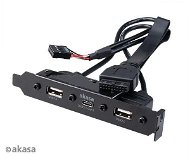
AKASA from 8-Pin to 2x 4-Pin, length 30cm
Adapter - 0,3m, male connectors: 1× ATX 8-pin (processor), female connectors 2× ATX 4-pin (processor), straight connector ends
7.89 €
Currently Unavailable
Order Code: UF147a
5.0
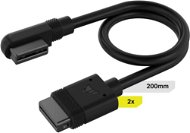
CORSAIR iCUE LINK Slim 90° Cable 200mm
RGB Accessory two 200mm slim cables with straight connector and curved connector for 2 iCUE LINK products
15.90 €
Currently Unavailable
Order Code: DO101a13
5.0
Montech GF120R V2 ARGB 3 in 1 Pack Black
PC Fan - size: 120 × 25mm, 800 RPM - 1600 RPM, 12 V, maximum noise level of up to 27,6 dB, 4pin PWM + 3pin ARGB, ARGB backlight colour
28.90 €
Currently Unavailable
Order Code: MONgf120rb3
5.0
Noctua NF-A4x10 24V PWM
PC Fan - size: 40 × 10mm, 5000 RPM, 24 V, maximum noise level of up to 19,6 dB, 4pin PWM, PWM
16.90 €
Currently Unavailable
Order Code: CTnfa41024p
4.4
Corsair RS140 ARGB Black Dual Pack
PC Fan - size: 140 × 25mm, 330 RPM - 1700 RPM, 12 V, maximum noise level of up to 36 dB, 4pin PWM, RGB backlighting, PWM
38.90 €
Currently Unavailable
Order Code: UYrs14a2
4.0
Montech GF120 V2 ARGB 3 in 1 Pack Black
PC Fan - size: 120 × 25mm, 800 RPM - 1600 RPM, 12 V, maximum noise level of up to 25,3 dB, 4pin PWM + 3pin ARGB, ARGB backlight colour
28.90 €
Currently Unavailable
Order Code: MONgf120a3
4.0
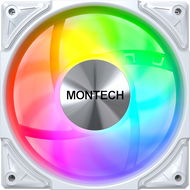
Montech RX120 PRO Reverse 3 in 1 Pack White
PC Fan - size: 120 × 25mm, 600 RPM - 1600 RPM, 12 V, maximum noise level of up to 25,4 dB, 4pin PWM + 3pin ARGB, ARGB backlight colour
49.90 €
Currently Unavailable
Order Code: MONrx12p4
Corsair iCUE LINK LX120-R RGB Black
PC Fan - size: 120 × 25mm,, 12 V, maximum noise level of up to 38 dB, 4pin PWM, ARGB backlight colour, PWM
38.90 €
Currently Unavailable
Order Code: UYlx12rr1
5.0
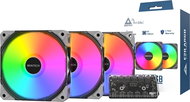
Corsair RS120 ARGB White
PC Fan - size: 120 × 25mm, 420 RPM - 2100 RPM, 12 V, maximum noise level of up to 36 dB, 4pin PWM, ARGB backlight colour, PWM
16.90 €
Currently Unavailable
Order Code: UYrs12a3
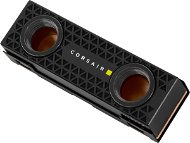
Corsair iCUE LINK LX140 RGB Black
PC Fan - size: 140 × 25mm, 350 RPM - 2000 RPM, 12 V, maximum noise level of up to 36 dB, 4pin PWM, ARGB backlight colour, PWM
44.90 €
Currently Unavailable
Order Code: UYlx14r1
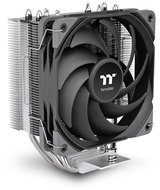
ID-COOLING SE-214-XT PLUS
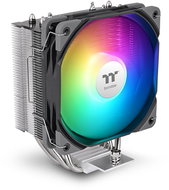
CPU Cooler - by air cooling, automatic speed control, AM4 and AM5 AMD socket, 1150, 1151, 1155, 1156, 1200, 1700 and 1851 Intel socket, 4× heatpipes, 2×120mm fan, Hydraulic Bearing bearing type, speed from 700 to 1800 RPM, 76,16 CFM airflow, max. noise level 35,2dB, operating voltage 12 V, dimensions 124 × 150 × 98 mm (W×H×D)
24.90 €
Currently Unavailable
Order Code: IDCs214x3
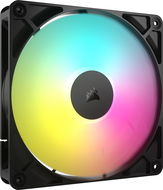
CORSAIR iCUE LINK RX140 RGB Expansion Fan - Black
PC Fan - size: 140 × 25mm, 0 RPM - 1700 RPM, 12 V, maximum noise level of up to 36 dB, 4pin PWM, ARGB backlight colour, PWM
38.90 €
Currently Unavailable
Order Code: UYrx140abr2
ID-COOLING SE-214-XT BLACK
CPU Cooler - by air cooling, automatic speed control, AM4 and AM5 AMD socket, 1150, 1151, 1155, 1156, 1200, 1700 and 1851 Intel socket, 4× heatpipes, 1×120mm fan, Hydraulic Bearing bearing type, speed from 700 to 1800 RPM, 76,16 CFM airflow, max. noise level 35,2dB, operating voltage 12 V, dimensions 124 × 151 × 72 mm (W×H×D)
22.90 €
Currently Unavailable
Order Code: IDCs214x2
Noctua NF-A6x15 5V PWM
PC Fan - size: 60 × 15mm, 3500 RPM, 5 V, maximum noise level of up to 19,8 dB, 4pin PWM
18.90 €
Currently Unavailable
Order Code: CTnfa615a4

Components

Components

In the category Components on Alza.sk, we currently have a total of 3328 products, which you can easily buy online and get quickly delivered. See all of your purchases and make orders on our easy-to-use app.
Check out products sorted by price starting with the lowest price in the category cheap components Find products sorted from the most expensive to the cheapest in the category most expensive components Check out products sorted by price starting with the highest price in the category best sellers, best components You’ll find products sorted by reviews starting from the highest ranked in components reviews
P-DC1-WEB13