
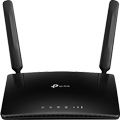
Stylish and multi-functional router offers its reliability also have Internet access via DSL or Ethernet WAN. It can thus be used as a stand-alone modem router or wireless router. The support of gigabit Internet connection with high bandwidth between WAN and LAN more than 900 Mb / s. Sharing printers on the network is possible thanks to a pair of USB ports through which you can connect an external hard disk.
The intuitive user interface ASUSWRT offers almost unlimited control over network optimization. Settings are made within 30 seconds, and it can handle even novice users. For experienced users are ready features such as Download Master, technology support IPv6, few wireless SSID and secure VPN access.
Fast and stable connection
Trouble-free operation is ensured by two straight processors with high performance but also excellent flexibility. Each processor is responsible for one type of connection - wired and wireless. Distribution VDSL / ADSL and wireless network into two computing modules with its own dedicated processor ensures maximum performance without compromise. This fact is further enhanced by ASUS AiRadar intelligently enhance the performance of wireless signal for wider coverage and higher transmission of data transmissions.
Key Features
Wireless router and DSL modem in one
Compatible with ADSL2 / 2 +, ADSL, VDSL2 and services utilizing optical cables and classical
Gigabit Ethernet ports for faster and more reliable internet
Two multi-functional USB ports supports file and printer sharing and streaming media
The application of ASUS AiCloud you can synchronize, share and use data on your home network
Powerful online multitasking supporting up to 300,000 concurrent data sessions provides compared to conventional routers 20x capacity. Even at high loads so you do not see the slightest slowdown. Thanks to multiple downloads can look forward to a very swift and smooth networking. The result of a larger number of data sessions is faster and smoother playback of HD content and online gaming without any delay, even when being downloaded.
Optimizing interface ASUSWRT
The intuitive user interface ASUSWRT you a single place to easily perform all activities related to the setup, monitoring and network management. An intuitive graphical interface ASUSWRT DSL-N17U is extended to many special enhancements related to ADSL, which include, for example, a tool for measuring the signal-to helping to monitor the stability of ADSL connections.
ASUS AiCloud offers the most complete, most accessible and most secure cloud platform. This is a free app for devices running iOS and Android, which allows easy synchronization, sharing, streaming access to all content absolutely anywhere. Sharing is easier than ever thanks to a safe references that can be sent via e-mail, SMS messages and other means.
A connector on a router or modem for connection to a wide area network (WAN), usually using RJ-45, designed to connect to an external network such as the Internet.
2×
USB 2.0
2×
ASUSTek COMPUTER INC.
1F.,No.15, Lide Rd., Beitou Dist.,
Taipei City 112
Tel: +886-2-2894-3447
Tel: +886-2-2890-7798
https://gr.asus.com/ProductSafety
ASUS COMPUTER GmbH
Harkortstrasse 21-23
40880 Ratingen
Germany, Europe
Email: [email protected]
ASUS is a symbol of the growth of Taiwan's economy. The firm's beginnings date back to April 2, 1989, when as a small manufacturer of motherboards began his work with a few employees. Today, Asus employs more than 12,500 employees worldwide.
ASUS products can be found in almost every category of the information technology marketplace. ASUS is focused on desktops, laptops, phones, optical drives and components. In the manufacture of motherboards, the company is now the dominant player with a staggering 40% market share.
Note:
Specifications can be changed without notice. Images are for illustrative purposes only.

Umí v bridge mode z PPPoE (O2, T-Mobile) NATIVNÍ (přidělenou providerem veřejnou statickou) IPv4 + IPv6 adresu poslat do nadřízeného routeru a nebo zvládá jen IPv4 a Ipv6 jen přes pomalou náhradní 4 to 6 službu (nic.cz atp.) ? Je nebo není IPv6 - ready (certifikace) ???
mal niekto problem s pripojenim ADSL od O2?
Mne odmieta nakonfigurovat spojenie, pise mi link-down, ked pripojim iny router, ten sa pripoji, nasledne ked pripojim tento ASUS tiez vsetko funguje, az pokial znovu spojenie nevypadne.
mal niekto problem s pripojenim ADSL od O2?
Mne odmieta nakonfigurovat spojenie, pise mi link-down, ked pripojim iny router, ten sa pripoji, nasledne ked pripojim tento ASUS tiez vsetko funguje, az pokial znovu spojenie nevypadne.
Zakoupil jsem jako náhradu za VDSL Zyxel P-870 od Tmobile. Kupoval jsem z důvodu zlepšení pokrytí WiFi. Pokrytí je o maličko lepší, nicméně jsem narazil na problém s iPhone. Rychlost přes Asus bez zapnutého bluetooth na půlce než Zyxel. Jakmile zapnu bluetooth tak to jde ještě níž. Dnes jsem vrátil zpět Zyxel a vše běhá na max rychlost bez ohledu na vše.
Asus jsem nastavil dle průvodce přímo k Tmobile na VDSl, zkontrolovat, nastavil wifi a jel. Nic pokročíléjo jsem nedělal. Je možné Asus ještě nějak donastavit, aby vše jelo na 100% tak jak má nebo jak funguje dědeček Zyxel? Pokud ne, budu muset vrátit a pokusit jít cestou Zyxel - bridge - lepší AP wifi. Děkuji
Zakoupil jsem jako náhradu za VDSL Zyxel P-870 od Tmobile. Kupoval jsem z důvodu zlepšení pokrytí WiFi. Pokrytí je o maličko lepší, nicméně jsem narazil na problém s iPhone. Rychlost přes Asus bez zapnutého bluetooth na půlce než Zyxel. Jakmile zapnu bluetooth tak to jde ještě níž. Dnes jsem vrátil zpět Zyxel a vše běhá na max rychlost bez ohledu na vše.
Asus jsem nastavil dle průvodce přímo k Tmobile na VDSl, zkontrolovat, nastavil wifi a jel. Nic pokročíléjo jsem nedělal. Je možné Asus ještě nějak donastavit, aby vše jelo na 100% tak jak má nebo jak funguje dědeček Zyxel? Pokud ne, budu muset vrátit a pokusit jít cestou Zyxel - bridge - lepší AP wifi. Děkuji
Zdravim,
po zapojeni mi na zariadeni nezasvieti kontrolka DSL. Chvilu blika, ked kontroluje spojenie, ale vzdy zhasne.
Kable mam urcite dobre, lebo ked ich zapojim do stareho modemu, tak ziaden problem nie je.
Mal niekto podobny problem? Skusal som bez splittra, so splittrom, upgrade firmwaru na 1.1.0.4 no stale mi router hovori, ze DSL: Link down
Zdravim,
po zapojeni mi na zariadeni nezasvieti kontrolka DSL. Chvilu blika, ked kontroluje spojenie, ale vzdy zhasne.
Kable mam urcite dobre, lebo ked ich zapojim do stareho modemu, tak ziaden problem nie je.
Mal niekto podobny problem? Skusal som bez splittra, so splittrom, upgrade firmwaru na 1.1.0.4 no stale mi router hovori, ze DSL: Link down
Chcete doručit zboží do Česka? Prohlédněte si ASUS DSL-N17U
Für Versand nach Deutschland, besuchen Sie bitte ASUS DSL-N17U
Für Versand nach Österreich, besuchen Sie bitte ASUS DSL-N17U
Magyarországra történő kiszállításért tekintse meg ezt a termékoldalt: ASUS DSL-N17U
Try our cookiesAlza.cz a. s., Company identification number 27082440, use cookies and other data to ensure the proper functioning of the website and, with your consent, also, among other things, to personalize advertising and the content of our websites. By clicking on the “I understand“ button, you agree to the use of cookies and the transfer of data regarding the behavior on the website for displaying targeted advertising on social networks and advertising networks on other websites.
We use 8 categories of cookies on our website:
Technical cookies
These are strictly necessary for the functioning of the website and the features you choose to use. Without them, our website would not work; you wouldn't be able to log in to your user account, for example.
Functionality cookies
These cookies allow us to remember your basic choices and improve the user experience. These include remembering your preferred language or allowing you to stay logged in permanently.
Social media cookies
These cookies allow us to easily link you to your social media profile and, for example, allow you to share products and services with your friends and family.
Content personalisation
These cookies allow us to show you content and ads according to the information we have about you to best meet your needs. This includes what content you have viewed, or on what device you are accessing our website.
Non-personalised advertising
These cookies allow us to show you general ads for products and services.
Personalised advertising
Thanks to these cookies, we and our partners can offer you relevant products and services based on your purchases, your shopping behaviour and your preferences.
Audience metrics
These cookies allow us to optimise our site for your convenience based on how you use it. The aim is to remember or anticipate your choices. This includes, for example, the use of features, their location, or the behaviour on the page.
By giving your consent to the processing of cookies, functionality and analytical cookies will be installed on the device you use to browse the website (click on the "I understand" button for both categories, or you can select only one of the categories by clicking on the "Settings" button). We always install technical cookies on your device, even without your explicit consent, because without them our website would simply not work.
You can revoke your consent to the processing of cookies. In connection with our company's cookie processing, you also have the following rights: the right to access cookies, delete, modify, supplement and correct them, restrict processing and the right to lodge a complaint with the Office for Personal Data Protection. Read more about your rights.
