


Dobrý den, mám problém.Po delší době používání se mi internet zpomalil a občas se mu zvýší zvýší ping na nějakých 300.Nevíte co po případě s tím?
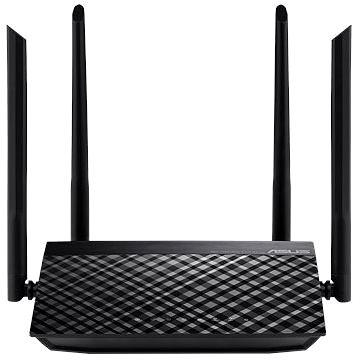
Asus RT-AC1200 v.2

WiFi Router - internal, WiFi 5, standard 802.11s/b/g/n/ac, maximum Wi-Fi speed 1167 Mb/s, dual-band (2.4 GHz 300 Mb/s + 5 GHz 867 Mb/s ), 1× WAN, 4× LAN, IPv6 Ready, VPN and parental control, WPS, WEP 64bit, WEP 128bit, WPA2, WPA-PSK, WPA2-PSK, WPA-Enterprise and WPA2-Enterprise, 4× external antenna, 64 MB RAM, 16 MB flash storage
Show full description
Code:
AA1000a4
Producer's Website:
Don't like the alternatives? Choose from the full product list
- Reviews 8
- Help and manuals 15
- Specifications
- Photos & Videos 6
- Alternatives 8
- Accessories and suggested products

Asus RT-AC1200 v.2
Discontinued
Asus RT-AC1200 v.2
Are you looking for a fast and reliable WiFi router? The Asus RT-AC1200 v.2 provides wireless Internet access for computers, tablets, and mobile phones. It works with 802,11a, 802,11b, 802,11g, 802,11n and 802,11ac standards and Dual-band frequency., which means it uses two bands. The device features 4 external antennas. The practical DHCP features of this model include Client, DHCP Client List and Address Reservation. The wireless bandwidth speed of the device can reach up to 1167 Mb/s.
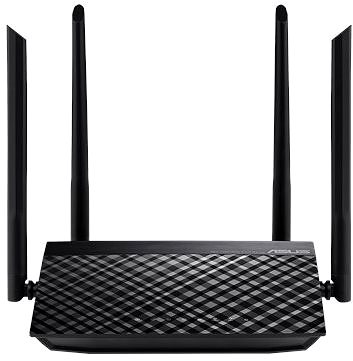
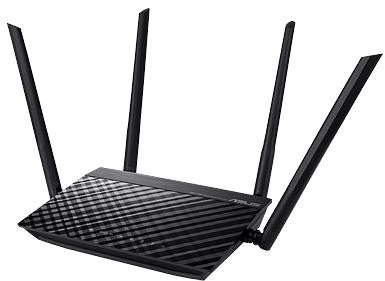
Asus RT-AC1200 v.2 WiFi Router Key Features
- The router's timeless design highlighted by the colour scheme makes it suitable both for home and for office environments
- Supports the following standards: 802,11a, 802,11b, 802,11g, 802,11n and 802,11ac
- Wireless connection speed up to 1167 Mb/s
- Data encryption
- Simple and easy router setup
- Parental controls keep your children safe
- WiFi Router supports IPv6 protocol
- Number of external antennas: 4
Encrypt Your Data with the Asus RT-AC1200 v.2 Router
The Asus RT-AC1200 v.2 router uses encryption to protect your privacy. The router's encryption standards include WPS, WEP 64bit, WEP 128bit, WPA2, WPA-PSK, WPA2-PSK, WPA-Enterprise and WPA2-Enterprise. Now you can browse the web, watch videos, or play games and know that the security of your connection is guaranteed.
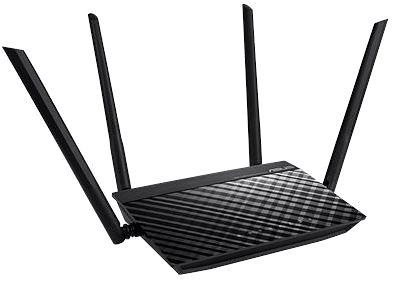
Simple Setup and Installation with the Asus RT-AC1200 v.2 Router
The router setup is so easy even a beginner can do it. Please read the initial setup guide that comes with your router. After you are done, you only have to connect the cables and sometimes enter the information from your internet provider. The router is equipped with a WPS button that makes it easier to connect your network device service to the router. Just press the button on the WiFi device and you are in.
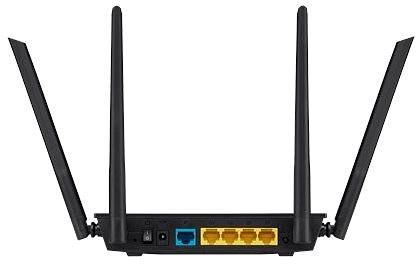
Asus RT-AC1200 v.2: When WiFi Isn't Enough, Cable Will Do
Specifications
Number of LAN ports
Number of LAN ports with 100 Mbit speed
Standards and frequency
Functions
Features
Use
Speed
WiFi transmission speed
Speed at 2.4GHz
Speed at 5GHz
Security
Antenna features
Advanced parameters
Advanced functions
DHCP functions
Hardware specifications
64 MB
16 MB
Počet WAN portů
Number of WAN ports with 100 Mbit speed
Dimensions and weight
Width
Height
Depth
Weight
More Specifications

ASUSTek COMPUTER INC. 1F.,No.15, Lide Rd., Beitou Dist., Taipei City 112 Tel: +886-2-2894-3447 Tel: +886-2-2890-7798 https://gr.asus.com/ProductSafety ASUS COMPUTER GmbH Harkortstrasse 21-23 40880 Ratingen Germany, Europe Email: [email protected]
ASUS COMPUTER GmbH, Harkortstrasse 21-23, 40880 Ratingen, Germany, Europe, [email protected]
ASUS is a symbol of the growth of Taiwan's economy. The firm's beginnings date back to April 2, 1989, when as a small manufacturer of motherboards began his work with a few employees. Today, Asus employs more than 12,500 employees worldwide.
ASUS products can be found in almost every category of the information technology marketplace. ASUS is focused on desktops, laptops, phones, optical drives and components. In the manufacture of motherboards, the company is now the dominant player with a staggering 40% market share.
Note:
Specifications can be changed without notice. Images are for illustrative purposes only.
