


Try our cookies Alza.cz a. s., Company identification number 27082440, uses cookies to ensure the functionality of the website and with your consent also to personalisage the content of our website. By clicking on the “I understand“ button, you agree to the use of cookies and the transfer of data regarding the behavior on the website for displaying targeted advertising on social networks and advertising networks on other websites.
Alzak icon
Catalogue

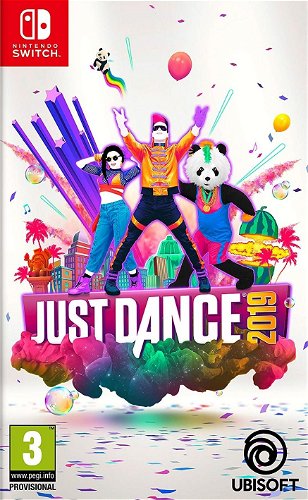
Just Dance 2019 - Nintendo Switch

4.5 4 ratings
Console Game - Nintendo Switch, boxed version, key for Nintendo eShop , English subtitles and voice-over, genre: Party
30.87 €
Shop faster with pickup at AlzaBox or in-store. Watch Availability
Add to list
Just Dance 2019 - Nintendo Switch 30.87 € Currently Unavailable

Just Dance 2019 - Nintendo Switch

Specifications

Known from
Just Dance
Genre
Party
Gaming environment
Atmospheric, Humorous
Text
DE, EN, ES, FR, IT, RU, zh
Dubbing
EN

Known from

Known from
Just Dance

Genre

Genre
Party
Gaming environment
Atmospheric, Humorous

Localisation

Text
DE, EN, ES, FR, IT, RU, zh
Dubbing
EN

PEGI rating

Age limit
3 years

Version

Platform
Nintendo Switch - box
Edition
Basic (with download key)

Version

Type
Game
Platform (native)
Nintendo Switch
Platforms (compatible)
Nintendo Switch
Licence
Box
Key for
Nintendo eShop

Multiplayer

Multiplayer
Local shared/shared screen
Supported number of players on the local screen
1, 2, 3, 4
Max. number of players on the local screen
4

Release date

Year of release
2019

Virtual reality

Virtual reality
Not supported
More Specifications

The purchased Nintendo Switch product code must be activated in Nintendo eShop, which can be found in the console menu:

  • 1) Select "Nintendo eShop" on the HOME Menu.
  • 2) Select the account you want to use.
  • 3) Select “Enter Code” on the left side of the screen.
  • 4) Enter the 16-character download code and click "Confirm".
  • 5) The game will begin downloading once the code is confirmed.

The purchased 3DS / 2DS product code must be activated in Nintendo eShop, which can be found in the console menu:

  • 1) Select "Nintendo eShop" on the HOME Menu.
  • 2) Select "Menu" followed by "Redeem Download Code".
  • 3) Click the box labeled "Enter a download code".
  • 4) Enter the purchased code and click "OK".
  • 5) Click "OK" again and select "Download Now" to start downloading.
Note:
Note that some games may require:
  • a digital store account with a particular service - MS Store, Origin, Steam, Uplay etc. (you can find out more in our article on how to apply your electronic licences)
  • broadband internet connection for online gaming, initial setup, updates, and more
  • a monthly subscription fee for online multiplayer gaming (Xbox Live, PlayStation Plus, etc.)

Specifications can be changed without notice. Images are for illustrative purposes only.

Questions and answers: Just Dance 2019 - Nintendo Switch
Accessories for Just Dance 2019 - Nintendo Switch
P-DC1-WEB18