
HP OfficeJet Pro 9020 All-in-One

- HP Instant Ink ready
5 4 ratings
Inkjet Printer - multifunctional, colour, A4, copier and scanner, fax, black-and-white print speed of 22 pages/min., colour print speed of 18 pages/min., print resolution: 1200 x 1200 DPI, duplex, DADF scanner, touchscreen, AirPrint, Wi-Fi, LAN and USB, HP Instant Ink (1MR78B)
Code:  PA232e2b Producer's Website:

Don't like the alternatives? Choose from the full product list

HP OfficeJet Pro 9020 All-in-One


HP OfficeJet Pro 9020 All-in-One Inkjet Multifunction Printer

Work with the modern HP OfficeJet Pro 9020 All-in-One inkjet printer. It is equipped with a range of smart features that will save you a lot of time. You will certainly appreciate the possibility of connecting via USB, but rather we recommend you forget about wiring and printer connect to WiFi. With this modern connection method, Apple AirPrint, Google Cloud Print, or WiFi Direct Print are supported.

Automatic two-sided printing

Smart Smart Applications

2 × 250-sheet input tray


HP OfficeJet Pro 9020 All-in-One

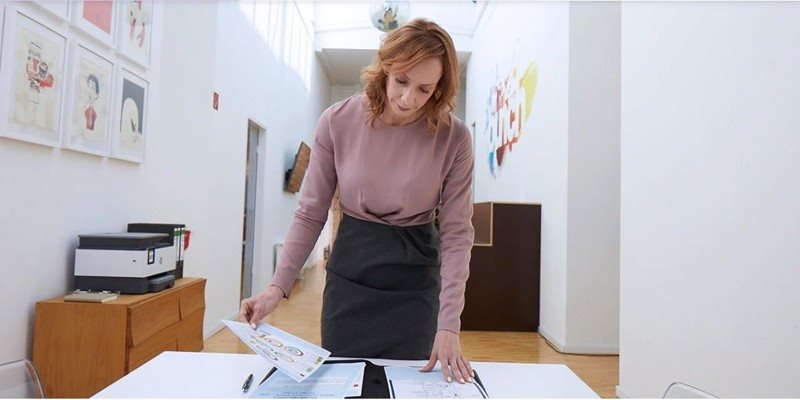
Duplex printing, faxing, copying and scanning

The printer can print up to 24 ppm/mono and 20 ppm/colour at 4800 x 1200 dpi. The first colour page is printed in 10 seconds, black and white in 9 seconds. You can view and control print jobs conveniently on the 2.65 "colour graphics display.


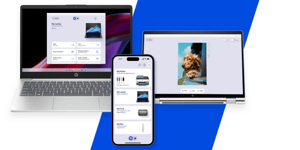
HP Smart

HP Smart can be used to allow mobile devices to print, copy, scan , solve printer problems, and set up the printer on a wireless network. Everything is extremely easy and clear.
HP Smart

HP OfficeJet Pro 9020 All-in-One

Key Features of HP OfficeJet Pro 9020 All-in-One Inkjet Multifunction

  • Color ink multifunction with low operating costs
  • Prints, copies, faxes and scans
  • Intuitive operation
  • The recommended monthly load is 2,000 A4 pages
  • USB or WiFi connection possible
  • The perfect HP Smart mobile app

Specifications

Print colour
Colour
Print technology
Inkjet
Usage
To the office
Connection
LAN, USB, Wi-Fi

Type

Print colour
Colour
Print technology
Inkjet
Usage
To the office

Connection

Connection
LAN, USB, Wi-Fi

Supported Paper Sizes

Standard Paper Sizes
A4, A5, A6
Envelope formats and more
B5

Scanning

Flatbed scanner resolution
1200 x 1200 DPI
Scanning Speed
15 PPM

Printing parameters

Print resolution
1200 x 1200 DPI
Print speed in black and white - maximum
22 PPM
Print speed in colour - maximum
18 PPM
Input trays
500 sheets
First page out time (black and white printing)
9 s
Maximum monthly usage
30,000 pages/month
Output trays
100 sheets

Dimensions

Height
318 mm
Depth
396 mm
Width
437 mm
Weight
12 kg

Equipment

Display
Touch

Colour

Colour
Black, Grey

Package includes

Package Includes
Ink cartridge, Power cable
More Specifications

HP Inc Czech Republic s.r.o Za Brumlovkou 5/1559 140 00 Praha 4 VAT ID: CZ 03208427 Radek Mattas, [email protected]"


GO Europe GmbH, Zum Kraftwerk 1, Hattingen 45527, Germany, +49232468010, [email protected]

Hewlett-Packard was founded in the difficult times of the Great Depression. The founders were a pair of friends whose name the company still proudly bears. They started their business in an unobtrusive garage near the city of Palo Alto. It is now a national monument. HP’s success lay not in copying existing products, but in the ability and courage to come up with something new.

The first commercial triumph was an oscillator that surpassed all competition in quality, yet sold at a quarter of the price. In 1968, HP released their first desktop computer - a desktop calculator. The company currently manufactures products primarily related to computer technology - computers and laptops, printers, scanners, digital cameras, servers, and last but not least, calculators.

Note:

If there is no "package contains" box in the product parameters and the data or USB cable is not specifically mentioned in there, the package does not contain it and must be purchased separately.

Specifications can be changed without notice. Images are for illustrative purposes only.

Dobrý den, jaká je prosím šířka této tiskárny? Díky!

Dobry den, podporuje tato tlaciaren Duplex pri tlaceni vacsieho dokumentu? Napr. mozem na tom vytlacit diplomovku v duplex mode? Da sa tam skenovat aj klasicky? Tak ze polozim napr zosit na skener? Dakujem.

Dobrý den, bude ještě tiskárna HP OfficeJet Pro 9020 All-in-One naskladněná nebo bude vyřazena z prodeje? Děkuji

Dobrý deň.Zakúpil som si u vás túto tlačiareň a pri inštalácií softwéru mi v polovici inštalácie programu vypíše chybu a inštalácia skončí.Napíše že program HP Easy start prestal pracovať a koniec...Ďakujem

Dobrý den, jaké jsou rozdíly mezi touto tiskárnou a levnější verzí HP OfficeJet 8013? kromě toho, že tento model má LAN připojení...

Questions and answers: HP OfficeJet Pro 9020 All-in-One
Accessories for HP OfficeJet Pro 9020 All-in-One