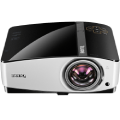
The Optoma HD144X projector is designed for a full multimedia experience. Full HD resolution and Movie Rec.709 will ensure that you are always able to enjoy accurate colour reproduction. This compact projector is ideal for watching live sports, TV shows or films on the big screen. Alternatively, connect a games console and play your favourite games, using the pre-prepared game mode. Once you have experienced the big screen, you will never want to go back.
Key Features
Enjoy games and movies in perfect quality
3D in full resolution for both eyes
One billion colours in high contrast
Good visibility, even in rooms with bright light
HDMI connector for a games console, a DVD player or a computer
Economical operation due to a long lamp life
Built-in, 10W speaker
Perfect Colours
Watch movies, play games and enjoy a full-colour, premium quality image. The Optoma HD144X delivers great performance at all times. It uses Rec.709 for accurate colour reproduction.
Full HD resolution
The Optoma HD144X with Full HD resolution will allow you to enjoy a sharp picture, which is full of detail. While a film, series, or any other content is playing, there is no image compression, so the quality remains unchanged.
Even 3D content is not a Problem
Do you want to enjoy the full 3D experience? Even this will not be a problem with the Optoma HD144X.The source can be anything - from 3D Blu-Ray players to the latest generation of game consoles.
Better Details & Game Mode
Dynamic Black technology delivers a more sophisticated image depth, by gently adjusting the lamp's overall power. The brighter parts of the image become brighter and more visible, while the darker areas really stand out in contrast. Another interesting feature of the Optoma HD144X projector is its so-called "Gaming Mode". This mode provides optimal response times and image clarity, to make sure that victory is always yours.
Powerful Speakers
Sound quality has a huge part to play in creating the perfect filmatic experience. In this respect, the Optoma HD144X will not disappoint. It uses a powerful speaker, that offers performance comparable to an external loudspeaker.
Configure the Optoma HD144X Once and Never Again
Do you want to save your colour, brightness and sharpness settings? With ISF, you will be able to save or redo all of your settings whenever you want.
Only in the Best Quality
For the best results, pair the Optoma HD144X projector with sources that run at a frame rate of 24 fps. You can play movies and videos in the same quality as their creators intended.
The Optoma HD144X is Compatible with Tablets and Smartphones
You will also be able to connect your smartphone or tablet to the Optoma HD144X,with the help ofMHL. All data stored on mobile devices can be displayed on the big screen.
Use the battery to Charge Other Devices
The USB-A port can also be used to power external HDMI devices - such as a Chromecast Mini PC.
Automatic Shutdown
You don't need to worry about forgetting to turn off the Optoma HD144X projector. The handy Auto Power Off feature will turn the projector off after several minutes of inactivity.
Quick Wake-up & Wireless Streaming
With the Quick Resume function, you will be able to bring the projector out of sleep mode in no time at all. The projector is also able to wirelessly stream Full HD and 3D content from a Blu-ray player, set-top box or games console. This avoids the need for unsightly, unnecessary cables.
The native resolution is the number of pixels (pixels) a projector can horizontally and vertically project. Generally, the higher the native resolution, the more detailed the picture and the bigger working or gaming area it will provide.
Contrast is a measure of the difference between the darkest and brightest part of an image that a projector can produce. A higher contrast ratio means that the projector is able to produce images with deeper blacks and brighter whites, resulting in more vivid and realistic images. Contrast is particularly important when displaying dark or shadowy scenes, where small differences in brightness can have a big impact on the overall appearance of the image
Resolution is one of the most important parameters of any projector. It determines the number of pixels that the projector can display and thus affects the detail and sharpness of the image. Common types of resolutions include Full HD (1920×1080 pixels), 4K (3840x2160 pixels), and XGA (1024×768 pixels). Higher resolutions generally provide a more detailed and sharper image, but may also require more computing power and can be more expensive.
The native resolution is the number of pixels (pixels) a projector can horizontally and vertically project. Generally, the higher the native resolution, the more detailed the picture and the bigger working or gaming area it will provide.
Contrast is a measure of the difference between the darkest and brightest part of an image that a projector can produce. A higher contrast ratio means that the projector is able to produce images with deeper blacks and brighter whites, resulting in more vivid and realistic images. Contrast is particularly important when displaying dark or shadowy scenes, where small differences in brightness can have a big impact on the overall appearance of the image
The projection distance type refers to how far the projector must be from the screen to produce an image of a certain size. A projector with an ultra-short throw distance may produce a large image when very close to the screen, while a projector with a normal throw distance may require a greater distance. The type of projection distance you need will depend on the specific needs of your space and the type of image you want to create.
Indicates the shortest distance at which the projector is able to display high-quality, sharp image. The better models can project an image, even from a distance of just one meter with a...
Specifications can be changed without notice. Images are for illustrative purposes only.
Dobrý den.
Koupil jsem si projektor Optoma HD144X a k tomu tyto 3D brýle. Po několikahodinovém nabíjení brýlí, zapnutí brýlí, spuštění 3D filmu (zkoušel jsěm několik přehrávačů od VLC přes 3D video player až po BINO 3D) a nastavení formátu 3D link na projektoru se obraz nepřevede do 3D podoby. U televizí jsem s jinými brýlemi neměl nikdy problém, až u tohotot projektoru a těchto brýlí. Dělám někde chybu? Prosím o radu, jak konkrétně postupovat. Předem moc děkuji.
Dobrý den.
Koupil jsem si projektor Optoma HD144X a k tomu tyto 3D brýle. Po několikahodinovém nabíjení brýlí, zapnutí brýlí, spuštění 3D filmu (zkoušel jsěm několik přehrávačů od VLC přes 3D video player až po BINO 3D) a nastavení formátu 3D link na projektoru se obraz nepřevede do 3D podoby. U televizí jsem s jinými brýlemi neměl nikdy problém, až u tohotot projektoru a těchto brýlí. Dělám někde chybu? Prosím o radu, jak konkrétně postupovat. Předem moc děkuji.
Dobry den, testuju tento projektor prvni den a zarazi me jaky vydava piskavy zvuk. Zajimalo by me, zda je to normalni, nebo zda ma cenu zkusit vymenit za jiny kus. Pri eco mode vetracky neni skoro slyset, ale za to vynikne velmi pronikavy jakoby sonicky vysoky ton, ktery sice u akcnich scen zanikne, ale u prumernych scen je to velmi otravne. Je to slyset i 8 m od projektoru.
dekuji za reakce.
Dobry den, testuju tento projektor prvni den a zarazi me jaky vydava piskavy zvuk. Zajimalo by me, zda je to normalni, nebo zda ma cenu zkusit vymenit za jiny kus. Pri eco mode vetracky neni skoro slyset, ale za to vynikne velmi pronikavy jakoby sonicky vysoky ton, ktery sice u akcnich scen zanikne, ale u prumernych scen je to velmi otravne. Je to slyset i 8 m od projektoru.
dekuji za reakce.
Dobrý den,
Koupil jsem si u vás po vánocích svůj druhý projektor. Prvni Optoma sloužil 7 let bez problémů. Niní mam Hd144x a kdyz pominu fakt ze v eco modu problikaval obraz což mi nevadí protože používám jasný mód tak při sledování filmů dochází při rychlých scénách kde je hodně efektů a rychlý strih k problikávání bílých čar a nekdy i k loadingu což podle mě znamená že to projektor nestíhá. Stalo se mi to uz u většiny filmů... Rozlišení max 1920x1080 popř 1920x800. Zařízení bývá taky velmi horké. Máte nápad jak ti řešit, popř čím to může být?? Je to duvod k reklamaci??
Hezky den J. Kopřiva
Dobrý den,
Koupil jsem si u vás po vánocích svůj druhý projektor. Prvni Optoma sloužil 7 let bez problémů. Niní mam Hd144x a kdyz pominu fakt ze v eco modu problikaval obraz což mi nevadí protože používám jasný mód tak při sledování filmů dochází při rychlých scénách kde je hodně efektů a rychlý strih k problikávání bílých čar a nekdy i k loadingu což podle mě znamená že to projektor nestíhá. Stalo se mi to uz u většiny filmů... Rozlišení max 1920x1080 popř 1920x800. Zařízení bývá taky velmi horké. Máte nápad jak ti řešit, popř čím to může být?? Je to duvod k reklamaci??
Hezky den J. Kopřiva
Dobry den, pred Vanoci jsem u Vas nakoupil projektor Optoma HD144x. Muzete mi prosim poradit jak nastavim Eco Mode? V nastaveni jsem nic takoveho nenasel. Dekuji mnohokrat.
Dobry den, pred Vanoci jsem u Vas nakoupil projektor Optoma HD144x. Muzete mi prosim poradit jak nastavim Eco Mode? V nastaveni jsem nic takoveho nenasel. Dekuji mnohokrat.
Dobrý den,mám projektor Optoma HD144x.Je někde stanovená maximální doba projekce?Jak dlouho je možné nechat projektor běžet bez přerušení?Díky za odpověď
Dobrý den,mám projektor Optoma HD144x.Je někde stanovená maximální doba projekce?Jak dlouho je možné nechat projektor běžet bez přerušení?Díky za odpověď
Dobrý den,
jaká je ideální vzdálenost projektoru od stropu a případě následující konfigurace?
Plátno Optoma DS-9092PWC by bylo umístěné těsně pod strop a celé vyrolované ven (tzn. horní okraj promítací plochy bude cca 40cm od stropu).
Jestli bude stačit držák např 15-20 cm, nebo je lepší dát 30-40 cm, tak aby byl projektor zarovnaný s horní hranou promítacího plátna? Aby se nemusela nastavovat lichoběžníková korekce.
Případně prosím o doporučení konkrétního držáku pro tento případ.
Děkuji.
Dobrý den,
jaká je ideální vzdálenost projektoru od stropu a případě následující konfigurace?
Plátno Optoma DS-9092PWC by bylo umístěné těsně pod strop a celé vyrolované ven (tzn. horní okraj promítací plochy bude cca 40cm od stropu).
Jestli bude stačit držák např 15-20 cm, nebo je lepší dát 30-40 cm, tak aby byl projektor zarovnaný s horní hranou promítacího plátna? Aby se nemusela nastavovat lichoběžníková korekce.
Případně prosím o doporučení konkrétního držáku pro tento případ.
Děkuji.
Dobrý den,
omlouvám se za laický dotaz, ale lze nějak propojit projektor s notebookem, který nemá HDMI výstup? Přes USB či nějakou redukci to nejde? Díky.
Dobrý den,
omlouvám se za laický dotaz, ale lze nějak propojit projektor s notebookem, který nemá HDMI výstup? Přes USB či nějakou redukci to nejde? Díky.
Chcete doručit zboží do Česka? Prohlédněte si Optoma HD144X
Magyarországra történő kiszállításért tekintse meg ezt a termékoldalt: Optoma HD144X
Try our cookiesAlza.cz a. s., Company identification number 27082440, use cookies and other data to ensure the proper functioning of the website and, with your consent, also, among other things, to personalize advertising and the content of our websites. By clicking on the “I understand“ button, you agree to the use of cookies and the transfer of data regarding the behavior on the website for displaying targeted advertising on social networks and advertising networks on other websites.
We use 8 categories of cookies on our website:
Technical cookies
These are strictly necessary for the functioning of the website and the features you choose to use. Without them, our website would not work; you wouldn't be able to log in to your user account, for example.
Functionality cookies
These cookies allow us to remember your basic choices and improve the user experience. These include remembering your preferred language or allowing you to stay logged in permanently.
Social media cookies
These cookies allow us to easily link you to your social media profile and, for example, allow you to share products and services with your friends and family.
Content personalisation
These cookies allow us to show you content and ads according to the information we have about you to best meet your needs. This includes what content you have viewed, or on what device you are accessing our website.
Non-personalised advertising
These cookies allow us to show you general ads for products and services.
Personalised advertising
Thanks to these cookies, we and our partners can offer you relevant products and services based on your purchases, your shopping behaviour and your preferences.
Audience metrics
These cookies allow us to optimise our site for your convenience based on how you use it. The aim is to remember or anticipate your choices. This includes, for example, the use of features, their location, or the behaviour on the page.
By giving your consent to the processing of cookies, functionality and analytical cookies will be installed on the device you use to browse the website (click on the "I understand" button for both categories, or you can select only one of the categories by clicking on the "Settings" button). We always install technical cookies on your device, even without your explicit consent, because without them our website would simply not work.
You can revoke your consent to the processing of cookies. In connection with our company's cookie processing, you also have the following rights: the right to access cookies, delete, modify, supplement and correct them, restrict processing and the right to lodge a complaint with the Office for Personal Data Protection. Read more about your rights.