




Dobrý den, myslíte že půjde monitor přepojit přes USB-C s telefonem (Samsung s funkcí DevX na sdílení obrazovky) a zároveň se bude telefon nabíjet? Děkuji za radu.
24" AOC 24B3CA2


Monitor - IPS, Full HD 1920 × 1080 (16:9), 100 Hz, Anti-Glare display, 8 bit, 1 ms, speakers, HDMI and USB-C, VESA
Show full description
Code:
WK217w7
Product Fiche
Producer's Website:
Don't like the alternatives? Choose from the full product list
- Reviews 5
- Help and manuals 2
- Specifications
- Photos & Videos 9
- Alternatives 8
- Accessories and suggested products

24" AOC 24B3CA2
Discontinued
24" AOC 24B3CA2
The AOC 24" LCD monitor with a standard Full HD (1920×1080) resolution is ideal for working with office suites, writing emails and finding information in your web browser. It is also suitable for occasional gaming, watching videos and films. Its IPS panel offers excellent colour reproduction and guarantees the same image quality even when changing the viewing angle. This can be used effectively when preparing documents for printing or creating presentations. The anti-reflective surface of the display effectively reduces glare and improves visibility in various lighting conditions. Thanks to the standard 16:9 aspect ratio, you can easily open two document windows side by side and work with them effectively. The IPS panel is illuminated by LEDs. A maximum brightness of 250cd/m² is designed for working out of direct sunlight and is also suitable for rooms that are not too brightly lit. It can be mounted using a VESA 100×100 wall mount. You will use this if you have a smaller desk or need to connect multiple monitors. This layout is popular with people involved in trading, monitoring camera systems and similar tasks.
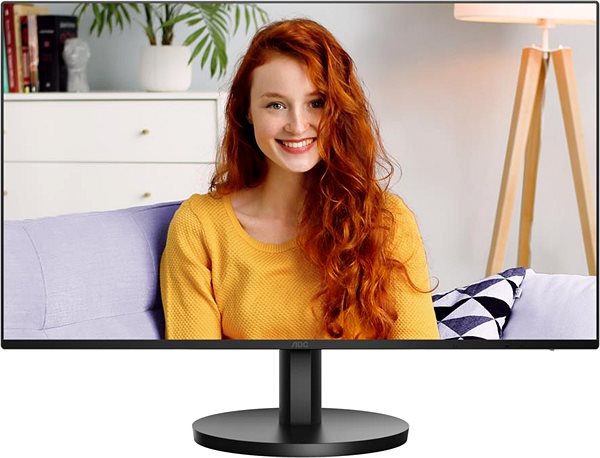
Key Features of the 24" AOC 24B3CA2 Monitor
- Work efficiently with this 24" AOC LCD monitor with Full HD (1920 × 1080) resolution
- Uses an IPS panel with a refresh rate of up to 100Hz and a response time of 1ms to display colours
- The anti-reflective surface of the display minimises glare and optimises visibility in various lighting conditions
- The standard 16:9 format offers you accurate reproduction of visual content
- The monitor features LED backlighting and 8-bit colour depth
- The maximum brightness of 250cd/m² is adapted for working out of the sun and also in rooms that are not too brightly lit
- Flat monitor design
The AOC monitor offers you many interesting functions and features
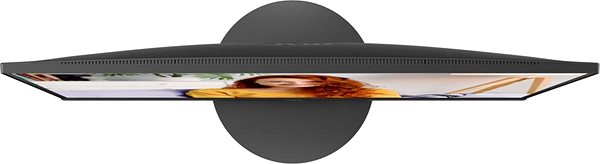
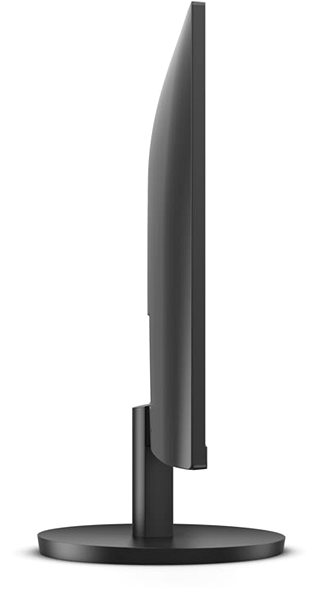
The 24" IPS PC monitor has a flat design, which is ideal if you plan to use multiple monitors at the same time. It has a filter that lets less harmful blue light through and a Flicker-free function that reduces the frequency of monitor flickering. This can help reduce eye fatigue and improve sleep quality. You can tilt the monitor so that its top is at eye level, which promotes good posture, reduces neck strain, and prevents back pain and scoliosis. The ability to tilt the monitor is especially appreciated by people who stand at their desks while working.
You'll love the features of the AOC monitor
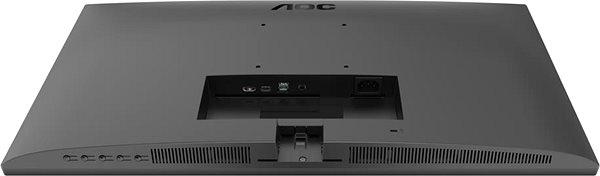
You can use HDMI and USB-C to connect your laptop or computer to the monitor. If your computer lacks a suitable connector, you can expand the connectivity by purchasing a compatible port replicator. A port replicator is also useful if you want to connect two monitors. The built-in speakers are a convenient solution for sound and vision in one device. In addition to the monitor, the package also includes an HDMI and a USB-C cable.
When choosing a monitor, consider its colour depth and native contrast
Colour depth determines the variety of colours a monitor can display. For example, at 6-bit depth, a monitor will display approximately three hundred thousand colours, while a 10-bit monitor will display over a billion colours. With a higher colour depth, colours are displayed with greater subtlety and appear more vibrant and realistic. The colour depth of this monitor is 8 bits. The AOC monitor offers a native contrast of 1300:1. The native contrast ratio indicates the difference between the lightest and darkest points that the monitor can display. If a monitor's contrast ratio is 3000:1, it means that the brightest point (white) is 3000× brighter than the darkest point (black). A higher native contrast supports finer detail resolution in both dark and light areas of the image. A native contrast of up to 1000:1 is primarily suitable for office purposes, while up to 2000:1 is appreciated for gaming and watching films. A value above 2000:1 is characteristic of monitors for graphic designers and video editing.
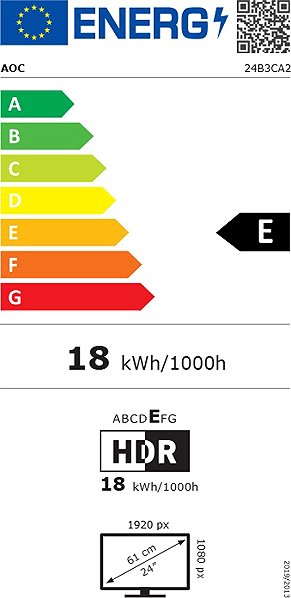
Data on the energy label of monitors:
- The manufacturer and model of the monitor are listed in the header
- Scale of energy classes (left), specific energy class of the product (right)
- kWh/1000h: energy consumption in kilowatt-hours per 1000 hours of operation
- SDR kWh/1000h: energy consumption in SDR mode in kilowatt-hours per 1000 hours of operation
- Pixels: vertical and horizontal display resolution (1920 × 1080 px)
- Units in inches and centimetres: screen screen size
__________________________________________________________________
After scanning the QR code, you will be redirected to the European EPREL database, where you will see the display type, the technology used in its production (e.g. LCD, QLED) and other monitor specifications.
screen size:
24"
Colour Gamut (Adobe RGB):
87.8%
Colour Gamut (sRGB):
102.5%
Graphics Interface:
HDMI and USB-C
Graphics Interface Standards:
HDMI 1.4
Energy Class in SDR Mode:
E
Consumption in SDR Mode:
30 kWh/1000h
Dimensions:
41.21 × 54.24 × 20.23cm (H×W×D)
Weight:
3.36kg
Specifications
Extended warranty
24" (60.96 cm)
1920 × 1080
Construction
Warranty
Extended warranty
Display diagonal and resolution
Construction
Construction
Panel and screen technology
Panel technology
Panel type
Refresh rate
Response time
Maximum brightness
Native contrast
Surface display
Aspect Ratio
Aspect Ratio Type
Aspect Ratio
Backlight and colour
Backlight
Colour depth
Connection
HDMI, USB-C
Graphical user interface (GUI) standards
Audio interface
HDMI
USB-C
USB
Colour gamut
Adobe RGB
102.5 %
Features and functions
Colour
Black
Dimensions and weight
Width
Height
Depth
Weight
VESA mounting
Packaging
Cables included
Energy specifications
Energy efficiency class in SDR mode
Energy consumption in SDR mode
More Specifications
Note:
Specifications can be changed without notice. Images are for illustrative purposes only.
