Try our cookiesAlza.cz a. s., Company identification number 27082440, uses cookies to ensure the functionality of the website and with your consent also to personalisage the content of our website. By clicking on the “I understand“ button, you agree to the use of cookies and the transfer of data regarding the behavior on the website for displaying targeted advertising on social networks and advertising networks on other websites.
We use 8 categories of cookies on our website:
Technical cookies
These are strictly necessary for the functioning of the website and the features you choose to use. Without them, our website would not work; you wouldn't be able to log in to your user account, for example.
Functionality cookies
These cookies allow us to remember your basic choices and improve the user experience. These include remembering your preferred language or allowing you to stay logged in permanently.
Social media cookies
These cookies allow us to easily link you to your social media profile and, for example, allow you to share products and services with your friends and family.
Content personalisation
These cookies allow us to show you content and ads according to the information we have about you to best meet your needs. This includes what content you have viewed, or on what device you are accessing our website.
Non-personalised advertising
These cookies allow us to show you general ads for products and services.
Personalised advertising
Thanks to these cookies, we and our partners can offer you relevant products and services based on your purchases, your shopping behaviour and your preferences.
Audience metrics
These cookies allow us to optimise our site for your convenience based on how you use it. The aim is to remember or anticipate your choices. This includes, for example, the use of features, their location, or the behaviour on the page.
Third party cookies
These are third party cookies, and you can find out more about them and our partners here.
By giving your consent to the processing of cookies, functionality and analytical cookies will be installed on the device you use to browse the website (click on the "I understand" button for both categories, or you can select only one of the categories by clicking on the "Settings" button). We always install technical cookies on your device, even without your explicit consent, because without them our website would simply not work.
You can revoke your consent to the processing of cookies. In connection with our company's cookie processing, you also have the following rights: the right to access cookies, delete, modify, supplement and correct them, restrict processing and the right to lodge a complaint with the Office for Personal Data Protection. Read more about your rights.
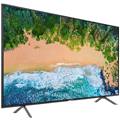
Television - SMART LED, 108cm, Full HD (50Hz), Direct LED, DVB-T2/S2/C, H.265/HEVC, 3× HDMI, 2× USB, WiFi, Bluetooth, DLNA, Apple TV, Netflix, Amazon Alexa, VESA 100×100, 16W speaker(s), A++
Panel refresh rate is a critical parameter that affects the quality and smoothness of the image displayed on the TV screen. The frequency is expressed in Hertz (Hz) and indicates how many times per second the screen image is refreshed. Higher refresh rates, such as 120 Hz, provide a blur-free and jerk-free picture, which is ideal for watching fast-paced sporting events or playing action video games. A refresh rate of 140 Hz or higher can only be achieved in game mode by connecting an external graphics adapter (connecting to a PC with a GPU or to a console).
Television technology refers to the type of display or screen used in the television. Different technologies offer different advantages and disadvantages in terms of picture quality, performance, cost and other factors. Common technologies include LED (Light Emitting Diodes), LCD (Liquid Crystal Display), OLED (Organic Light Emitting Diodes), QLED (Quantum Dot Light Emitting Diodes), and others. Each technology provides a unique viewing experience and it is important to choose the right technology based on your specific needs and preferences.
Backlighting is a key aspect of display technology that affects the picture quality of the TV. It is the light source used behind the TV screen to illuminate the pixels. Different types of backlights such as Edge LED, Direct LED, Mini LED, FALD and Dual LED provide different benefits in terms of contrast, brightness and image uniformity. Choosing the right type of backlight can have a big impact on the overall TV viewing experience.
Panel refresh rate is a critical parameter that affects the quality and smoothness of the image displayed on the TV screen. The frequency is expressed in Hertz (Hz) and indicates how many times per second the screen image is refreshed. Higher refresh rates, such as 120 Hz, provide a blur-free and jerk-free picture, which is ideal for watching fast-paced sporting events or playing action video games. A refresh rate of 140 Hz or higher can only be achieved in game mode by connecting an external graphics adapter (connecting to a PC with a GPU or to a console).
Television technology refers to the type of display or screen used in the television. Different technologies offer different advantages and disadvantages in terms of picture quality, performance, cost and other factors. Common technologies include LED (Light Emitting Diodes), LCD (Liquid Crystal Display), OLED (Organic Light Emitting Diodes), QLED (Quantum Dot Light Emitting Diodes), and others. Each technology provides a unique viewing experience and it is important to choose the right technology based on your specific needs and preferences.
Backlighting is a key aspect of display technology that affects the picture quality of the TV. It is the light source used behind the TV screen to illuminate the pixels. Different types of backlights such as Edge LED, Direct LED, Mini LED, FALD and Dual LED provide different benefits in terms of contrast, brightness and image uniformity. Choosing the right type of backlight can have a big impact on the overall TV viewing experience.
Wireless TVs include technologies that allow the TV to communicate with other devices without the need for cables. This can include Wi-Fi to access the internet and stream content, Bluetooth to connect headphones or speakers, and technologies such as AirPlay, DLNA, Chromecast, Miracast to share content between devices.
A tuner is a component of a television set that decodes the signal from an antenna, cable system or satellite reception and converts it into images and sound that can be displayed on the television. There are different types of tuners, including DVB-T, DVB-T2, DVB-S, DVB-S2, DVB-C and others, which vary depending on the type and quality of signal they can receive.
Dobrý deň, práve sme rozbalili TV, ktorý čakal 3 týždne v izbovej teplote na svoje rozbalenie pod Vianočným stromčekom), TV zapneme a okrem striedania 4 farieb na obrazovke sa nezobrazí nič iné, žiadna ponuka na vyber jazyka- nič. tv sa dá pomocou ovládača len zapnúť a vypnúť. Prosím Vás, kde môže byt chyba? Z veľkého prekvapenia bohužiaľ jedno veľké vianočné sklamanie....
Dobrý den.
Ješte dodatek k předcházejícímu dotazu.
Jak se ladí Skylink live TV a co je případně ještě potřeba. Protože mi nechodí Wifi a tudíž připojení k internetu, nemohl jsem tuto aplikaci vyzkoušet. Protože nevidím mezi internetovými aplikacemi nabídku Skylinku Live, nemohu se zbavit dojmu, že je potřeba modul a k tomu karta Skylinku. Mýlím se nebo je to stejné jako pustit Skylink LiveTV na počítači?
Děkuji za odpověď.
Dobrý den.
Ješte dodatek k předcházejícímu dotazu.
Jak se ladí Skylink live TV a co je případně ještě potřeba. Protože mi nechodí Wifi a tudíž připojení k internetu, nemohl jsem tuto aplikaci vyzkoušet. Protože nevidím mezi internetovými aplikacemi nabídku Skylinku Live, nemohu se zbavit dojmu, že je potřeba modul a k tomu karta Skylinku. Mýlím se nebo je to stejné jako pustit Skylink LiveTV na počítači?
Děkuji za odpověď.
Dobrý den,
Wifi šlo jeden den, druhý den už nechodí. Další problém je, že při volbě v menu vstupů jsou všechny vstupy, ale není zde vstup pro volbu satelitní antény. Další problém - i když jsem zvolil při 1. nastavení češtinu, je jazyk na obrazovce naprosto neznámý a nevím, kde to změnit. Dále chybí návod v češtině. Návod nelze najít pro tento model na internetu ani v angličtině. Jak změnit jazyk? Existuje něco jako tovární nastavení?
Dobrý den,
Wifi šlo jeden den, druhý den už nechodí. Další problém je, že při volbě v menu vstupů jsou všechny vstupy, ale není zde vstup pro volbu satelitní antény. Další problém - i když jsem zvolil při 1. nastavení češtinu, je jazyk na obrazovce naprosto neznámý a nevím, kde to změnit. Dále chybí návod v češtině. Návod nelze najít pro tento model na internetu ani v angličtině. Jak změnit jazyk? Existuje něco jako tovární nastavení?