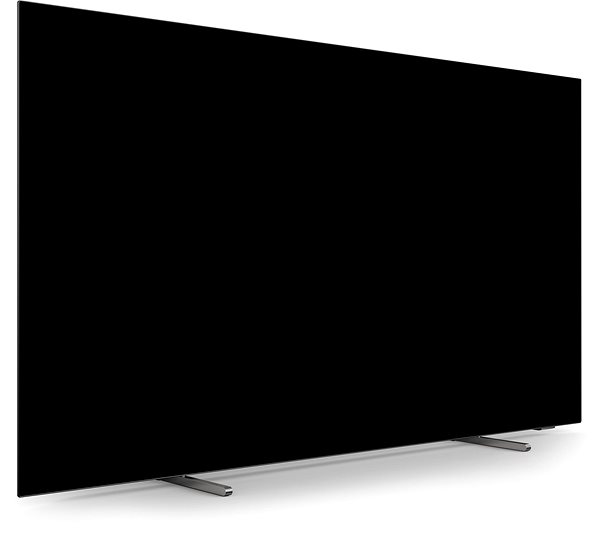
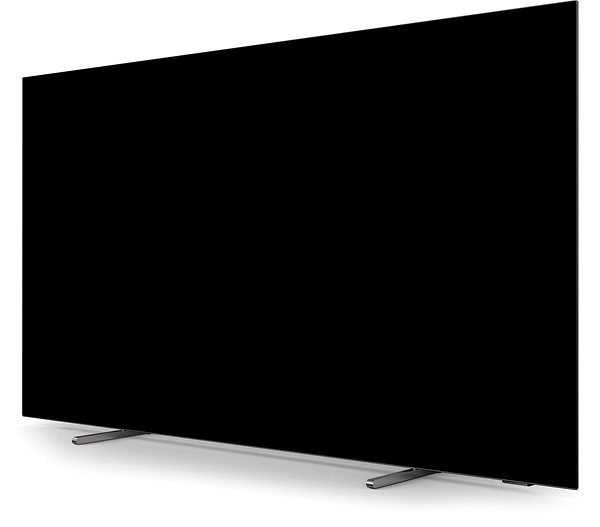
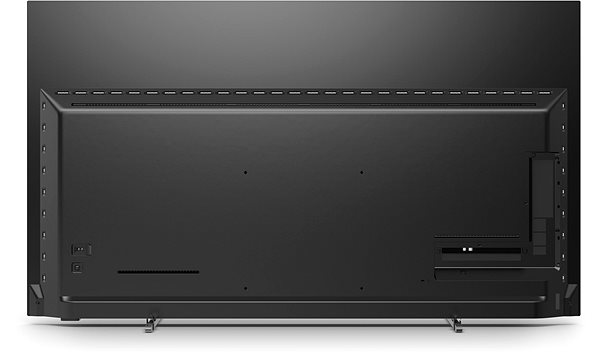
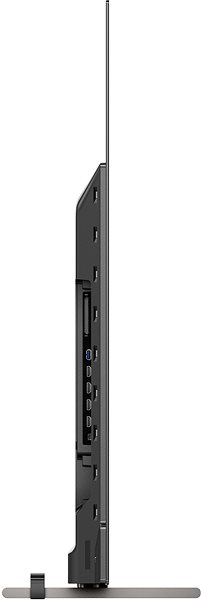
The 55" Philips 55OLED769 TV is full of smart features and boasts a luxurious picture, so you can indulge yourself in first-class home entertainment. A jaw-dropping 4K resolution offers four times more detail than standard Full HD. Android TV technology opens up a wide range of multimedia applications. Since this TV makes use of the latest OLED technology with extremely bright display cells, you can bank on uniform shades of vivid colours across the entire screen. As OLED displays incorporate their own colour filters, they can form deeper shades of black and a wide gamut array. You will also be delighted with Smart TV, which gives you the joy of using a range of multimedia apps directly on your TV screen. You can use the Miracast function on this TV to share media from your smartphone.
55" Philips 55OLED769 Television Key Features
The Philips television has a 55" screen
Luxurious 4K picture
OLED technology ensures exceptional contrast
HDR (High Dynamic Range) takes your viewing experience to the next level
DVB-T2 - HEVC tuner is required for tuning modern terrestrial television broadcasts
Television is compatible with Amazon Alexa smart assistants
100 / 120Hz refresh rate for gorgeously smooth images, which you will really notice when watching sports
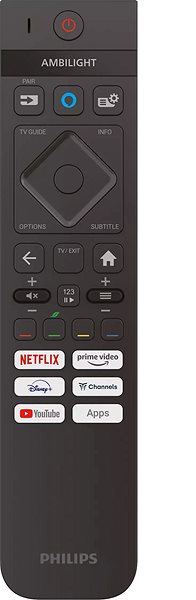
Ambilight lighting system on this television creates effects that adjust according to the content you are watching
HbbTV red button makes it possible to view TV programmes, old TV shows, the latest news and games
Game Mode with reduced response time gives you the winning edge
Connect to yournetwork thanks to built-in WiFi on this television
300×300 VESA mount to mount your television to a wall
DLNA lets your multimedia devices connect with this television
The Perfect Picture Quality of the Philips Television
If you are a sophisticated viewer who cannot stand even slightly distorted images, the exceptional resolution of the 55" Philips 55OLED769 is the TV you've been dreaming of. The 4K display on this television has four times as many pixels as a standard Full HD screen. The Philips television display consists of 3840×2160 pixels that bring detailed pictures to life in front of your eyes. Even when you are watching from a close distance, the picture is always perfectly sharp and does not lose quality. This makes it ideal for watching content with high-quality production, such as the latest films on Blu-ray disks. It can also improve older movies and TV series that were shot before recent technological advances. A nice side effect of the high resolution of this TV is that smart features and applications operate with ultimate fluidity.
Get Deeper Black Tones with the OLED Monitor
The outstanding picture quality of the 55" Philips 55OLED769 TV is a given with cutting-edge OLED technology. Each and every pixel can change colour or be switched on and off independently. As a result, you can enjoy stunning contrast featuring deeper and darker blacks. A stand-out attribute of the TV is its high dynamic range, also known as HDR. This eliminates the adverse effects caused by backlighting by enhancing contrast and brightness to create pictures that almost pop out from your screen. The Philips TV has an effective 100 / 120Hz refresh rate, which indicates how frequently a TV changes the image on its screen. As a result, it is perfect for watching frantic action scenes, as the pictures are always clear and smooth. This TV supports HDR10, HDR10+, Dolby Vision and HLG technology. Thanks to HDR10 technology, the colours on the display are very close to how we see them in real life. HDR10+ is a unique technology that optimises the brightness and colour for each scene separately. Dolby Vision uses dynamic metadata to enhance colour and contrast. As a result, HLG technology delivers exceptional brightness to really make the scenes pop as the creators intended. This TV makes you feel like you're really there.
DVB-T2 Tuner and Other Practical Features of the 55" Philips 55OLED769 TV
If you prefer a classic TV antenna then don't worry, this TV has got you covered. The model supports the new DVB-T2 standard, solving all your reception problems. This TV comes with a built-in DVB-S2 tuner, so you can get a satellite signal for exceptional coverage and a wider selection of programmes. If you want to watch cable TV shows, the 55" Philips 55OLED769 allows you to connect using the widely-used DVB-C tuner. To make the most of Smart features, you will need to get online. Fortunately, this TV has a classic LAN connector. If you do not want to use a cable, you can connect this TV to the internet wirelessly through WiFi. You will also find a web browser on the TV, which you can use to surf the net on a larger display. Bluetooth technology allows you to pair the TV with other electronics, such as your mobile or tablet. The Philips TV includes an integrated USB port for you, so you can play content from your external disk or flash drive. This TV model supports several audio formats such as DTS:X, DTS Play-Fi, DTS HD and Dolby Atmos.
Other Smart Features and Apps of the Philips TV
Among other things, the 55" Philips 55OLED769 TV also supports various apps and social networks such as NETFLIX, Disney+, YouTube, Amazon Prime Video, Rakuten TV and Deezer. The Philips TV also supports various apps and social networks such as NETFLIX, Disney+, YouTube, Amazon Prime Video, Rakuten TV and Deezer. This TV model supports Amazon Alexa smart integration. Miracast enables you to share the content on the screen of your phone with the TV. After pairing your phone for the first time, the TV will pair with it automatically upon detection.
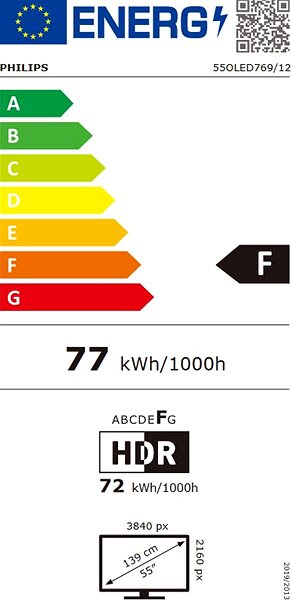
The European Commission has recently approved new energy labels for household appliances. You will find them in stores starting from the 2021. Which appliances are affected by the changes? What should the consumer prepare for and what will the new energy labels look like? In this article, we bring you an overview of the most important changes.
The European Commission has recently approved new energy labels for household appliances. You will find them in stores starting from the 2021. Which appliances are affected by the changes? What should the consumer prepare for and what will the new energy labels look like? In this article, we bring you an overview of the most important changes.
It is important to measure the distance between where the TV will be positioned, and where it will be viewed from. We recommend viewing distances are at least double the length of the diagonal screen...
Panel refresh rate is a critical parameter that affects the quality and smoothness of the image displayed on the TV screen. The frequency is expressed in Hertz (Hz) and indicates how many times per second the screen image is refreshed. Higher refresh rates, such as 120 Hz, provide a blur-free and jerk-free picture, which is ideal for watching fast-paced sporting events or playing action video games. A refresh rate of 140 Hz or higher can only be achieved in game mode by connecting an external graphics adapter (connecting to a PC with a GPU or to a console).
Television technology refers to the type of display or screen used in the television. Different technologies offer different advantages and disadvantages in terms of picture quality, performance, cost and other factors. Common technologies include LED (Light Emitting Diodes), LCD (Liquid Crystal Display), OLED (Organic Light Emitting Diodes), QLED (Quantum Dot Light Emitting Diodes), and others. Each technology provides a unique viewing experience and it is important to choose the right technology based on your specific needs and preferences.
The multimedia features of TVs include various technologies and functions that enhance the viewing experience. These can include features such as Ambilight (a lighting effect created by some Philips TVs), gaming features such as VRR (Variable Refresh Rate), AMD FreeSync, Nvidia G-Sync, and more.
Wireless TVs include technologies that allow the TV to communicate with other devices without the need for cables. This can include Wi-Fi to access the internet and stream content, Bluetooth to connect headphones or speakers, and technologies such as AirPlay, DLNA, Chromecast, Miracast to share content between devices.
A tuner is a component of a television set that decodes the signal from an antenna, cable system or satellite reception and converts it into images and sound that can be displayed on the television. There are different types of tuners, including DVB-T, DVB-T2, DVB-S, DVB-S2, DVB-C and others, which vary depending on the type and quality of signal they can receive.
Specifications can be changed without notice. Images are for illustrative purposes only.
Screensaver ktory sa zapina po kazdych dvoch minutach stacickeho obrazu a v OLED modeloch sa neda vypnut ani nijako konfigurovat, sa uz sam nevypne ked sa obraz z HDMI portu znova rozhybe. V praxi clovek na chromecaste/playstation do ruky a znova spusti video/hru ktore v pozadi znova hraju a je ich pocut a SCREENSAVER JE STALE ZAPNUTY. Nepomaha ani poslat televizii request o zobrazenie na popredi cez HDMI-CEC stlacenim home buttonu na chromecast/playstation, screensaver sa vypne LEN interakciou s originalnym ovladacom od TV. Kazdych par minut. Viete o tom ze predavate produkt ktory je v realnom svete doslova nepouzitelny? Pri titan OS sa ani nedostanem do TV cez ssh aj ked je na linuxe, aby som to nejako zachranil ako adb prikazom v pripade GoogleTV od Philipsu ktore trpia rovnako absurdnym chovanim. Riesenie jednoducho neexistuje. TV sa po par dnoch musi vratit do obchodu. Chcel by som vediet kolko z tych pozitivnych recenzii nebolo len v skutocnosti aktualizovanych po vrateni tovaru.
Screensaver ktory sa zapina po kazdych dvoch minutach stacickeho obrazu a v OLED modeloch sa neda vypnut ani nijako konfigurovat, sa uz sam nevypne ked sa obraz z HDMI portu znova rozhybe. V praxi clovek na chromecaste/playstation do ruky a znova spusti video/hru ktore v pozadi znova hraju a je ich pocut a SCREENSAVER JE STALE ZAPNUTY. Nepomaha ani poslat televizii request o zobrazenie na popredi cez HDMI-CEC stlacenim home buttonu na chromecast/playstation, screensaver sa vypne LEN interakciou s originalnym ovladacom od TV. Kazdych par minut. Viete o tom ze predavate produkt ktory je v realnom svete doslova nepouzitelny? Pri titan OS sa ani nedostanem do TV cez ssh aj ked je na linuxe, aby som to nejako zachranil ako adb prikazom v pripade GoogleTV od Philipsu ktore trpia rovnako absurdnym chovanim. Riesenie jednoducho neexistuje. TV sa po par dnoch musi vratit do obchodu. Chcel by som vediet kolko z tych pozitivnych recenzii nebolo len v skutocnosti aktualizovanych po vrateni tovaru.
Dobrý den, nefunguje mi aplikace OnePlay (Voyo), při přehrávání videa se jen donekonečna točí kolečko. Přehrání pořadu ze záznamu funguje. Na jiné TV aplikace funguje takže internetem to není. Nějakou radu prosím? Díky
Dobrý den, nefunguje mi aplikace OnePlay (Voyo), při přehrávání videa se jen donekonečna točí kolečko. Přehrání pořadu ze záznamu funguje. Na jiné TV aplikace funguje takže internetem to není. Nějakou radu prosím? Díky
Vážení,
Obracím se na Vás s dotazy.
Při pokusu o instalaci televizního připojení vyskočí pop up " Zadejte kód" do tohoto pole ale nejde žádným způsobem psát, nezobrazí se digitální klávesnice, nepomáhá vypnutí zapnutí, v nastavení jsem též nic nenašel. Jedná se o skutečnou hlavu 22 jelikož pro opětovnou reinstalaci televizoru vyskočí identický pop up. Dále bych se chtěl zeptat zda je skutečně pravda že se nedá jakkoli vypnout deafultní spořič obrazovky. televize je bohužel nepříliš chytrá a nedokáže rozpoznat, že při používání internetového prohlížeče a sledování videoobsahu mimo základní aplikace se opravdu nejedná o statický obraz a proto je nutné každých 5 minut stisknout tlačítko ovladače aby nedošlo k zapnutí spořiče při sledování např. filmu. Obecně je bohužel televizor a jeho Philips software špatně optimalizovaný, při různých nastaveních, například barev Ambilight není možné barvy jakkoli měnit protože je zde zřejmě přetrvávající bug, nejspíš podobného rázu jako u problému s kódem. Prosím o rady a předem děkuji.
Vážení,
Obracím se na Vás s dotazy.
Při pokusu o instalaci televizního připojení vyskočí pop up " Zadejte kód" do tohoto pole ale nejde žádným způsobem psát, nezobrazí se digitální klávesnice, nepomáhá vypnutí zapnutí, v nastavení jsem též nic nenašel. Jedná se o skutečnou hlavu 22 jelikož pro opětovnou reinstalaci televizoru vyskočí identický pop up. Dále bych se chtěl zeptat zda je skutečně pravda že se nedá jakkoli vypnout deafultní spořič obrazovky. televize je bohužel nepříliš chytrá a nedokáže rozpoznat, že při používání internetového prohlížeče a sledování videoobsahu mimo základní aplikace se opravdu nejedná o statický obraz a proto je nutné každých 5 minut stisknout tlačítko ovladače aby nedošlo k zapnutí spořiče při sledování např. filmu. Obecně je bohužel televizor a jeho Philips software špatně optimalizovaný, při různých nastaveních, například barev Ambilight není možné barvy jakkoli měnit protože je zde zřejmě přetrvávající bug, nejspíš podobného rázu jako u problému s kódem. Prosím o rady a předem děkuji.
Try our cookiesAlza.cz a. s., Company identification number 27082440, use cookies and other data to ensure the proper functioning of the website and, with your consent, also, among other things, to personalize advertising and the content of our websites. By clicking on the “I understand“ button, you agree to the use of cookies and the transfer of data regarding the behavior on the website for displaying targeted advertising on social networks and advertising networks on other websites.
We use 8 categories of cookies on our website:
Technical cookies
These are strictly necessary for the functioning of the website and the features you choose to use. Without them, our website would not work; you wouldn't be able to log in to your user account, for example.
Functionality cookies
These cookies allow us to remember your basic choices and improve the user experience. These include remembering your preferred language or allowing you to stay logged in permanently.
Social media cookies
These cookies allow us to easily link you to your social media profile and, for example, allow you to share products and services with your friends and family.
Content personalisation
These cookies allow us to show you content and ads according to the information we have about you to best meet your needs. This includes what content you have viewed, or on what device you are accessing our website.
Non-personalised advertising
These cookies allow us to show you general ads for products and services.
Personalised advertising
Thanks to these cookies, we and our partners can offer you relevant products and services based on your purchases, your shopping behaviour and your preferences.
Audience metrics
These cookies allow us to optimise our site for your convenience based on how you use it. The aim is to remember or anticipate your choices. This includes, for example, the use of features, their location, or the behaviour on the page.
By giving your consent to the processing of cookies, functionality and analytical cookies will be installed on the device you use to browse the website (click on the "I understand" button for both categories, or you can select only one of the categories by clicking on the "Settings" button). We always install technical cookies on your device, even without your explicit consent, because without them our website would simply not work.
You can revoke your consent to the processing of cookies. In connection with our company's cookie processing, you also have the following rights: the right to access cookies, delete, modify, supplement and correct them, restrict processing and the right to lodge a complaint with the Office for Personal Data Protection. Read more about your rights.