



Dobrý den. Chci se zeptat zda těch 144 Hz rozjedu i přes hdmi propojení, někde jsem četl, že to jde pouze přes DVI kabel. Dále mám dotaz, jak ve win 10 nastavím obnovovací frekvenci na těch 144 hz. Nikde jsem to nenašel, max na nějakých 70hz myslím. Grafickou kartu mám nvidia 940M. Moc děkuji za odpověď.
24" Acer GN246HLBbid Predator

LCD Monitor - Black, LED panel, 100000000:1, 350cd/m2, 1ms, 1920x1080, DVI, HDMI, 3D monitor
Show full description
Code:
WO092q4
Producer's Website:
Don't like the alternatives? Choose from the full product list
- Help and manuals 18
- Specifications
- Photos & Videos 9
- Alternatives 1
- Accessories and suggested products

24" Acer GN246HLBbid Predator
Discontinued
24" Acer GN246HLBbid Predator
Acer LED monitor GN246HLBbid are precisely the parameters very good range of connectivity and supporting 3D display. It combines high-quality imaging technology with a wide viewing angle of 170 ° / 160 °. Thanks to Full HD resolution and aspect ratio of 16: 9 can appreciate the players and users who spend most of their time editing photos, videos and similar activities. LED backlight display ensures filing deep black, bright white and high dynamic contrast ratio. Not ignored reduced power consumption.
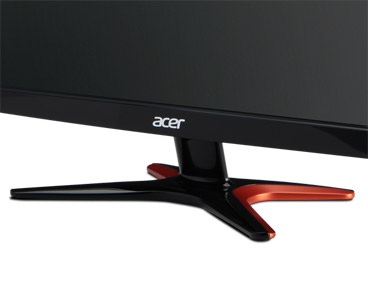
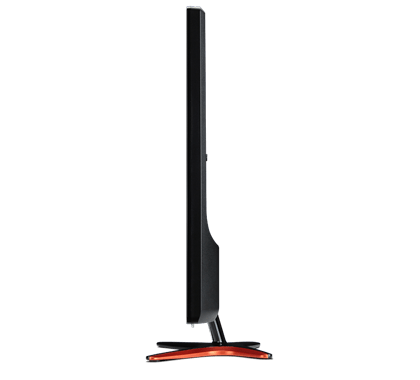
Fast response time is 1 ms without blurring speed for enhanced gaming experience. Fast-moving action and dramatic transitions are rendered smoothly without the unwanted blurring or artifacts. X-shaped stand airy and takes up minimum space utilization. The monitor can be tilted on it for more direct view. From the connector gear then takes the integration of advanced HDMI and DVI, allowing you connect multiple sources high resolution. Enjoy him not only to your PC or laptop, but also for the Blu-ray player and gaming console. Monitor is VESA compatible, therefore, it can be mounted on the wall.
Experience in 3D
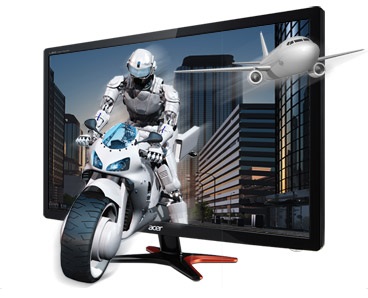
Acer Predator GN246HL is also the first 24 "LED monitor with support for NVIDIA® 3D LIGHTBOOST ™ and NVIDIA® kit VISION ™ 2, a brighter Full HD 3D images will then take care computer interface Dual-Link DVI. This combination delivers immersive 3D imagery that are two times brighter than other solutions. GN246HL Predator is fading down thanks to advanced 3D technology ideal for home entertainment. with the ability to have multiple 3D glasses that can be used simultaneously, players can meet and share their experiences with friends.
Absolutely smooth gaming experience
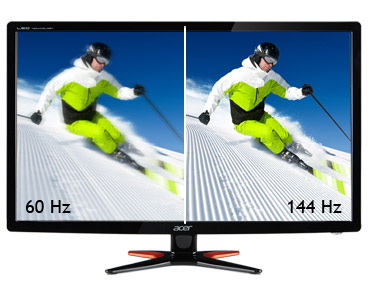
Combination of spatial effects, crystal-clear image and an exceptionally smooth movement brings the greatest gaming experience. With its high refresh rate to 144 Hz reduces monitor Acer Predator GN246HL time that is needed to view vyrenderovaných images on the screen. The response time of just 1 ms eliminates the effect of double contours, making gaming enthusiasts can fully enjoy fast action games with the moving image as sharp as a razor.
design Predator
Futuristic style with clean lines and dramatically sloping surfaces underlines its strong character. The sophisticated design of the base represents speed and performance evoking today's rapidly changing world of 3D games. Power button blends perfectly with eye-catching frame, suggesting a focus on even the smallest details in the design. The result is an attractive design that makes this monitor an amazing complement to the Acer Predator PC.
Specifications:
Diagonal:
24 "Widescreen
Panel Type:
TN
Distinction:
Full HD (1920 x 1080)
luminosity:
350 cd / m2
Response:
1 ms GTG
Contrast:
Dynamic: 100 000 000: 1
Viewing angle:
170 ° / 160 °
Function:
VESA 100 x 100 mm
Interface:
1x DVI
1x HDMI
Color:
black
Read more
Specifications
Display diagonal and resolution
1920 × 1080
Features and functions
Functions
Colour
Black

Acer Czech Republic s.r.o., Na Hřebenech II 1718/10, 140 00 Praha 4, Česká republika, https://www.acer.com/cz-cs
Acer has focused on developing and selling its branded products in the field of information technology. Acer offers its products in Europe, Middle East, Africa, the Americas, Asia Pacific, China and Taiwan. The company was founded in 1976 and the milestones include the takeover of the IT division of the American Society of Texas Insrumets (1997) or the takeover of Gateway and Packardbell (2008). Acer Group is among the four largest producers of personal computers globally and employing over 7,400 employees. The current success of Acer's mission is to break the barriers between people and technology.
Note:
Specifications can be changed without notice. Images are for illustrative purposes only.
