


Dobrý den, jedná se opravdu o AKTIVNÍ redukci, tzn. bude díky ní možno provozovat také 3. monitor, pokud kombinací DVI a HDMI výstupu již 2 připojené jsou a pro třetí je třeba použít DisplayPort? Děkuji...
AXAGON RVD-HI DisplayPort -> HDMI

Adapter - male connectors: 1× DisplayPort (DisplayPort 1.1a), female connectors 1× HDMI (HDMI 1.3), Gold-Plated Connectors, straight connector ends
Show full description
Code:
AG200d54
Producer's Website:
Don't like the alternatives? Choose from the full product list
- Help and manuals 8
- Specifications
- Photos & Videos 5
- Alternatives 8
- Accessories and suggested products

AXAGON RVD-HI DisplayPort -> HDMI
Discontinued
AXAGON RVD-HI DisplayPort -> HDMI
Off
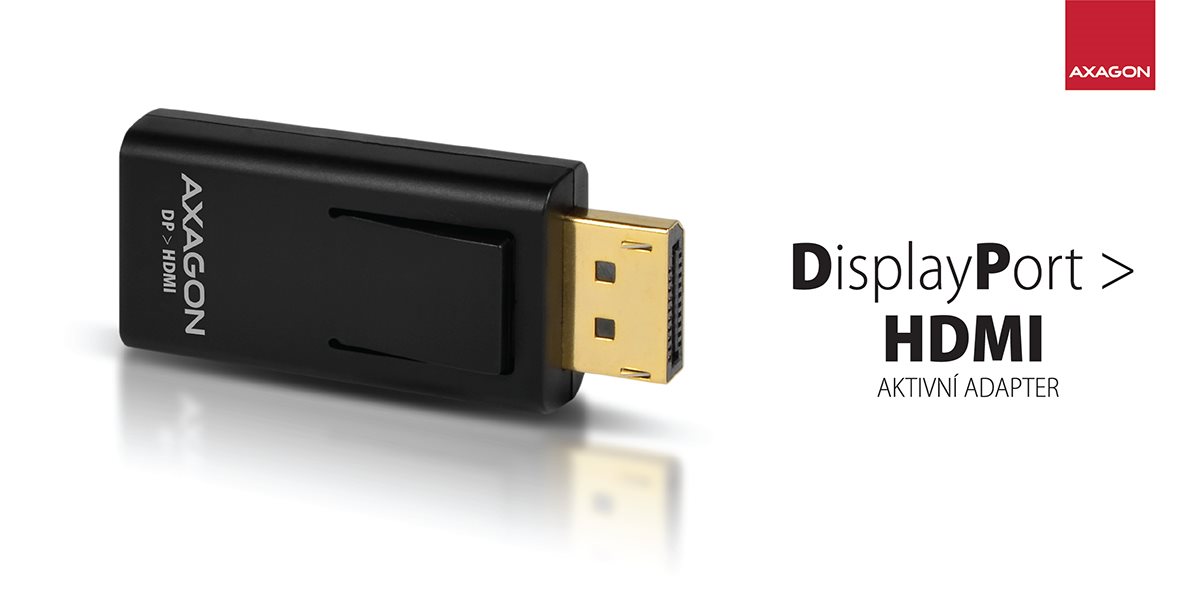
The handy small converter quickly and easily solves the problem of connecting a screen/TV/projector with the HDMI input to a computer with a DisplayPort output.
The transmitter also transmits sound without a quality loss and does not require any external power supply.
The adapter is one way only, i.e. converts from DisplayPort to HDMI, not vice versa.
DP INPUT • HDMI OUTPUT • AUDIO PASS-THROUGH
Off

A hardware converter without the need for any installation or setup ensures high-quality video and audio transmission up to 1920x1200 at 60Hz. The adapter also supports all of the lower resolutions.
Mirroring as well as the extension of the primary monitor area are supported.
WUXGA 1920x1200 max • Mirrored Desktop • Extended Desktop
Off

• Plug the converter directly into the computer's DisplayPort connector.
• Connect the HDMI cable from a screen, TV, or a projector to the HDMI output connector of the converter.
• The converter becomes operational at the moment the computer is turned on, and no drivers need to be installed.
• Turn on the display and adjust the input to HDMI.
• The image appears on the screening device.
• Set DisplayPort output as the default sound playback device (install audio drivers for your computer's graphics card if needed).
Input:
DisplayPort v1.1
DP connector with latch (M) male (male)
connector latch control button
Output:
HDMI v1.3a
HDMI A (F) female connector (Female)
Maximum resolution:
WUXGA 1920x1200@60Hz
Supported resolutions:
SVGA 800 x 600 (4:3), XGA 1024 x 768 (4:3), XGA+ 1152 x 864 (4:3), 1280 x 600, HD/WXGA/720p 1280 x 720 (16:9), WXGA 1280 x 768 (5:3), WXGA 1280 x 800 (16:10), SXGA- 1280 x 960 (4:3), SXGA 1280 x 1024 (5:4), 1360 x 768, WXGA 1366 x 768 (16:9), SXGA+ 1400 x 1050 (4:3), WXGA+ 1440 x 900 (16:10), HD+ 1600 x 900 (16:9), UXGA 1600 x 1200 (4:3), WSXGA+ 1680 x 1050 (16:10), Full HD/1080p - 1920 x 1080 (16:9), WUXGA 1920 x 1200 (16:10)
Other Features:
Supports audio transmission.
DDC (Display Data Channel) support - an intelligent setting of the resolution, frequency and other parameters by the source graphics chip.
Supported modes: mirroring the primary monitor area (default setting), expanding the primary monitor area.
HPD (Hot-Plug-Detect) support - Communication sequence to control connection/disconnection of the device while it is running.
Supports power saving modes controlled by the source equipment (PC) and the display device (monitor/TV).
Bus power source - no external power source is required.
Gold-plated connectors for perfect contact and oxidation-reduction.
NXP PTN3361BBS chip used.
Hardware-only converter for all operating systems without driver installation.
More information:
Miniature dimensions 56 x 24 x 12mm.
Weight only 12g.
Packaging in cardboard box contains:
DisplayPort -> HDMI active adapter
Specifications
Usage
Type
1. Male connector - Type
1. Male connector - Standard
1. Male connector - Quantity
Use
Usage
Type
Male connectors
Male connectors
Connector
Connector
Type and number of connectors
1. Male connector - Type
1. Male connector - Standard
1. Male connector - Quantity
1. Female connector - Type
1. Female connector - Standard
1. Female connector - Quantity
Standards
Standards
Cable construction
Terminate the connector
Features
Features
Colour
More Specifications
Note:
Specifications can be changed without notice. Images are for illustrative purposes only.
