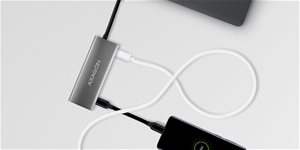
The multiport USB-C 10Gbps AXAGON HMC-5G2 SPEEDSTER 5-in-1 hub expands your laptop, computer, or phone with five ports. You can easily and quickly connect a monitor and three USB devices to your computer at the same time via the reversible USB-C connector. You also get the option to power your laptop using Power Delivery technology. The port replicator provides you with a simple and compact 5-in-1 docking station not only for Windows laptops but also for Apple laptops such as the MacBook Air or MacBook Pro.
Plenty of Ports
The USB hub offers a total of four 10Gbps USB outputs—two with standard USB-A connectors and two with USB-C. Thanks to the advanced USB 3.2 Gen 2 standard, you can connect high-speed devices such as NVMe M.2 external drives to all outputs at up to 2× higher speeds of 10Gb/s compared to standard Gen 1 hubs with speeds of only 5Gb/s. The multiport hub can handle the permanent connection of several external drives simultaneously and also allows you to charge laptops,phones, and tablets with up to 3A of current. You can easily charge, for example, an Android smartphone, Apple iPhone, Apple iPad, etc. from the hub.
Power Delivery 100W
One of the USB-C ports is combined and can be used for either data transfer or for charging phones and laptops using Power Delivery 3.0 technology with up to 100W of power. You plug a suitable USB-C Power Delivery charger into the hub and connect the hub to a laptop that supports Power Delivery. This also frees up one USB-C port.
High-Quality Image
The HDMI output provides a high-quality image up to 4K/60Hz Ultra HD resolution and supports multi-channel audio transmission. High refresh rates in popular gaming resolutions such as 2K/120Hz or FullHD/120Hz are also supported. Thanks to HDR support (High Dynamic Range), you can enjoy a significantly expanded range of colours and contrasts without limitations. For the video output to work correctly, the laptop must have a USB-C port with DisplayPort Alternate Mode (DP Alt Mode) support or a Thunderbolt 3, 4 or higher port.
Easy Connection
The USB-C hub is the ideal accessory for laptops without USB-A connectors and a video output. You can use your existing USB peripherals without having to buy new ones. Thanks to the Plug and Play and Hot Plug features, connecting the hub itself is very simple without complicated installation, and you can also easily connect and disconnect peripherals while the computer is running. The hub is also not afraid of connecting to phones with a USB-C connector. You can connect, for example, a flash drive, keyboard, mouse, monitor, TV or projector to your phone.
Practical Elegance
The compact and slim aluminium body not only looks great but also ensures mechanical durability and passive cooling. The finely textured surface, which does not show fingerprints, is also a nice touch.
Input (connecting to a laptop): • USB 10Gbps (USB 3.2 Gen 2), USB-C male connector. • Compatible with USB 3.2 Gen 1, USB4 and Thunderbolt 3/4.
Input (power): • USB Power Delivery 3.0 – 100W port, USB-C female connector. • Laptop power from a mains adapter via the USB-C hub. • PD charging must be supported by both the laptop (phone) and the mains charger.
USB Outputs: • 2× USB 10Gbps port, USB-A female connector. • 1× USB 10Gbps port, USB-C female connector. • 1× USB 10Gbps port for data transfer or Power Delivery charging, USB-C female connector. • The USB-C hub can handle connecting several external drives at the same time. • Fast charging of mobile devices with up to 3A current in the hub's USB-C ports.
HDMI Output: • 1× HDMI port, HDMI A female connector. • 4K resolution 4096 × 2160 at up to 60Hz. • 2K / WQHD resolution 2560 × 1440 at up to 120Hz. • FHD resolution 1920 × 1080 at up to 120Hz. • Support for the maximum resolutions and frequencies mentioned above requires connection to a computer with DisplayPort version 1.4. • For the video output to function, the hub must be plugged into a USB-C port with DisplayPort Alternate Mode (DP Alt Mode) support or a USB-C port with Thunderbolt 3/4 support. A suitable OS is also required. Without this support, the video output function will not be available. • HDR (High Dynamic Range, 10-bit support) support – realistic reproduction of light and dark details. • HPD (Hot-Plug-Detect) support. • TMDS (Transition Minimized Differential Signalling) support. • Full HDCP 1.4 (High-bandwidth Digital Content Protection) support. • Support for up to 2-channel LPCM audio. • Support for sampling rates up to 48kHz and up to 24-bit audio – depends on the source and end device, i.e., laptop/phone and TV/monitor/AV receiver.
Other Features: • Hot Plug support allows for connecting devices on the fly. • Full Plug and Play support. • Sleep mode support. • Power via USB bus – USB bus power or from a PD charger. • Durable aluminium body for better hub cooling. • A blue LED indicates with a steady light that the hub is connected to the computer, or with a brighter light that it is connected to a Power Delivery charger. • A high-quality shielded cable guarantees high communication speed and minimal unwanted interference. • Dimensions 105 × 40 × 12 mm. • Weight 60g (incl. cable). • USB cable length 13 cm.
Supported operating systems: • Microsoft Windows 10 / 11, macOS, iPadOS, iOS, Linux, Chrome OS and Android. Compatibility depends on the operating system used and support from the device manufacturer. • DisplayPort Alternate Mode (DP Alt Mode) is only supported in updated operating systems and also depends on support from the device (laptop, phone). • The proper function of the product can also be affected by graphics card drivers. We recommend downloading the latest version of the drivers.
Package contents: • USB-C hub with a fixed 13 cm cable, • multilingual manual.
Specifications can be changed without notice. Images are for illustrative purposes only.
Lze do hubu přijpojit externí SSD disk (SATA III)? Někde jsem čelt, že hub podporuje externí disky NVMe M.2.
Hub by byl připojen k PC notebooku do portu thunderbolt 4.
Případně, který hub zvládá externí externí SSD disk (SATA III)?
Děkuji
Lze do hubu přijpojit externí SSD disk (SATA III)? Někde jsem čelt, že hub podporuje externí disky NVMe M.2.
Hub by byl připojen k PC notebooku do portu thunderbolt 4.
Případně, který hub zvládá externí externí SSD disk (SATA III)?
Děkuji
V popisu je uvedeno, že umí 4K při 60Hz, reálně mi ale jde připojit pouze 4k při 30Hz, při nastavení vyšší frekvence se sníží rozlišení. Podporuje tedy opravdu 4K při 60Hz?
V popisu je uvedeno, že umí 4K při 60Hz, reálně mi ale jde připojit pouze 4k při 30Hz, při nastavení vyšší frekvence se sníží rozlišení. Podporuje tedy opravdu 4K při 60Hz?
U HDMI se píše, že podporuje 4K při 30Hz. Těch 30Hz je maximum vždy, nebo bude u nižšího rozlišení vyšší?
(Většinou mám připojený externí monitor 1920 x 1200 při 60Hz).
Děkuji
U HDMI se píše, že podporuje 4K při 30Hz. Těch 30Hz je maximum vždy, nebo bude u nižšího rozlišení vyšší?
(Většinou mám připojený externí monitor 1920 x 1200 při 60Hz).
Děkuji
Dobrý den, chtěl bych se zeptat, zda je možné připojit herní konzoli Nintendo Switch přes HDMI a USB-C port, abych nemusel používat jejich dokovací stanici?
Dobrý den, chtěl bych se zeptat, zda je možné připojit herní konzoli Nintendo Switch přes HDMI a USB-C port, abych nemusel používat jejich dokovací stanici?
Dobrý den, potřebuji připojit dva monitory k notebooku. Je možné připojit jeden monitor přes HUB a druhý přímo do notebooku, oba přes HDMI. Budou monitory fungovat současně? Děkuji
Dobrý den, potřebuji připojit dva monitory k notebooku. Je možné připojit jeden monitor přes HUB a druhý přímo do notebooku, oba přes HDMI. Budou monitory fungovat současně? Děkuji
Dobrý den,
HUB jsem pořizoval primárně ke střídánmí soukromého a firemního notebooku k monitoru, disku a dalším perifériím jedním kabelem. Bohužel po připojení 100W nabíječky do HUBu mi soukromý notebook nedekuje nabíjení. Obraz na monitoru funguje, USB přenáší data plnou rychlostí. Pokud kabel z nabíječky zapojím přímo, tak se notebook ihned začne nabíjet. Vyzkoušel jem tři 100W kabely, nefunguje asni s jedním. Dál jede na baterku. Zkusil jsem jinou 75 W nabíječku, ta také přes HUB nefunguje, napřímo není problém.
Má to někdo vyzkoušené na výkonějším notebooku s dedikovanou grafikou ?
Dobrý den,
HUB jsem pořizoval primárně ke střídánmí soukromého a firemního notebooku k monitoru, disku a dalším perifériím jedním kabelem. Bohužel po připojení 100W nabíječky do HUBu mi soukromý notebook nedekuje nabíjení. Obraz na monitoru funguje, USB přenáší data plnou rychlostí. Pokud kabel z nabíječky zapojím přímo, tak se notebook ihned začne nabíjet. Vyzkoušel jem tři 100W kabely, nefunguje asni s jedním. Dál jede na baterku. Zkusil jsem jinou 75 W nabíječku, ta také přes HUB nefunguje, napřímo není problém.
Má to někdo vyzkoušené na výkonějším notebooku s dedikovanou grafikou ?
Trochu jsem se zamotal v označení portů. USB-C připojovací kabel (ten na pevno) je USB-C 3.2 Gen 2 (thunderbolt4?) potom 2x USB-A a 2x USB-C jedno má popisek DATA, takže tímto lze přenášet jen data a nejde nabíjet další zařízení a druhé USB-C s označením DATA+PD3.0 je nabíjecí při max 60W
omlouvám se asi jsem zmotal i dotaz, ale snad pochopíte a vysvětlíte... díky
Trochu jsem se zamotal v označení portů. USB-C připojovací kabel (ten na pevno) je USB-C 3.2 Gen 2 (thunderbolt4?) potom 2x USB-A a 2x USB-C jedno má popisek DATA, takže tímto lze přenášet jen data a nejde nabíjet další zařízení a druhé USB-C s označením DATA+PD3.0 je nabíjecí při max 60W
omlouvám se asi jsem zmotal i dotaz, ale snad pochopíte a vysvětlíte... díky
Try our cookiesAlza.cz a. s., Company identification number 27082440, use cookies and other data to ensure the proper functioning of the website and, with your consent, also, among other things, to personalize advertising and the content of our websites. By clicking on the “I understand“ button, you agree to the use of cookies and the transfer of data regarding the behavior on the website for displaying targeted advertising on social networks and advertising networks on other websites.
We use 8 categories of cookies on our website:
Technical cookies
These are strictly necessary for the functioning of the website and the features you choose to use. Without them, our website would not work; you wouldn't be able to log in to your user account, for example.
Functionality cookies
These cookies allow us to remember your basic choices and improve the user experience. These include remembering your preferred language or allowing you to stay logged in permanently.
Social media cookies
These cookies allow us to easily link you to your social media profile and, for example, allow you to share products and services with your friends and family.
Content personalisation
These cookies allow us to show you content and ads according to the information we have about you to best meet your needs. This includes what content you have viewed, or on what device you are accessing our website.
Non-personalised advertising
These cookies allow us to show you general ads for products and services.
Personalised advertising
Thanks to these cookies, we and our partners can offer you relevant products and services based on your purchases, your shopping behaviour and your preferences.
Audience metrics
These cookies allow us to optimise our site for your convenience based on how you use it. The aim is to remember or anticipate your choices. This includes, for example, the use of features, their location, or the behaviour on the page.
By giving your consent to the processing of cookies, functionality and analytical cookies will be installed on the device you use to browse the website (click on the "I understand" button for both categories, or you can select only one of the categories by clicking on the "Settings" button). We always install technical cookies on your device, even without your explicit consent, because without them our website would simply not work.
You can revoke your consent to the processing of cookies. In connection with our company's cookie processing, you also have the following rights: the right to access cookies, delete, modify, supplement and correct them, restrict processing and the right to lodge a complaint with the Office for Personal Data Protection. Read more about your rights.