Canon PIXMA MG3650S red

4.4 51 ratings
Inkjet Printer - multifunctional, colour, A4, copier and scanner, black-and-white print speed of 9,9 images/minute, colour print speed of 5,7 images/minute, print resolution: 4800 x 1200 DPI, duplex, AirPrint, USB and Wi-Fi
Code:  PC293a68 Producer's Website:

Don't like the alternatives? Choose from the full product list

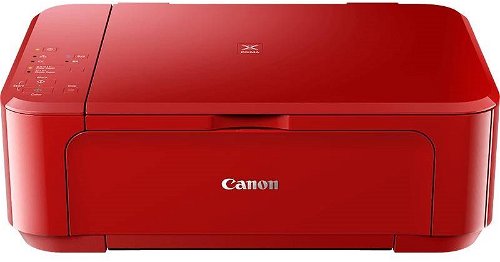
Canon PIXMA MG3650S red

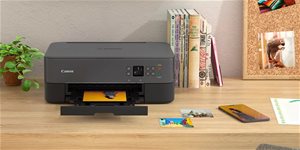
Inkjet Printer Canon PIXMA MG3650S red Lifestyle

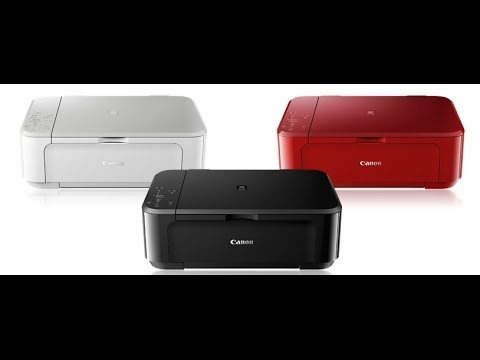
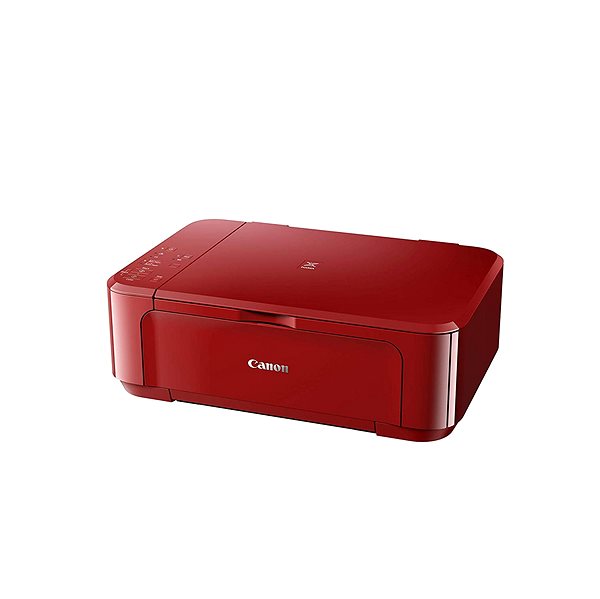
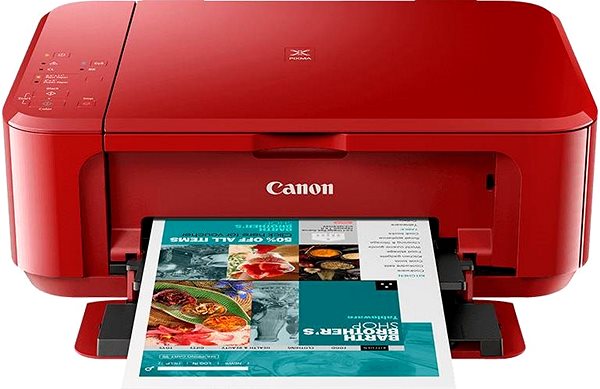
The Canon inkjet printer is a reliable tool to have at home. This printer is a 3-in-1 model that can print, copy and scan, so it'll take care of all the work you do with documents. This model is able to print in colour. When printing black-and-white papers, the Canon PIXMA MG3650S red Inkjet Printer can print at 9,9 images/minute pages per minutes. When printing coloured documents, the Canon PIXMA MG3650S red Inkjet Printer can print at 5,7 images/minute pages per minutes. It has a maximum print resolution of 4800 x 1200 DPI, which is above the standard, so it can print highly detailed images. You can print on an entire paper thanks to the borderless printing feature. This model can print on both sides of one paper, which saves you time. You are able to connect to devices through the USB and Wi-Fi interface. There's no need to deal with any annoying cables because you can take advantage of the wireless printing feature. If you're an Apple users, it's compatible with the AirPrint feature, allowing you to easily print from any Apple device.

Inkjet Printer Canon PIXMA MG3650S red Package content

Canon PIXMA MG3650S red Key Features Inkjet Printer

  • Canon Inkjet Printer can print on both sides of a paper at once
  • Easily print documents by connecting to Wi-Fi
  • Canon PIXMA MG3650S red print format: A4 paper
  • Input tray fits 100 papers
  • Canon inkjet printer can also scan and copy
  • Printer has borderless printing function, for versatile use
  • You can print right from your iPhone or iPad via AirPrint
  • Coloured inkjet printer suitable to be used at home
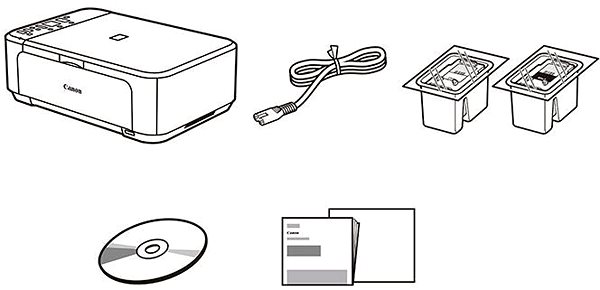
  • Packaging contains: Documentation, Ink cartridge, Software and Power cable

Canon Inkjet Printer Resolution

Print beautiful photographs thanks to this inkjet printer. One big advantage of inkjet printers is natural colour rendering, which is ideal for printing out photos. This Canon inkjet printer features an excellent printing resolution of 4800 x 1200 DPI. The resulting photographs and fine prints will have highly-detailed quality, even on larger formats.

Inkjet Printer Canon PIXMA MG3650S red Screen
Inkjet Printer Canon PIXMA MG3650S red Features/technology

Canon PIXMA MG3650S red Scanning and Copy Features

This Canon PIXMA MG3650S red inkjet printer is a multifunctional device, and it is able to copy, scan and print all in one design. The Canon PIXMA MG3650S red inkjet printer is able to work with A4 formats. Blank sheets are placed in the input tray, which can hold up to 100 pieces of paper.

Specifications

Type

Print colour
Colour
Print technology
Inkjet
Usage
For home

Connection

Connection
USB, Wi-Fi

Supported Paper Sizes

Standard Paper Sizes
A4
Photo paper formats
10 × 15 cm

Scanning

Scanner features
Scan to Email
Scanning Speed
14 PPM

Printing parameters

Print resolution
4800 x 1200 DPI
Print speed – black & white (ESAT)
9.9 images/minute
Print speed – colour (ESAT)
5.7 images/minute
Input trays
100 sheets
Available alternative refill
Yes

Dimensions

Height
152 mm
Depth
304 mm
Width
449 mm
Weight
5.4 kg

Equipment

Display
Without Display

Package includes

Package Includes
Documentation, Ink cartridge, Power cable, Software
More Specifications

Canon was founded in 1933. Its original title translated to "portable laboratory optics". The Japanese company has been headquartered in Tokyo since its inception. Canon is particularly associated with the production of digital cameras and accessories, where they remain the leading innovator and producer of imaging solutions. Aside from digital cameras, the company also operates in the production of office equipment, particularly copiers or printers.

Note:

If there is no "package contains" box in the product parameters and the data or USB cable is not specifically mentioned in there, the package does not contain it and must be purchased separately.

Specifications can be changed without notice. Images are for illustrative purposes only.

Dobrý den. Nedaří se tiskárnu připojit přes Wi-Fi. Ať to zkouším jak to zkouším pořad nic. Kabel k PC v balení není tak nemám ani možnost to připojil na kabel.
Dobrý den, tiskárnu už mám nějaký ten pátek a doteď bylo vše bez problémů, i přes několik stěhování, vždy se tiskárna připojila přes wifi. Ale po přesunu routeru na jiné místo (jen přesun, prodloužení kabelem, do nastavení se nesahalo kromě změny názvu wifi a hesla) se nedaří ani přes samotné wifi připojení, ani s pomocí wps. A kabel bohužel nemám, takže jsem teď bezradná a prosím o radu, kde může být chyba, co by pomohlo udělat, aby tiskárna opět byla připojena a já ji mohla využívat. Děkuju.

Dobrý den, mám s tiskárnou bohužel problém. Při potřebě skenování před kabel přímo do PC Canon podpora uvádí, že je třeba stáhnout si aplikaci IS Scan utility. Tato aplikace ale není podporovaná pro tento model na WIN 10, což znamená, že není možné do počítače skenovat, ikdyž ve vlastnostech přístroje bylo, že to možné je. Tiskárnu mám déle než 14 dní, potřeba skenu přišla až teď, takže klasické vrácení již hádám nebude možné. Byla by zde prosím nějaká možnost řešení, např. výměna za jiný model, nebo tak něco? Děkuji

Dobrý den, skenovaný dokument se pokládá pod zvedací víko ? Na obrázku to není vidět. Jaká je kvalita tisku fotografií na A4 pokud je tam větší jednobarevná plocha. Mám jednu canonku a ta mi proužkuje tak jak přechází tisková hlava po papíře.

Dobrý den, má tiskárna plochý skener? Dají se skenovat menší formáty, např. účtenky?

Dobry den, tiskarna mi nelze nakonfikurovat pres wifi a kabel jsem si neporidila. Jak je to mozne? vse jsem zkusila dle navodu a nic. pri zapnuti tiskarny nelze zprovoznit wifi

Dobrý deň chcem sa spýtať tlačiareň určite sa dá pripojiť na WiFi cez telefón môžem tlačiť. Ďakujem za odpoveď

Dobrý den, zakoupila jsem tuto tiskárnu a při tisku obrázků jsem zjistila, že vše je příliš světlé. Intenzitu barev jsem v nastavení tiskárny měnila a dala jsem i vyčistit tiskovou hlavu. Můžete mi prosím říct, v čem by mohl být ještě problém? Jsou špatné dodané barvy? Děkuji.

Dobrý deň, aký dátový kábel k tlačiarni dokúpiť? ďakujem.

Questions and answers: Canon PIXMA MG3650S red
Accessories for Canon PIXMA MG3650S red

Related categories

Chcete doručit zboží do Česka? Prohlédněte si Canon PIXMA MG3650S červená
Für Versand nach Deutschland, besuchen Sie bitte Canon PIXMA MG3650S rot
Für Versand nach Österreich, besuchen Sie bitte Canon PIXMA MG3650S rot
Magyarországra történő kiszállításért tekintse meg ezt a termékoldalt: Canon PIXMA MG3650S piros