Try our cookies Alza.cz a. s., Company identification number 27082440, uses cookies to ensure the functionality of the website and with your consent also to personalisage the content of our website. By clicking on the “I understand“ button, you agree to the use of cookies and the transfer of data regarding the behavior on the website for displaying targeted advertising on social networks and advertising networks on other websites.
Alzak icon
Catalogue
Price
-
Availability
Order status
Brands
(2)
Features
(2)
(2)
(2)
(2)
(2)
(2)
Connection
(1)
(2)
Standard Paper Sizes
(2)
(2)
(2)
Photo paper formats
(2)
(2)

All-In-One Printers

Multifunction printers are now standard in every home and business. They offer printing, scanning and copying of documents. Some models also offer network functionality and integration with cloud services.
 

Continue

Before buying a printer, you should first consider whether you want an inkjet or a laser printer / LED. 

Multifunction Inkjet Printers

  • Print monochrome and colour text documents, pictures, graphics, or photographs in high quality.
  • Compared with laser printers, they are usually cheaper to buy but more expensive per printed page due to the higher cost of inkjet cartridges.
  • Inkjet printers also consume more ink, which increases running costs.

Multifunction Laser Printers

  • Suitable for frequent high-volume printing with low operating costs, high speed and high print quality.
  • Monochrome and colour options available.
  • For frequent printing of high-quality photographs, we recommend multifunction inkjets. Although photographic paper is available for colour laser printers, inkjets offer higher printing quality.

What else should I consider when choosing a printer?

With the rise of mobile devices and cloud services, network functions are becoming increasingly important, such as printing via LAN, Wi-Fi, Bluetooth or NFC. If you want to print from multiple devices, you should select a printer with LAN support, otherwise a printer with a USB port will be fine.

    Scanner functions

    Scanner type

    • Flatbed
      • The most common type - paper is placed on a glass plate and is scanned by a sensor mechanism underneath.
      • The advantage is that it can scan anything that can be placed on the glass surface - sheets of paper, pages of pamphlets or books, etc.
      • The disadvantage is that each sheet must be scanned separately.
    • Sheetfed
      • This type of scanner is more common in larger corporate environments than at home.
      • Paper is placed in the tray and is then fed through the feeder to be scanned.
      • The advantage is that you can scan multiple documents in one job.
      • The downside is that most models are limited to a maximum size of A4; due to their design, they cannot scan brochures, books and the like.

    Scanner resolution

    • Measured in DPI (dots per inch - the number of pixels per inch).
    • The higher the number, the better the quality of the scan.
    • Today's scanners have a resolution of at least 600 dpi, which is sufficient to scan everyday documents.
    • To scan photos, we recommend a DPI of at least 1200, ideally 2400.

    Converting scanned files to text

    • Indicated by the acronym OCR (Optical Character Recognition)
    • Some manufacturers supply text-recognition software with the scanner, but none of them are absolutely flawless.
    Hide description
    Was this information useful?
    This form is used only for evaluating the information in the description above.
    If you have any question about our products, services, transport or any other request, please contact our customer support.

    What should be improved? Is anything missing here? Is anything wrong? Share it with us.
    2 items
    5.0
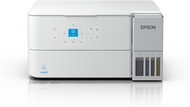
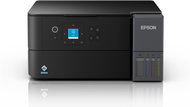
    Epson EcoTank L4360
    Inkjet Printer - multifunctional, colour, A4, copier and scanner, (ISO) black-and-white print speed of 15 PPM, (ISO) colour print speed of 8 PPM, print resolution: 4800 x 1200 DPI, duplex, tank system, AirPrint, USB, Wi-Fi and WLAN
    +2 gifts with a value of 19.94 €
    Buy with code ALZADNI10 The discount code gives the option of applying a discount on a given product when entering the code in the shopping cart. Získajte zľavu 10 % s kódom ALZADNI10. Kliknite a kód sa uplatní automaticky. 225.81 €
    250.90 €
    Buy
    In stock > 5 pcs
    Order by midnight, get it at the AlzaBox in the morning.
    Info
    Order Code: PE124a30a
    5.0
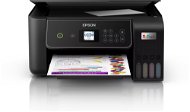
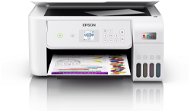
    Epson EcoTank L4366
    Inkjet Printer - multifunctional, colour, A4, copier and scanner, (ISO) black-and-white print speed of 15 PPM, (ISO) colour print speed of 8 PPM, print resolution: 4800 x 1200 DPI, duplex, tank system, AirPrint, Wi-Fi and WLAN
    +2 gifts with a value of 19.94 €
    Buy with code ALZADNI5 The discount code gives the option of applying a discount on a given product when entering the code in the shopping cart. Získajte zľavu 5 % s kódom ALZADNI5. Kliknite a kód sa uplatní automaticky. 238.36 €
    250.90 €
    Buy
    In stock > 5 pcs
    Order by midnight, get it at the AlzaBox in the morning.
    Info
    Order Code: PE124a30b

    All-In-One Printers

    10 dôvodov, prečo si kúpiť tlačiareň Epson EcoTank Tlačiarne Epson EcoTank menia pravidlá hry – namiesto klasických kaziet používajú nádržky na doplnenie atramentu, vďaka ktorým tlačíte tisícky strán lacnejšie, čistejšie a bez starostí. Prinášajú úsporu, spoľahlivosť aj ekologickú prevádzku. Prečo sa oplatí prejsť práve...
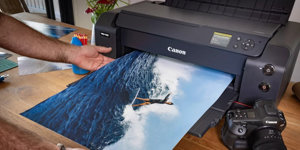
    Len máloktorý fotografický nadšenec či profesionál nepozná legendárnu fototlačiareň Canon imagePROGRAF PRO-1000, ktorá sa počas dlhých rokov stala synonymom výstavnej kvality. Teraz prichádza jej priamy nástupca – Canon imagePROGRAF PRO-1100, ktorý si kladie ambiciózny...
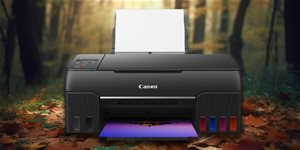
    Canon pred rokmi predstavil prvé multifunkčné tlačiarne s dolievateľnými atramentmi, teraz disponujeme pokročilými šesťfarebnými variantmi. Tie sú vhodné na bežnú prevádzku domácností, menších firiem či na náročnú tlač fotografií. Zameriam sa na model Canon PIXMA 640 v...
    Je čas kúpiť novú tlačiareň? Ako spoznať, že nastal čas kúpiť novú tlačiareň je pomerne jednoduché. Je potrebné si spomenúť, ako dlho tlačiareň vlastníme a sledovať viac ukazovateľov opotrebovania a veku tlačiarne. Medzi tie patrí častá poruchovosť, zhoršujúca sa kvalita tlače, vyššie náklady...
    Moderné tlačiarne s tankovým systémom, prípadne laserové tlačiarne vám dokážu ušetriť aj tisíce. Neplytváte zbytočne financiami na prevádzke nehospodárnych tlačiarní? Ako na tlači múdro ušetriť, sa dozviete v článku.
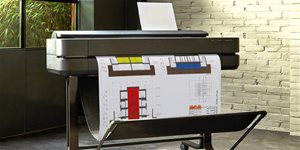
    Dříve stály vysoké statisíce korun, dnes jen nízké desetitisíce. O čem je řeč? O velkoformátových tiskárnách HP DesignJet, které řada uživatelů zná pod názvem plotr. Co taková zařízení umí? Jak se ovládají? A na jaké nasazení jsou určena?
    All articles

    All-In-One Printers

    Multifunction printers are scanner, copiers and printers in one. Sometimes they even include a fax machine, making them irreplaceable helpers in the office and at home. Multifunction printers are divided into two main types: multifunction laser printers and multifunction inkjet printers. Both types offer many advantages over stand-alone devices – printers with copiers save valuable space as well as financial resources. Both types of MFP have their pros and cons, so before you go ahead and buy, you should consider what you will use it for.

    Multifunction inkjet printers

    Multifunction inkjets are suitable for printing images and photos. Compared with mulifunction laser printers, they are cheaper to buy, but their operating costs are somewhat higher. However, they offer high-quality pringint both at home or in an professional environment. Multifunction inkjets are also quiet, which will certainly be appreciated in the office.

    How do inkjet printers work?

    Inkjet printers operate using microscopic drops of ink that are transferred at high speed from the print head to the paper. Some inkjet printers come with a function that allows you to change the volume of these drops, which in turn affects the print quality.

    Advantages of multifunction laser printers

    Compared with inkjets, multifunction laser printers are quieter and faster. They are also suitable for office environments, where they work tirelessly to provide printing services to larger groups. Even at high speeds, multifunction laser printers retain high-quality output at low operating costs.

    How do laser printers work?

    The laser printing method is similar to that of a copier. For monochrome, the printed image or text is scanned using a laser beam on a photosensitive (semiconductor) cylinder, building up a pattern of static electricity. Toner (powder) is then applied to it, which is attracted only to the parts previously illuminated by the laser. A thermal unit then bonds the toner to the paper. This is a very accurate method that yields high-quality printed materials.

    Multifunction printer equipment

    Multifunction printers can be connected to networks via ethernet as well as WiFi. Connection via WiFi or USB enables efficient printing from your mobile device or external memory drive without using a computer. Our wide range of printers includes models from the best manufacturers, including Brother and Xerox .

    Was this information useful?
    This form is used only for evaluating the information in the description above.
    If you have any question about our products, services, transport or any other request, please contact our customer support.
    What should be improved? Is anything missing here? Is anything wrong? Share it with us.
    P-DC1-WEB03