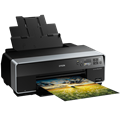
Inkjet Printer - multifunctional, colour, A3, copier and scanner, black-and-white print speed of 28 pages/min., colour print speed of 28 pages/min., print resolution: 5760 x 1440 DPI, duplex, tank system, display, AirPrint, Wi-Fi, LAN and USB
This Epson inkjet printer is a practical tool to have in the office or at home. This printer is a 3-in-1 model that is also able to scan, print and copy, so it'll take care of all your paper needs. This is a coloured printer. When printing coloured documents, this Epson EcoTank L7180 reaches 28 pages/min. print speeds. It reaches a maximum print resolution of 5760 x 1440 DPI, which is above-standard and can print high-quality details. This model can print on both sides of one paper, which saves you plenty of time. You can quickly connect to your computer through the Wi-Fi, LAN and USB interface. You don't have to deal with any annoying cables and you can take advantage of the wireless printing function. If you own Apple devices, it's compatible with the AirPrint feature to easily print from any device. To easily control the functions and features, the Epson Inkjet Printer has a graphic display. You'll be able to save money thanks to the tank system, which allows you to easily refill the cartridges. Another practical function it has is that it can print B5, legal, DL, letter and C6 envelopes.
Epson EcoTank L7180 Key Features Inkjet Printer
Epson INKJET PRINTER features double-sided printing
Wirelessly connect to devices via WiFi to print documents
Epson EcoTank L7180 paper format: A3, A4, A5 and A6 paper
Input tray fits 100 papers
Epson inkjet printer can also scan and copy
Easily connect to your iPad or iPhone thanks to AirPrint feature
Tank system allows you to refill ink and save money
Coloured inkjet printer suitable for office or home use
Can print on envelopes formatted B5, legal, DL, letter and C6
Epson Inkjet Printer Resolution
Print out beautiful photos with a high-quality inkjet printer. One big advantage of inkjet printers is natural colour rendering, and that's what makes it great for printing photographs. This Epson inkjet printer has an above-standard printing resolution of 5760 x 1440 DPI. The resulting photographs and fine prints will have highly-detailed quality even when printed on large formats. Even when printing often and using a lot of coloured ink, there's no need to worry that it'll burn a hole in your pocket. This Epson EcoTank L7180 features a tank system. Just pour the ink to refill the tank when it gets low, which reduces the cost and is considered to be eco.
Epson EcoTank L7180 Scanning and Copy Features
The Epson EcoTank L7180 inkjet printer is multifunctional and is able to scan, copy and print and take care of everything you need to do with documents. This Epson EcoTank L7180 inkjet printer is able to work with A3, A4, A5 and A6 formats. Clean paper can be stored in the input tray, which can hold up to 100 pieces of paper. Printed paper is then collected into the output tray that can hold up to 50 sheets of paper.
Printing technology determines how data is transferred to paper, affecting quality, speed and cost, and varies by type of application - from home to professional.
Printing technology determines how data is transferred to paper, affecting quality, speed and cost, and varies by type of application - from home to professional.
The resolution of a flatbed scanner is a parameter that determines the quality of the scan, measured in DPI (dots per inch) and the higher the resolution, the more detailed the scan.
The print resolution determines how detailed and sharp the output from the printer will be, measured in DPI, the higher the value the better the print quality, ideal for high quality photos and documents.
Black and White Print Speed - ISO measures the number of pages the printer prints per minute in a standard ISO test, determining the printer's efficiency for black and white documents.
Color Print Speed - ISO measures the speed of printing color documents according to the ISO standard, usually lower than black and white printing due to more complex technology.
Zobrazovacia jednotka tlačiarne slúžiaca na informovanie o stave či nastavení tlačiarne. V prípade dotykového displeja slúži aj na priame nastavenie a ovládanie tlačiarne.
EPSON EUROPE B.V., organizační složka, Greenline Kačerov, Jihlavská 1558/21, 140 00 Praha 4 - Michle, Česká republika, +420 246 037 281, www.epson.cz
Epson is a technology company based in Japan. It is a subsidiary of the Seiko Group, and on of the most important manufacturers of printers, scanners and multimedia projectors. The company's offerings are much broader though, encompassing industrial robots, cash registers, and more.
Note:
If there is no "package contains" box in the product parameters and the data or USB cable is not specifically mentioned in there, the package does not contain it and must be purchased separately.
Specifications can be changed without notice. Images are for illustrative purposes only.
Dobrý deň. Tlačiareň chce vymeniť servisný zásobník T04D0. Aj keď to už bolo riešené v predošlom dotaze, na eshope ho aj tak neviem nájsť. Vďaka, Vladislav
Dobrý deň. Tlačiareň chce vymeniť servisný zásobník T04D0. Aj keď to už bolo riešené v predošlom dotaze, na eshope ho aj tak neviem nájsť. Vďaka, Vladislav
Dobry den, chtel bych tiskeanu vyzkouset. Je to mozne v showroomu Holesovice? Pripadne pokud ne a zakoupim ji v eshopu a vytisknu na ni par zlusebnich tisku, mohu ji do 14-ti dnu vratit, nebudu-li spokojen? Dekuji a preji pekny den, Eduard Sojka
Dobry den, chtel bych tiskeanu vyzkouset. Je to mozne v showroomu Holesovice? Pripadne pokud ne a zakoupim ji v eshopu a vytisknu na ni par zlusebnich tisku, mohu ji do 14-ti dnu vratit, nebudu-li spokojen? Dekuji a preji pekny den, Eduard Sojka
Dobrý den,
koupil jsem Epson L7160.
Jakým způsobem lze kopírovat na papír ze zadního podavače?
Neustále mně papír projíždí a pak si vezme z podavače A1, tím dochází ke zvýšené spotřebě papíru. Jde mi např. o tisk občanského průkazu na jednu stranu.
Dobrý den,
koupil jsem Epson L7160.
Jakým způsobem lze kopírovat na papír ze zadního podavače?
Neustále mně papír projíždí a pak si vezme z podavače A1, tím dochází ke zvýšené spotřebě papíru. Jde mi např. o tisk občanského průkazu na jednu stranu.
Try our cookiesAlza.cz a. s., Company identification number 27082440, use cookies and other data to ensure the proper functioning of the website and, with your consent, also, among other things, to personalize advertising and the content of our websites. By clicking on the “I understand“ button, you agree to the use of cookies and the transfer of data regarding the behavior on the website for displaying targeted advertising on social networks and advertising networks on other websites.
We use 8 categories of cookies on our website:
Technical cookies
These are strictly necessary for the functioning of the website and the features you choose to use. Without them, our website would not work; you wouldn't be able to log in to your user account, for example.
Functionality cookies
These cookies allow us to remember your basic choices and improve the user experience. These include remembering your preferred language or allowing you to stay logged in permanently.
Social media cookies
These cookies allow us to easily link you to your social media profile and, for example, allow you to share products and services with your friends and family.
Content personalisation
These cookies allow us to show you content and ads according to the information we have about you to best meet your needs. This includes what content you have viewed, or on what device you are accessing our website.
Non-personalised advertising
These cookies allow us to show you general ads for products and services.
Personalised advertising
Thanks to these cookies, we and our partners can offer you relevant products and services based on your purchases, your shopping behaviour and your preferences.
Audience metrics
These cookies allow us to optimise our site for your convenience based on how you use it. The aim is to remember or anticipate your choices. This includes, for example, the use of features, their location, or the behaviour on the page.
By giving your consent to the processing of cookies, functionality and analytical cookies will be installed on the device you use to browse the website (click on the "I understand" button for both categories, or you can select only one of the categories by clicking on the "Settings" button). We always install technical cookies on your device, even without your explicit consent, because without them our website would simply not work.
You can revoke your consent to the processing of cookies. In connection with our company's cookie processing, you also have the following rights: the right to access cookies, delete, modify, supplement and correct them, restrict processing and the right to lodge a complaint with the Office for Personal Data Protection. Read more about your rights.