


Try our cookies Alza.cz a. s., Company identification number 27082440, uses cookies to ensure the functionality of the website and with your consent also to personalisage the content of our website. By clicking on the “I understand“ button, you agree to the use of cookies and the transfer of data regarding the behavior on the website for displaying targeted advertising on social networks and advertising networks on other websites.
Alzak icon
Catalogue

Euro Truck Simulator 2: Baltics

4.9 30 ratings
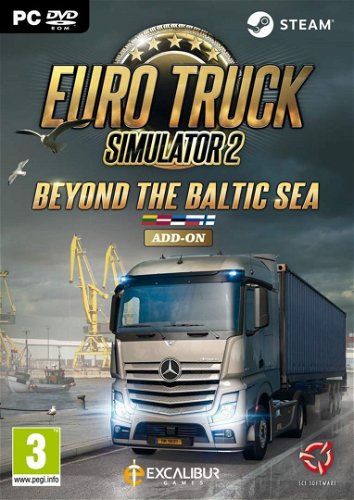
Gaming Accessory /DLC - boxed version, key for Steam, genre: Simulator, base game required,, where dozens of new towns, towns, harbours and villages, new factories and thousands of kilometers of roads are waiting for you. You will ride through vast, fertile lowlands full of relics from the past and the harsh remains of the great past of the last century. You will also visit Russia for the first time and visit the famous metropolis of St. Petersburg. As you go further, you will encounter the rich and industrially areas of Finland, where you can enjoy the unique driving experience of high-speed motorways.
Code:  WG117c6 Producer's Website:

Don't like the alternatives? Choose from the full product list

Euro Truck Simulator 2: Baltics

Specifications

Known from
Euro Truck Simulator
Genre
Simulator
Text
CS, EN
Age limit
3 years
Game content descriptors
Online

Known from

Known from
Euro Truck Simulator

Genre

Genre
Simulator

Localisation

Text
CS, EN

PEGI rating

Age limit
3 years
Game content descriptors
Online

Version

Platform
PC - box
Edition
DLC - addition to the game
Topic
Sports, Racing and Simulator

Virtual reality

Virtual reality
Not supported

Min. requirements

Processor frequency
2.4 GHz (2.4 GHz)
RAM memory
2 GB
Required space on HDD
0.12 GB
Operating system
Windows 7, Windows 7 64-bit, Windows 8, Windows 8 64-bit, Windows Vista, Windows XP, Windows XP SP3

Recommended requirements

Processor frequency
3 GHz
RAM memory
6 GB
Required space on HDD
0.12 GB
Operating system
Windows 10, Windows 7, Windows 7 64-bit, Windows 8, Windows 8 64-bit
More Specifications

The purchased product key must be activated in Steam:

  • 1) Go to https://store.steampowered.com/ and click on the green button that says "Install Steam".
  • 2) Install and run the Steam client and log in with your existing account or create a new one.
  • 3) Click "Add Game" at the bottom left corner of the screen and then select "Activate a Product on Steam"
  • 4) The "Product Activation" window will pop up. Follow the onscreen instructions and enter your purchased code.
  • 5) Once the activation is complete, you can find the new game in your "Library" tab.
  • 6) Press the blue "Install" button to install the game.

Detailed instructions complete with pictures can be found here: instructions-for-applying-electronic-licences-games#steam

If you have any problems redeeming your prepaid code, please contact Steam Support: help.steampowered.com/en

Note:
Note that some games may require:
  • a digital store account with a particular service - MS Store, Origin, Steam, Uplay etc. (you can find out more in our article on how to apply your electronic licences)
  • broadband internet connection for online gaming, initial setup, updates, and more
  • a monthly subscription fee for online multiplayer gaming (Xbox Live, PlayStation Plus, etc.)

Specifications can be changed without notice. Images are for illustrative purposes only.

Questions and answers: Euro Truck Simulator 2: Baltics
Accessories for Euro Truck Simulator 2: Baltics
P-DC1-WEB07