


Pokud mám ntb, který podporuje jen 1x externí monitor a ani jeden port nepodporuje video (krom 1x HDMI). Tak tahle dokovací stanice by měla problém vyřešit? Abych mohl připojit 2x externí monitor.
i-tec USB 3.0 / USB-C Dual Display Docking Station HDMI DVI + VGA

Docking Station - connection using USB-C USB 3.2 Gen 1 (3.0)
Show full description
Code:
JP912a2
Producer's Website:
Don't like the alternatives? Choose from the full product list
- Help and manuals 5
- Specifications
- Photos & Videos 2
- Alternatives 8
- Accessories and suggested products

i-tec USB 3.0 / USB-C Dual Display Docking Station HDMI DVI + VGA
Discontinued
i-tec USB 3.0 / USB-C Dual Display Docking Station HDMI DVI + VGA
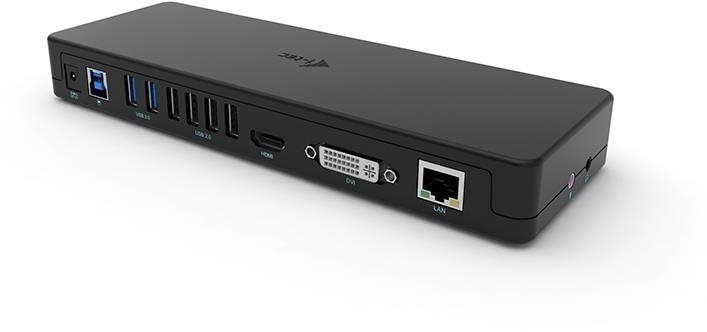
This i-tec USB 3.0 / USB-C Dual Display Docking Station HDMI DVI + VGA will be quite reliable for your laptop. Especially when it comes to compact ultrabooks, a docking station has an advantage in that you can connect to much more accessories at once. You can be sure to fully use your laptop, keep your workspace tidy and instantly connect to additional accessories. The docking station is made of USB-C interface serve to connect the i-tec USB 3.0 / USB-C Dual Display Docking Station HDMI DVI + VGA docking station and your laptop. It has the connector standard of USB 3,2 Gen 1 (3,0). The docking station is made of plastic. A connection cable and power adapter are also included. It offers multi-monitor support for demanding users. This docking station measures 226 × 28 × 77 cm and weighs 760 g.
Main Features of the i-tec USB 3.0 / USB-C Dual Display Docking Station HDMI DVI + VGA Docking Station
- This i-TEC docking station enhances your laptop's connectivity and functionality
- This docking station is connected to your laptop using USB-C
- Connector standards: USB 3,2 Gen 1 (3,0)
- W×H×D: 226 × 28 × 77 cm
- Weight: 760 g
- Additional features of the docking station include support for multiple monitors
- The package contains connecting cable and power adapter
- The i-TEC docking station is made from plastic
Specifications
Width
Height
Depth
Weight
Laptop power port
Dimensions and weight
Width
Height
Depth
Weight
Laptop power port
Laptop power port
Standard male connector
Most common ports
Common data ports
Common graphics ports
Data ports - Number and standards
USB-A standards
USB-C standards
USB-A 3.2 Gen 1 (3.0)
USB-A 2.0
Power ports for electrical devices
USB-A
Graphics ports - Number and standards
HDMI standards
DVI-I Dual Link
VGA (D-Sub DE-15)
Audio ports
Audio ports
Features
Packaging
Package contents
Compatibility
Type
More Specifications
Note:
Specifications can be changed without notice. Images are for illustrative purposes only.
