


ABBYY FineReader PDF Corporate, 1 year (electronic license)

Office Software - digital licence, for 1 devices, subscription length 12 months, for PC, compatible with Windows, transferable licence
Show full description
Buy with code
ALZADNI10
144.81 €
160.90 €
Shop faster with pickup at AlzaBox or in-store.
Code:
EO407h3

ABBYY FineReader PDF Corporate, 1 year (electronic license)
160.90 €
Available for download
Buy
ABBYY FineReader PDF Corporate, 1 year (electronic license)
The product requires an up-to-date operating system.
ABBYY FineReader PDF Corporate provides comprehensive PDF work including OCR
Need to speed up your work with PDF documents? Want to create interactive PDF forms? Insert electronic signatures elegantly? Or are you constantly transcribing information from paper to PC because you can't use the OCR method? That's exactly the role of the versatile ABBYY FineReader PDF Corporate. If you work with text documents, you've probably encountered OCR at work, for example. It is a software function that converts a scanned document into text form. You can continue to work with it as a regular document in a text editor. In practice, it is an invaluable tool, because sooner or later it will certainly find its application. After all, who wants to manually transcribe a multi-page document when it can be fully digitized in a few minutes and a few mouse clicks?
Off

Optimize your business documents and easily create fillable PDF forms.
Off

Get the most out of PDF files. Edit and correct entire sentences, paragraphs and document layout.
Off

Complete document digitization with advanced OCR technology.
Off

Use one software for complex work with PDF documents.
View, browse and edit PDF files
ABBYY FineReader PDF Corporate office software allows you to combine all your activities in one application. It features simple and intuitive operation. Allows you to digitally process your documents that have been created digitally or scanned from paper. In the file, you will have the ability to delete, add, rotate, crop or even completely change the layout of the pages.
Off
Off

And scanned documents can be edited in ABBYY FineReader PDF Corporate
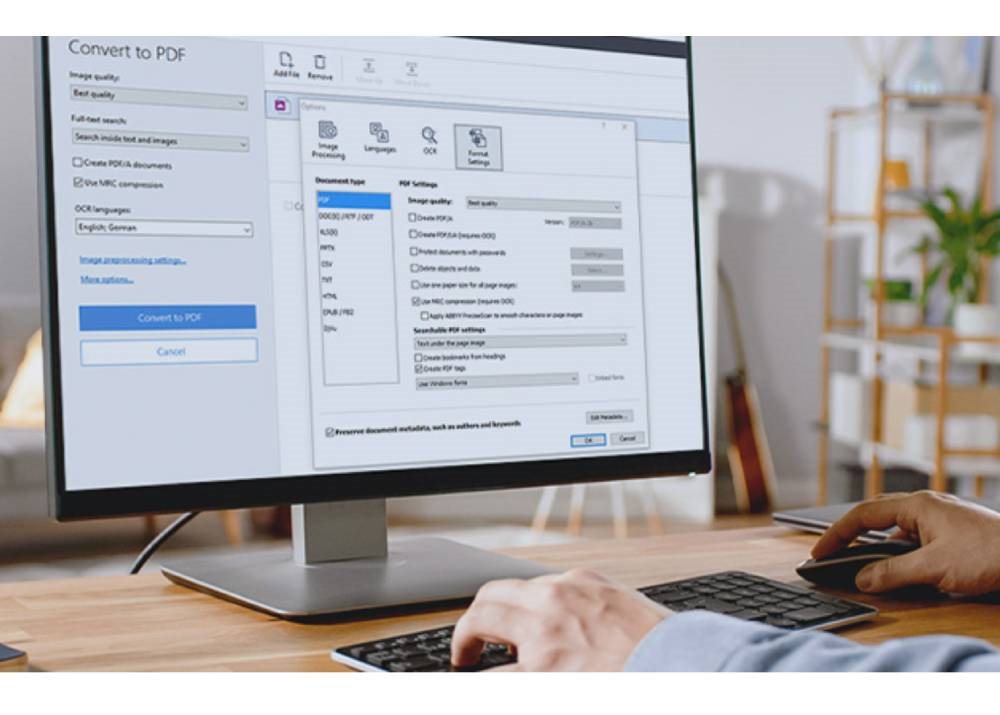
Find information quickly and easily, even in scanned PDF files, with full-text search and bookmarks. ABBYY FineReader PDF Corporate automatically detects unsearchable PDF documents and using OCR (optical character recognition) instantly converts them into a searchable format.
Edit PDF like Word
With ABBYY FineReader PDF Corporate, you can significantly increase your productivity and efficiency. FineReader makes it easy to work with paper and digital books, journals, scholarly publications and other materials, contributing to the digital transformation of research and teaching.
Off
Off
Key Features of ABBYY FineReader PDF Corporate, 1-year license
- Edit and update PDF files
- OCR (Optical Character Recognition) ensures instant conversion into a searchable and editable format
- Intuitive interface of the entire application
- Easy to work with electronic signatures
- Corporate edition also features automated digitization of up to 5,000 pages with Hot Folder, and you can compare document content across formats
Odkaz ke stažení (Windows): https://www.abbyy.com/finereader-downloads/standalone/
Note:
