


Ashampoo Photo Commander 18 (electronic license)
Don't like the alternatives? Choose from the full product list



Ashampoo Photo Commander 18 (electronic license)
Ashampoo Photo Commander 18 is a comprehensive software solution for viewing, editing and organizing your photos. The program allows you to easily find duplicates, edit metadata or search for files intelligently. With Photo Commander, you can get creative and create stylish collages, add frames to your photos and combine images and text using the many included templates. With the image manager, you can sort your photos chronologically, thematically, by location, or use custom filters to instantly find any shot. You can automatically or manually enhance, crop, flatten horizons, enhance colours, adjust perspective, or play around with many cool photo effects. Ashampoo Photo Commander 18 creates high-resolution slideshows with music and location information along with each shot. You don't need any prior knowledge to use the software, which is fully compatible with Windows 11 and 64-bit support - there's a wizard to guide you through the process.

Key Features of Ashampoo Photo Commander 18 Graphics Software
- Comprehensive software solution for viewing, editing and organizing your photos
- Allows easy file organization, duplicate finding, metadata editing or smart file search
- You can create stylish collages, add frames to photos and combine images and text using the included templates
- Images can be automatically or manually enhanced, cropped or played with for many cool photo effects
- The program offers the option of batch editing - so you can edit your entire image library in one step
- Create presentations with music and location information with Ashampoo Photo Commander 18
- The software is fully compatible with Windows 11 and 64-bit support
- A guide is available to walk you through the entire process
- Version 18 has a new adaptive screen layout, improved photo browsing speed and powerful new formats
- Use geotags to instantly see where photos were taken and use XMP and EXIF data for quick filtering
Keep your photos in order with Photo Commander 18
With four-way fingerprint technology, Ashampoo Photo Commander scans your library for duplicates and helps you filter photos by title, EXIF/IPTC date or comments.


Be creative
Photo Commander allows you to create stylish collages and elegant images using the many included templates. You can easily add interesting frames to your photos and combine images with text to create cards, greeting cards or invitations. With this program, you can easily create high-resolution 4K presentations with appropriate transitions and underscore your footage with music in a variety of formats. Completed projects can be instantly viewed using the new video playback panel and can be burned directly to disk. You'll love the new presentation mode - especially in a multi-display environment. You control the presentation on one display and your audience can enjoy the results on another, such as a video projector. You can even make live edits without leaving the presentation. Plus, there's no more confusion about filming locations thanks to geotags with location information in every shot.
Photo editing and enhancement
Beginner and professional users alike can easily crop photos, straighten image horizons and enhance colours. You can easily cut out individual people and objects and adjust the perspective of the image as needed, or play around with the many photographic effects or gradation curves and tonal value correction. With intelligent algorithms for better colour, contrast and noise reduction, automatic image correction turns even very poor quality footage into precious holiday memories. Breathe new life into bad shots or create stunning panoramic images, and a special automatic function corrects overexposed or faded colours with great results.

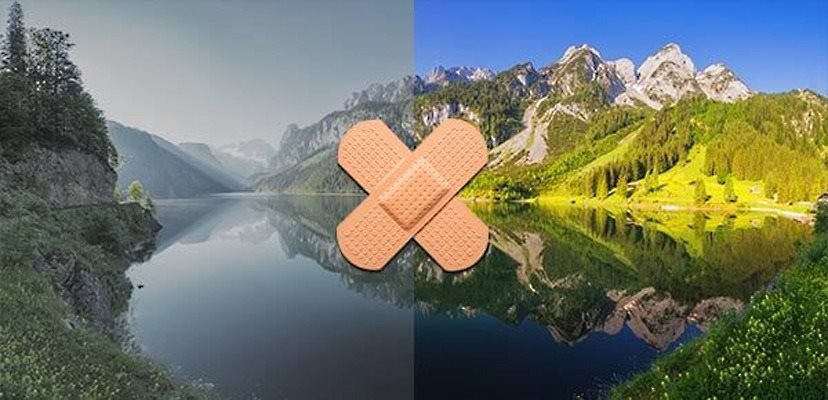
Ashampoo Photo Commander boasts over 200 features
The program removes scratches, instantly eliminates image noise, compression artifacts or red-eye, and optimizes colour and contrast. You can convert images to different formats, adjust image size and aspect ratio, add watermarks to your photos, rotate or mirror them to suit your needs. Automatic correction does most of the heavy lifting for you. And it even works in batch mode, so you can upgrade your entire library at once. Ashampoo Photo Commander includes more than 200 photo-related features and is rightly called a "feature beast" by its users.
