


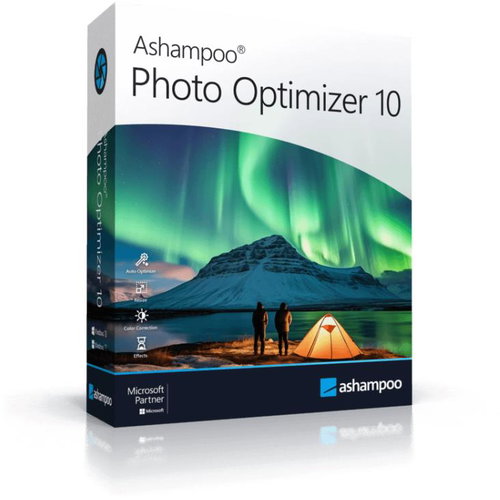
Ashampoo Photo Optimizer 10 (electronic license)
Don't like the alternatives? Choose from the full product list



Ashampoo Photo Optimizer 10 (electronic license)
Graphic software Ashampoo Photo Optimizer 10 (electronic license)
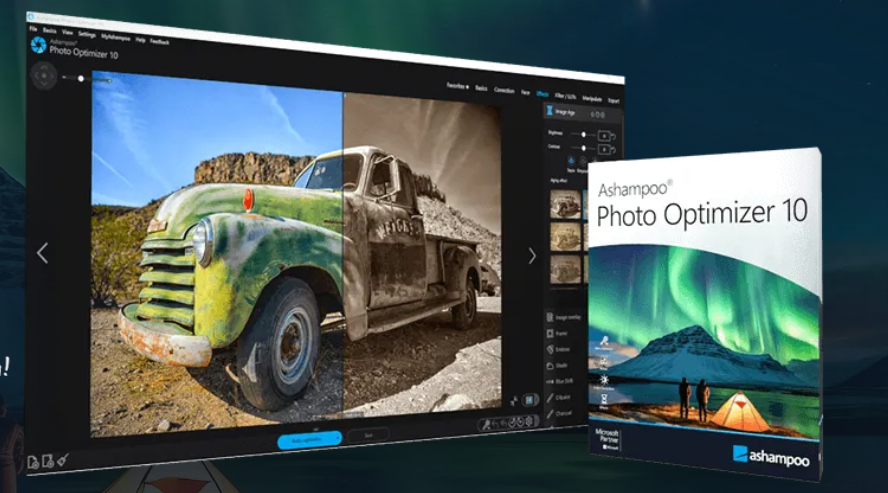
Ashampoo Photo Optimizer 10 is a powerful photo editing tool that offers an intuitive user interface and advanced features to optimize your images. Automatically analyzes and enhances your photos with one click,ensuring that they look their best. Ashampoo Photo Optimizer 10 provides a wide range of tools for manual editing, such as colour correction, of contrast, brightness and sharpness, as well as removing red eye, rotating and cropping images. Plus, it supports batch processing, allowing you to edit multiple images at once. This makes it ideal for anyone who wants to quickly and easily improve the quality of their photos.

Key Features of Ashampoo Photo Optimizer 10 Graphics Software (Electronic License)
- Ashampoo Photo Optimizer 10 turns your photos into professional images
- Optimised for 64-bit systems
- One click to maximize your images
- Benefits include manual colour temperature adjustments, tone curves, better memory management for greater stability and speed
- New LUT lookup table for thousands of artistic effects
- Ashampoo Photo Optimizer 10 can be used by anyone
Improve your photos with one click
Ashampoo Photo Optimizer 10 lets you maximize the potential of your photos with a single click, delivering amazing results almost instantly and automatically. The new version offers great perspective correction for natural lines, greatly improved automatic image optimization and quick access to features via Favorites. Manual colour temperature adjustments, tone curves and better memory management for increased stability and speed are other benefits that make this software an indispensable tool for any photography enthusiast. Ashampoo Photo Optimizer 10 is optimized for 64-bit systems and is ready to meet all your photo editing needs.

New in Ashampoo Photo Optimizer 10
The new version brings stunning visual transformations to your photos with a new lookup table (LUT) that opens the door to thousands of artistic effects. With one click, you can adjust colour, saturation and brightness values to create atmospheres ranging from cool and realistic to warm and colourful. Choose from over 30 built-in, expertly crafted LUTs to transform your images into brilliant works of art, with the ability to download and use additional LUTs from the web for visual consistency across any photo series.

Top-quality photos instantly with LUT
Instead of spending hours manually optimizing each photo, you can instantly achieve the perfect look with our professionally created lookup tables. With LUT, you can easily adjust the lighting and exposure of an entire series of photos, ensure consistency and add visual harmony and brightness. Transform your photos in seconds and achieve visual perfection with a single click.

Anyone can work with Optimizer 10
Ashampoo Photo Optimizer 10 allows you to straighten misaligned images, correct perspective errors, and apply various aesthetic effects,to give your photos new life. With simple controls and a wide range of functions, you can easily remove minor imperfections such as red eyes or skin blemishes while harnessing the creative potential to create unique and high-quality images. Ashampoo Photo Optimizer 10 thus effectively combines user-friendliness with professional editing capabilities.

Automatic colour, contrast and exposure adjustments
Ashampoo Photo Optimizer 10 detects visual imperfections and automatically adjusts them, including colour, contrast and exposure, transforming mediocre images into vibrant and vivid pictures. In addition, it offers tools for creative editing such as perspective correction, which corrects unnatural distortions in photos of buildings or objects. With the favourites function, operation is simple and efficient, allowing you to quickly achieve professional results without complicated learning. Ashampoo Photo Optimizer is the ideal choice for anyone who wants to improve their photos easily and efficiently.


Publish your images with ease
Refresh your photos and share them easily with Ashampoo Photo Optimizer. With extensive export options, you can easily email your images, publish them to the free Ashampoo website, or use them as desktop backgrounds. For those who prefer to print, there is the option to create high-quality, cost-effective prints via the extensive print dialog features. For perfectionists and creatives, Ashampoo Photo Optimizer 10 offers advanced tools such as adjusting noise, colour tone and various effects such as waves and implosions. With the batch processing feature, you can quickly optimize entire photo collections at once, whether it's holidays, weddings or other events, and put the fun back into your photography process.
