


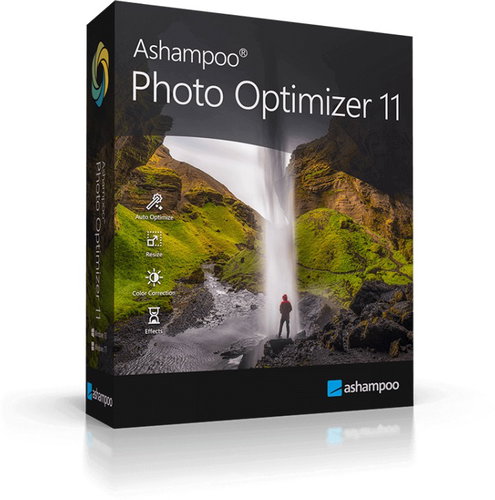
Ashampoo Photo Optimizer 11 (electronic license)
Don't like the alternatives? Choose from the full product list



Ashampoo Photo Optimizer 11 (electronic license)

Ashampoo Photo Optimizer 11
Permanent license for 1 device (electronic license)
Ashampoo Photo Optimizer 11 is the perfect tool for anyone who wants to quickly and effortlessly breathe new life into their images. With intelligent auto-optimization, it canimprove colour, contrast and sharpness with a single click in such a natural way that the results look both professional and realistic. The new set of 15 LUTs brings fresh creative possibilities and instantly transforms photos into original visual masterpieces, while the innovative LUT management system lets you easily add and organize both custom and downloaded styles. With support for decentralized folders, you'll always have your LUT collection fully under control and instantly accessible.

Key Features of Ashampoo Photo Optimizer 11 Graphics Software
- Ashampoo Photo Optimizer 11 with automatic one-click photo optimization
- Includes 15 new LUTs for an instant creative look
- New LUT management system with support for custom folders
- Horizontal and vertical perspective correction
- Elimination of red eyes and skin imperfections
- Crop, rotate and add watermarks
- Customisable menu of favourite functions
- Auto White Balance and Contrast Adjustment
- Clear and easy to use interface
- Portrait editing including teeth whitening and retouching
- Batch processing of entire photo albums
- Share and print photos with rich options
Ashampoo Photo Optimizer for professional looking photos
Ashampoo Photo Optimizer 11 lets you turn even ordinary images into impressive works of art in no time. With professionally designed LUTs (Look-Up Tables), you get access to a variety of preset adjustments that can unify exposure, improve lighting and give your photos a consistent look.

Graphic software to fine-tune your photos
With just a few clicks, unintentionally crooked shots are straightened, perspective errors are neatly corrected and the overall impression of the photo is raised to a professional level. Intuitive controls make it easy to remove red eyes, retouch minor skin imperfections or remove distracting blemishes that would otherwise mar an otherwise beautiful image.

Artistic filters, frames and stylish effects
In addition to advanced automatic optimization, Ashampoo Photo Optimizer also offers a wide range of classic photo editing tools. Cropping, rotating, adding watermarks or subtle image softening are commonplace, but the real power of the program comes into play when you decide to let your creativity run wild. You can experiment with artistic filters, play with elegant frames, or try stylish effects that give your images a distinctive character.

Ashampoo Photo Optimizer fixes visual defects
One of Photo Optimizer's most powerful features is intelligent image analysis, which can automatically detect and correct the most common visual defects. Algorithm takes care of colour optimization, contrast balance and correct exposure settings for both individual photos and entire albums. The result is images that literally come alive, with colours that are richer, details that are sharpened and an overall impression that remains natural. Instead of being disappointed by lacklustre holiday photos, you can look forward to brilliant memories that bring you back into the atmosphere of the moment.

For shooting architecture
Photographing architecture often presents the unpleasant problem of distorted perspective. When you're shooting tall buildings or towers, it's easy for them to start leaning as if they're about to topple over. The same problem arises when you don't have a tripod handy and you manage to capture the image crooked. The result is photos that you might as well delete. However, Ashampoo Photo Optimizer comes with a new perspective correction feature,that can fix these flaws with a few clicks. Suddenly, your images get a professional look and a second chance to shine, even if they initially seemed unsuccessful.

Ashampoo Photo Optimizer 11 with popular features
Every photographer has their favourite features that they use more often than others. To help the user get to them faster, Ashampoo Photo Optimizer includes a handy "Favorites" menu. You can save all the features you need to keep handy, such as horizon straightening, perspective correction or cropping. This makes the whole editing process faster, clearer and more efficient.

Adjust the contrast of your images
Proper white balance and contrast is the foundation of any quality photograph. However, digital cameras often produce images with an unnatural blue tint or dull colours, which look bland and do not capture the true atmosphere of the moment. Similarly, images taken in low light have a problem with insufficient contrast. Photo Optimizer offers automatic and manual editing options that reliably prevent these shortcomings. Colours come alive, details are enhanced and the overall impression is much more vivid. Your photos will regain the energy and charm they should have had from the start.

Ashampoo Photo Optimizer 11 for beginners and advanced photographers
One of the biggest benefits of Ashampoo Photo Optimizer is its simplicity. The user interface is clear, intuitive and easy to understand, even for beginners who are just starting out in photo editing. Functions are clearly divided into logical categories and you can get the desired result in two clicks. Where other programs require lengthy study of manuals, Photo Optimizer will give you fast and immediate results. It's the ideal solution for both casual users who just want to quickly edit images and more advanced photographers looking for an efficient, time-saving tool.

New features and improvements in version 11
- Includes more than 45 amazing LUTs
- Enhanced LUT management for maximum flexibility
- Brilliant perspective correction for natural lines
- Significantly improved automatic image optimization
- Super fast access to features via favourites
- Manual colour temperature adjustment
- Tone Curve Adjustments
- Improved memory management for better stability and speed
- 64-bit optimization
