


NEC M403H

Don't like the alternatives? Choose from the full product list
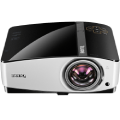

NEC M403H
Treat yourself to the ultimate in picture quality with very detailed content or movies in High Definition with 1080p resolution and contrast of 10,000: 1. The NEC M403H projector provides highly efficient and innovative ecology-friendly functions.
It also features a DLP sealed lighting system, lamp, long life and low power consumption with an innovative ECO function. Because of these excellent features, the projector requires almost no maintenance, while maintaining low operating costs without compromising on quality and flexibility.
Saving Operation
It is easy to use and comes for a reasonable price, and is combined with the latest DLP technology from Texas Instruments which provides all the basic features you need for a perfect presentation. There is also the ECO mode, which offers greater efficiency and extends the life of the lamp. The lamp lasts for 3,500 hours in normal mode and in ECO mode a very respectable 8,000 hours.
Key Features
- Connect and share - with up to 40 wireless devices with software NEC Image Express Utility (Windows & MAC) and Wireless Image Utility (iOS & Android)
- Display full HD content - in a manner for which it was designed, and the screens can track even the smallest details
- Maximum flexibility - due to the large 1.7 × optical zoom and correcting horizontal and vertical distortion
- Robust and maintenance-free closed lighting system - provides complete protection against dust and eliminates the need for cleaning filters
- Low operating costs - lamp life of up to 8,000 hours, low power consumption
Practical Virtual Control and Easy Management
The 3D display enhances multimedia presentations and, for presentations using a sound system, there is a built-in 20W speaker. The virtual remote control function enables projector control from a computer by connecting a VGA cable. In addition to the remote control, you can make visual or audio settings from your PC or laptop or turn on/off without the need for additional control cables.
By downloading the software NaViSet Administrator 2, which is free, you get the option to manage all display devices from one location.
Great Connectivity
Through the USB 2.0 port, you can display files directly from your external storage without having to connect a PC or laptop. Other video signals can be brought to the projector via a standard computer cable with D-Sub (VGA) or dual digital HDMI connectors. For convenient operation, and in addition to the remote control, a serial RS-232 interface and built-in network card is available.
For its excellent price-performance ratio, this projector is particularly suited for classrooms and medium-sized conference rooms
Specifications
Resolution
Technology
Projection screens
Specifications can be changed without notice. Images are for illustrative purposes only.
