


Dobrý deň, chcela by som sa spýtať na dôvod vrátenia výrobku, nakoľko je označený ako "zánovný" a taktiež či uvedený model bude ešte v ponuke. Ďakujem.
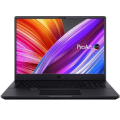
ASUS EeeBook E403SA WX0003T-gray metallic

Laptop - Intel Celeron Dual Core N3050 Braswell, 14 "LED 1366x768 glossy, RAM 4GB, Intel HD Graphics, EMMC 64GB WiFi, Bluetooth 4.0, webcam, HDMI, USB 3.0, USB 3.1 Gen1 Type-C (USB-C), 3-cell Li-Pol battery, Windows 10 Home 64-bit
Show full description
Code:
NA602a4
Producer's Website:
Don't like the alternatives? Choose from the full product list
- Help and manuals 3
- Specifications
- Photos & Videos 18
- Alternatives 1
- Accessories and suggested products

ASUS EeeBook E403SA WX0003T-gray metallic
Discontinued
ASUS EeeBook E403SA WX0003T-gray metallic
Looking for a reliable travel companion, who never lets you down? We have for you the new model of the popular series EeeBook. Manufacturer Asus this time relies on the exceptionally stylish design in metal, well-made chassis and luxuriously thin profile.
Key Features
- 14 "display, glossy finish
- Premium design with a brushed aluminum
- Saving platform Intel Braswell
- Ideal for frequent transmission
- USB 3.1 compatible port type C
- Modern operating system Windows 10
Perfectly conceived operation
EeeBook E403SA boasts very precise touch controls that is well known from mobile phones. Very responsive touchpad is providing almost instant response and incredible accuracy. In order to avoid overheating, the laptop is equipped with advanced technology IceCool. This ensures palm rest temperature between 28 ° C and 35 ° C. This is significantly less than the body temperature so you can work comfortably for long periods.

Specifications
1.6 GHz (1,600 MHz)
Display size
64 GB
Equipment
Display
Display size
Display type
Aspect Ratio
Display resolution
Display resolution
Processor
Intel Pentium
1.6 GHz (1,600 MHz)
Core boost frequency
Cache processor
CPU features
Memory
Memory type
Graphics card
GPU series/model
Graphics card series
Model graphics cards
Operating system
Operating system
Hard drive
Equipment
Equipment
720 px
Battery
Battery capacity
Number of cells
Weight
Weight
Interface
Audio
USB-C
USB 3.2 Gen 1 (USB 3.0)
USB 2.0
Bluetooth
WiFi
Optical drive
Keyboard layout
CZ, SK
More Specifications

ASUSTek COMPUTER INC. 1F.,No.15, Lide Rd., Beitou Dist., Taipei City 112 Tel: +886-2-2894-3447 Tel: +886-2-2890-7798 https://gr.asus.com/ProductSafety ASUS COMPUTER GmbH Harkortstrasse 21-23 40880 Ratingen Germany, Europe Email: [email protected]
ASUS COMPUTER GmbH, Harkortstrasse 21-23, 40880 Ratingen, Germany, Europe, [email protected]
ASUS is a symbol of the growth of Taiwan's economy. The firm's beginnings date back to April 2, 1989, when as a small manufacturer of motherboards began his work with a few employees. Today, Asus employs more than 12,500 employees worldwide.
ASUS products can be found in almost every category of the information technology marketplace. ASUS is focused on desktops, laptops, phones, optical drives and components. In the manufacture of motherboards, the company is now the dominant player with a staggering 40% market share.
Note:
Specifications can be changed without notice. Images are for illustrative purposes only.
