


Zkoušel někdo reálně kolik to zvládne wan to lan? Chápu, že je to domácí věc. Ale dokáže reálně routovat třeba 5Gbps? Pochopil jsem, že wifi už qnap opravil a 160hz funguje alespoň v 2x2 režimu, tak je to docela zajímavé zařízení pro těch pár lidí co mají ONT rychlejší než 1Gbps.
QNAP QHora-301W

WiFi Router with WiFi 6, 802.11with/b/g/n/ac/ax up to 3600 Mb/s, dual-band, 2 × WAN up to 10 Gbit, 5 × LAN up to 10 Gbit, WPA-PSK, WPA2-PSK, WPA-Enterprise, WPA2-Enterprise and WPA3, MU-MIMO and VPN
Show full description
Code:
QL2020mv054
Producer's Website:
Don't like the alternatives? Choose from the full product list
- Help and manuals 3
- Specifications
- Photos & Videos 6
- Alternatives 8
- Accessories and suggested products

QNAP QHora-301W
Discontinued
QNAP QHora-301W

Connect to the Internet with a high-quality WiFi router. The QNAP QHora-301W is designed for sharing high-speed Internet connection and large signal coverage. It is compatible with 802,11a (5GHz), 802,11b (2,4GHz), 802,11g (2,4GHz), 802,11n, 802,11ac and 802,11ax standards and Dual-band frequency., i.e. it's a dual-band router. The total router antenna gain is 5 dBi. The WiFi connection speed can reach up to 3600 Mb/s or 10 Gbit with LAN connection.
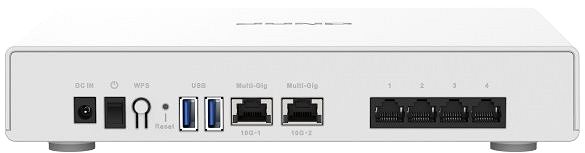
QNAP QHora-301W WiFi Router Key Features
- The router's stylish design coupled with a colour scheme fits both your average household and a modern business office
- Supports the following standards: 802,11a (5GHz), 802,11b (2,4GHz), 802,11g (2,4GHz), 802,11n, 802,11ac and 802,11ax
- WiFi speed up to 3600 Mb/s
- Data encryption
- Easy router setup
- Features 2 USB 3.2 Gen 1 (USB 3.0) connectors
- Higher performance due to multiple data streams
- Maximum SSID count: 6 piece(s)
- Number of internal antennas: 8
- QNAP QHora-301W router antenna gain: 5 dBi
Keep Your Data Safe with the QNAP QHora-301W Router
The QNAP QHora-301W router uses encryption to protect your privacy. The WiFi router supports encryption standards such as WPA-PSK, WPA2-PSK, WPA-Enterprise, WPA2-Enterprise and WPA3. No matter what you do online, your data security is guaranteed.

Simple Installation with the QNAP QHora-301W Router
The router is so user-friendly even a beginner can use it. First, we recommend that you read the initial setup guide that comes with your router. After you are done, you only have to connect the cables and maybe enter the information from your internet provider.
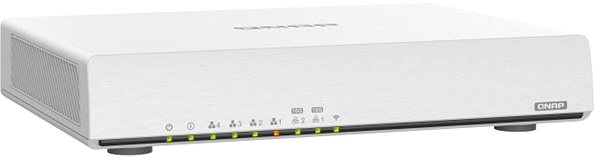
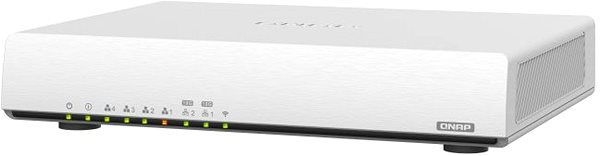
QNAP QHora-301W: Wireless or Cable Connection
Aside from wireless internet, the router enables LAN connection reaching data speeds of up to 10 Gbit. LAN connection is a must for online gamers who require great speed and stability, though in exchange for the freedom and user comfort that makes WiFi so popular. You can use USB to link the QNAP router to other peripheral devices, for example a printer or an external hard drive.
Specifications
Number of LAN ports with 1 Gbit speed
Number of LAN ports with 10 Gbit speed
Package contents
Number of LAN ports
Number of LAN ports with 1 Gbit speed
Number of LAN ports with 10 Gbit speed
Package contents
Package contents
Standards and frequency
2,4 GHz, 5 GHz
Functions
Features
Speed
WiFi transmission speed
Security
Antenna features
Antenna gain
Advanced parameters
Advanced functions
Maximum SSID count
Dimensions and weight
Width
Height
Depth
Weight
More Specifications

QNAP GmbH, Karl-Arnold-Straße 26, 47877 Willich, +492154884280, [email protected]
Note:
Specifications can be changed without notice. Images are for illustrative purposes only.
