


Dobrý den, obsahuje tlačiaren Epson L6550 v balení aj 4 atramenty zadarmo ,ako preferujú v popise ostatný predajcovia ? Dakujem
Epson EcoTank L6550

Inkjet Printer - multifunctional, colour, A4, copier and scanner, fax, (ISO) black-and-white print speed of 25 PPM, (ISO) colour print speed of 12 PPM, print resolution: 4800 x 2400 DPI, duplex, tank system, DADF scanner, touchscreen, AirPrint, USB, LAN and Wi-Fi
Show full description
717.90 €
837.90 €
Price Guarantee
 Installment calculator
4,9%
interest
from 19.27 € monthly
Installment calculator
4,9%
interest
from 19.27 € monthly
Shop faster with pickup at AlzaBox or in-store.
Warranty 24 months
Code:
PE124a27ke55
Producer's Website:

Epson EcoTank L6550
837.90 €
In stock > 5 pcs
Buy
Epson EcoTank L6550
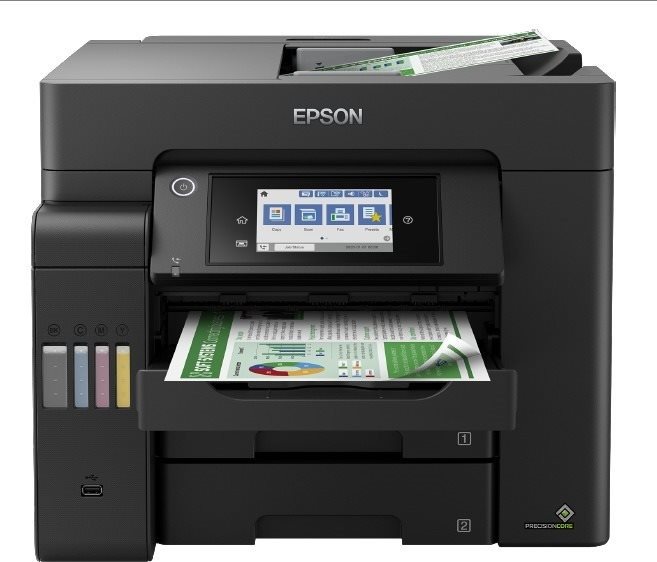
The Epson inkjet printer is a practical tool for every office. This printer is a 3-in-1 model that is also able to scan, print and copy, so it'll take care of everything you need to do with documents. This is a coloured printer. When printing in colour, the Epson EcoTank L6550 can print at 22 PPM print speeds. This inkjet printer model has a maximum print resolution of 4800 x 2400 DPI, which is fine for text, but it won't print sharply detailed images. It can print on both sides, which makes work much easier. You can quickly connect to your computer through the USB, LAN and Wi-Fi interface. You don't have to deal with any annoying cables because you can print wirelessly. If you're an Apple users, it's compatible with the AirPrint feature, allowing you to easily print from any of your Apple products. The Epson Inkjet Printer has a touch display, which makes it very easy to use. It's also quite cost-efficient thanks to the tank system, which allows you to conveniently refill the cartridges.
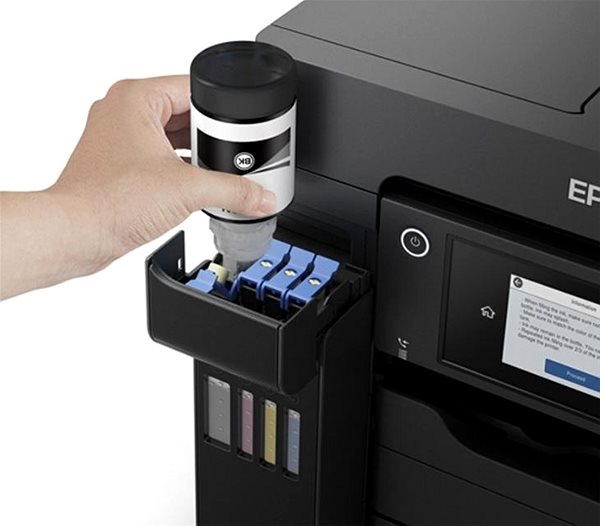
Epson EcoTank L6550 Key Features Inkjet Printer
- Epson Inkjet Printer can print on both sides of a paper at once
- Wirelessly connect to devices via Wi-Fi to print documents
- Built-in touchscreen display makes it easy to change the features
- Epson EcoTank L6550 compatible format: A4, A5 and A6 paper
- Input tray can fit up to 550 papers
- Epson inkjet printer also scans and copies
- Compatible with Apple devices thanks to AirPrint feature
- Saves you money thanks to tank system allows you to refill the ink
- Epson inkjet printer can also fax documents
- Coloured inkjet printer suitable for the office
- Includes: Documentation, Bottle with ink, Software and Power cable
Epson EcoTank L6550 Scanning and Copy Features
This Epson EcoTank L6550 inkjet printer has multifunctional features, and it can print, scan and copy and take care of everything you'll need to do with documents. The Epson EcoTank L6550 inkjet printer is able to work with A4, A5 and A6 paper formats. Clean sheets are stored in the input tray, which fits up to 550 pieces of paper. This Epson inkjet printer has a maximum monthly duty cycle of 40000 pages/month.
Specifications
Print colour
Usage
Features
Connection
Type
Function
Connection
Connection
Supported Paper Sizes
Standard Paper Sizes
Scanning
Scanner features
1200 x 2400 DPI
Printing parameters
4800 x 2400 DPI
Print speed in black and white - maximum
Print speed in colour - maximum
12 PPM
25 images/minute
12 images/minute
Input trays
40,000 pages/month
Available alternative refill
Dimensions
Height
Depth
Width
Weight
Equipment
Touch
Colour
Colour
Package includes
Package Includes
3D/AR
3D/AR
More Specifications

Epson is a technology company based in Japan. It is a subsidiary of the Seiko Group, and on of the most important manufacturers of printers, scanners and multimedia projectors. The company's offerings are much broader though, encompassing industrial robots, cash registers, and more.
Note:
If there is no "package contains" box in the product parameters and the data or USB cable is not specifically mentioned in there, the package does not contain it and must be purchased separately.
Specifications can be changed without notice. Images are for illustrative purposes only.
