i-tec USB-C Metal Ergonomic 4K 3x Display Docking Station, Power Delivery 100W 91.90 € In stock > 5 pcs
Buy
i-tec USB-C Metal Ergonomic 4K 3x Display Docking Station, Power Delivery 100W
E E
i-tec USB-C Metal Ergonomic 4K universal docking station for up to three displays
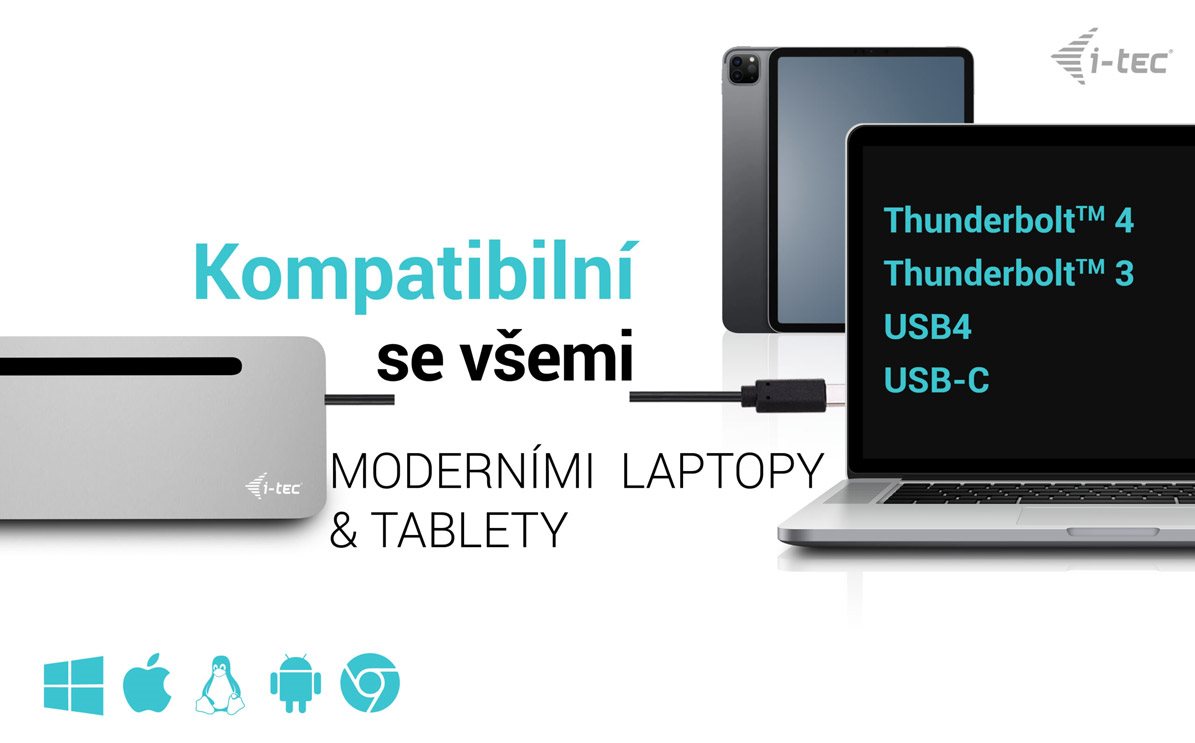
The i-tec USB-C Metal Ergonomic 4K is a universal docking station. Its key advantage is the ability to output to up to three displays from a single USB-C connector. All you need is for your laptop/tablet/phone to have a free Thunderbolt 3 or USB-C port that can transmit a video signal. The package also includes an adaptor for connecting to older USB-A ports.
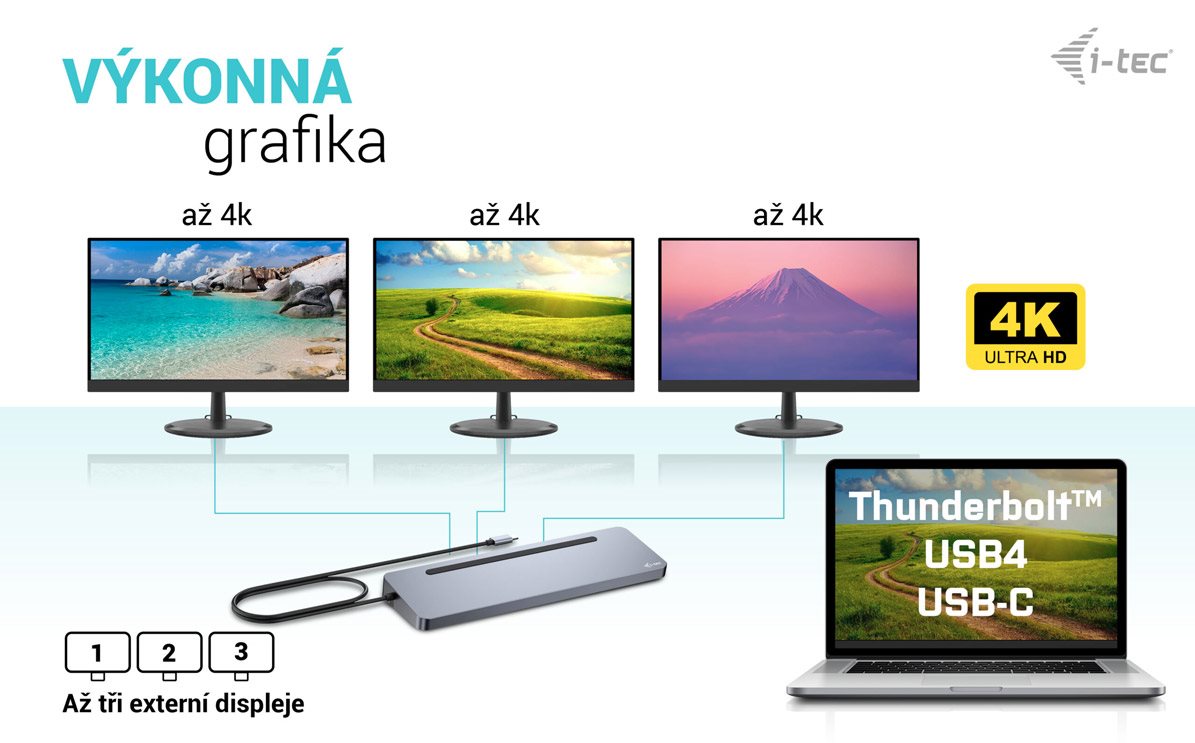
Easily connect up to three monitors with the i-tec USB-C Metal Ergonomic 4K
You need a sufficient work surface for serious work. The i-tec USB-C Metal Ergonomic 4K docking station supports the simultaneous connection of two displays via DisplayPorts or HDMI. The maximum available resolution when using three screens is 4K resolution at 30Hz.
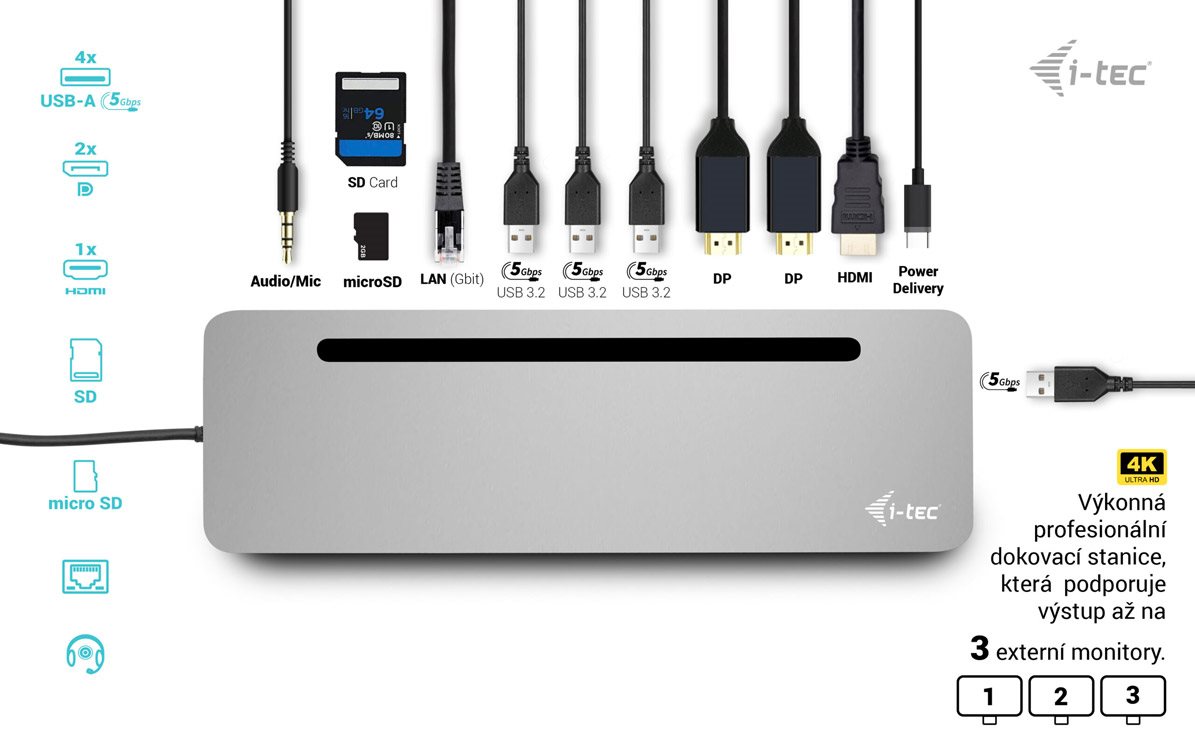
The i-tec USB-C Metal Ergonomic 4K offers plenty of traditional ports
Have you bought various accessories such as a USB printer, keyboard, mouse or external drive? This is another ideal situation for instantly plugging in the i-tec USB-C Metal Ergonomic 4K docking station. You get 4× USB-A 3.2 Gen 1, 1× USB-C (power only). Of course, there is also a classic LAN connector for a wired connection to a data network or a slot for a microSD card.
A single cable from the i-tec USB-C Metal Ergonomic 4K docking station handles charging, image transfer and data
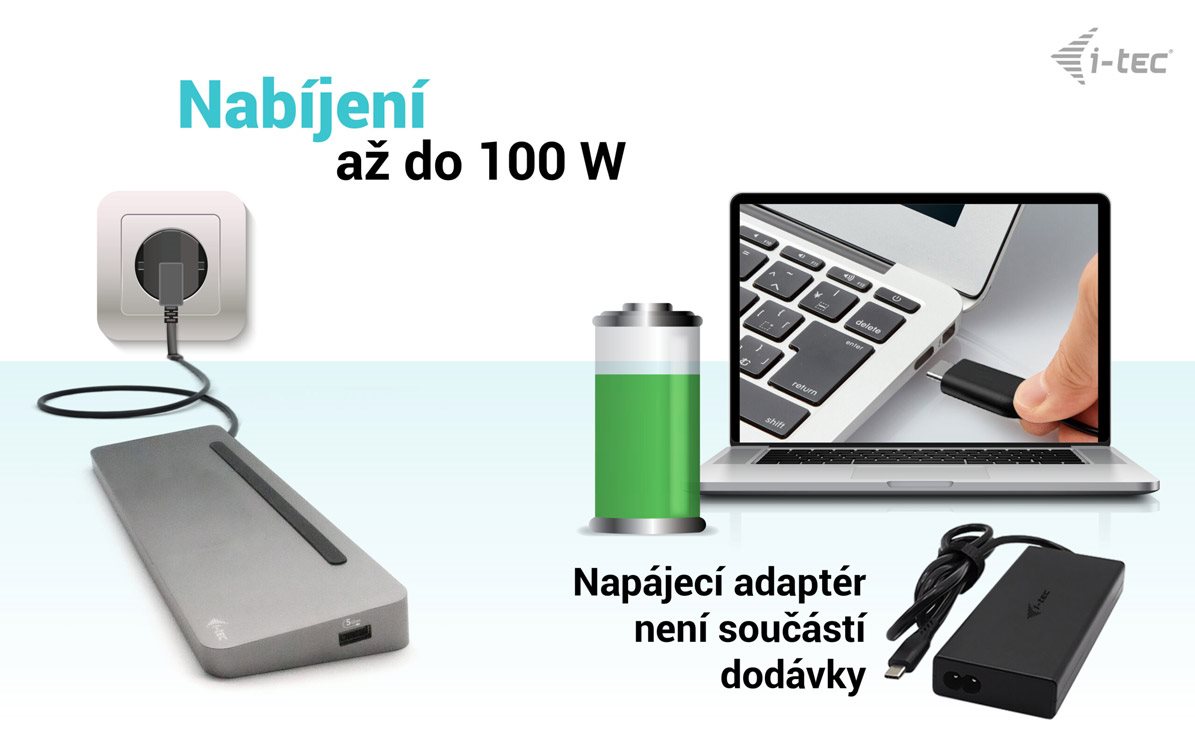
Thanks to the Thunderbolt 3 interface, you just need to connect your laptop to the i-tec USB-C Metal Ergonomic 4K docking station with a single cable. It will carry video to monitors, fast file copying from a USB drive, and 100W of power for the laptop itself. So you can keep your charger tidied away.
The i-tec USB-C Metal Ergonomic 4K docking station takes up minimal space
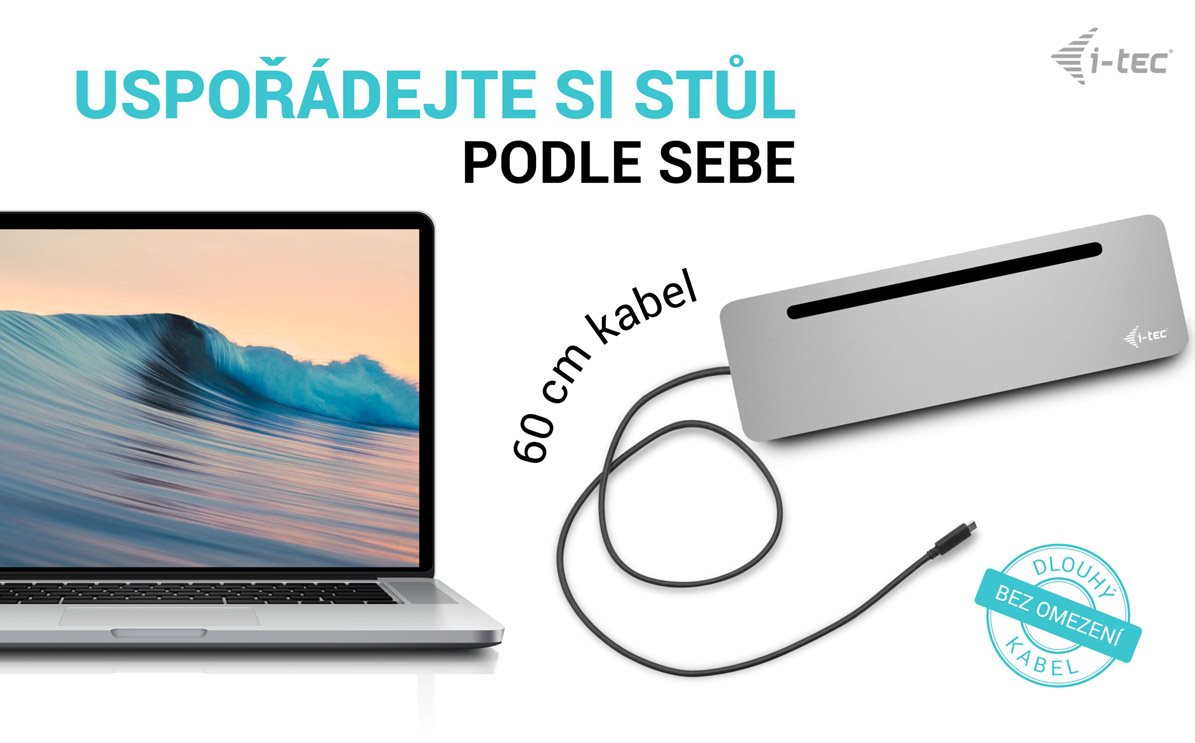
The basis of a modern workspace is a clean desk. For this reason, the i-tec USB-C Metal Ergonomic 4K docking station is equipped with a 60cm cable, so you can easily connect it to your laptop, but it certainly won't get in your way. Expect dimensions of 270 × 85 × 23 mm.
Backing up your data is easier with the i-tec USB-C Metal Ergonomic 4K docking station
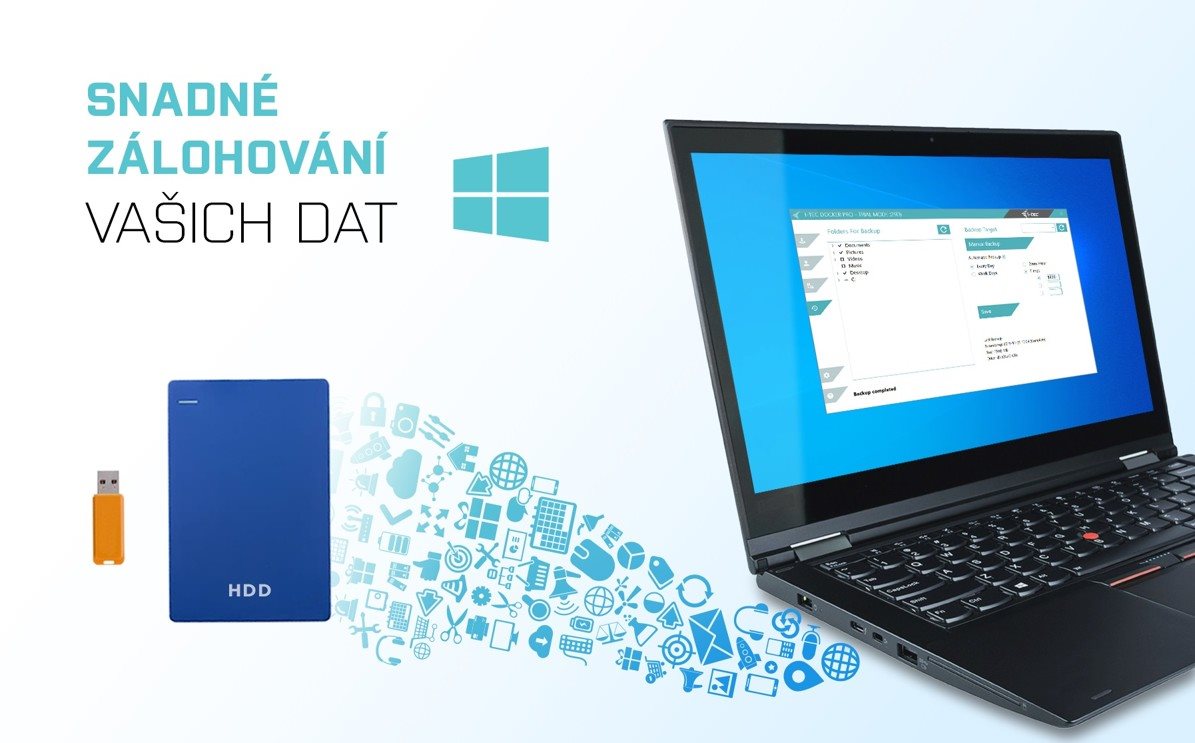
Do you use the Windows operating system? And do you have a way to back up the key files on your PC? In that case, install the free add-on application i-tec Docker Pro. Then simply connect a large enough external drive via the i-tec USB-C Metal Ergonomic 4K docking station. The rest is just a few mouse clicks away.
Key features of the i-tec USB-C Metal Ergonomic 4K docking station
Universal docking station
Compatible with laptops and tablets with USB-C and Thunderbolt interfaces
2× DisplayPort and 1× HDMI supporting up to two 4K/60Hz displays
4× USB-A port + USB-C for charging only
Up to 100W Power Delivery for compatible laptops and tablets with USB-C and Thunderbolt interfaces
SPECIFICATIONS 1× USB-C port to connect to the device Power Delivery: 100W Video Ports: 2× Display Port 1× HDMI Resolution: Host device with DisplayPort 1.2 support: 1 monitor – 1× HDMI or DP→ up to 4K/30Hz 1 monitor – 1× HDMI or DP → up to 1080p/120Hz 2 monitors – 1× DP + 1× HDMI → up to 2× 1080p/60Hz 2 monitors – 2× DP → up to 2× 1080p/60Hz 3 monitors – 1× HDMI + 1× DP + 1× DP → up to 1× 1080p/60Hz + up to 2× 720p/60Hz
Host device with DisplayPort 1.4 support: 1 monitor – 1× HDMI → up to 4K/60Hz 1 monitor – 1× DP → up to 4K/60Hz 2 monitors – 1× DP + 1× HDMI → up to 2× 1440p/60Hz 2 monitors – 1× DP + 1× HDMI → up to 2× 4K/30Hz 2 monitors – 2× DP → up to 2× 4K/30Hz 3 monitors – 1× HDMI + 1× DP + 1× DP → up to 3× 1080p/60Hz*
Host device with DisplayPort 1.4 with DSC support: 1 monitor – 1× HDMI → up to 4K/60Hz 1 monitor – 1× DP → up to 5K/60Hz 1 monitor – 1× HDMI → up to 1440p/144Hz or 1080p/240Hz 1 monitor – 1× DP → up to 4K/144Hz or 1440p/240Hz or 1080p/360Hz 2 monitors – 1× DP + 1× HDMI → up to 2× 4K/60Hz* 2 monitors – 1× DP + 1× HDMI or DP → up to 2× 1440p/144Hz* 3 monitors – 1× HDMI + 1× DP + 1× DP → up to 3× 4K/30Hz*
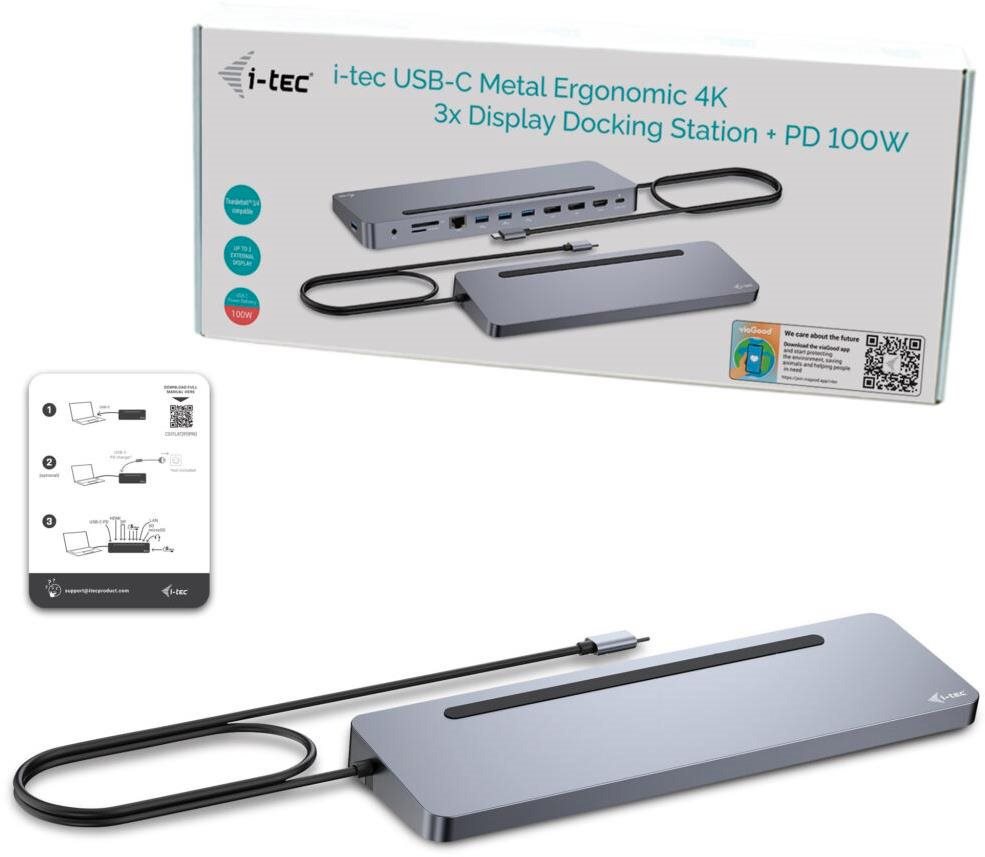
Connectors: 1× USB-C PD port (power only) 1× USB-A 3.2 Gen. 1 port (5 Gb/s) 1× Ethernet GLAN RJ-45 port 1× SD / microSD slot 1× 3.5mm combined audio port 1× power input (DC 20V/7.5A)
ON/OFF switch to turn the docking station on and off LED indication Support for Kensington lock OS: Windows 10, macOS, Android and Linux with the latest updates Product dimensions: 270 × 85 × 23 mm Product weight: 268g
Specifications can be changed without notice. Images are for illustrative purposes only.
Dobrý den, bude fungovat připojení MAC book M4 2025 ke dvěma externím monitorům Philips 322E? Monitory mají HDMI nebo DisplayPort 1.2. Nejde mi o žádnou brutal grafiku, ale kancelářské použití. Případně jestli mi poradíte jiné zařízení co bude fungovat a nebude stát nesmysl. Děkuji
Dobrý den, bude fungovat připojení MAC book M4 2025 ke dvěma externím monitorům Philips 322E? Monitory mají HDMI nebo DisplayPort 1.2. Nejde mi o žádnou brutal grafiku, ale kancelářské použití. Případně jestli mi poradíte jiné zařízení co bude fungovat a nebude stát nesmysl. Děkuji
Zdravím, rád bych tento dock použil pro propojení mého macbooku air m1 s externím monitorem - 180hz 1920x1080.
DP 1.4 by mělo FullHD 144hz/180hz podporovat, nevidím však v popisu specifické potvrzení. Pokud bych tento dock chtěl propojit s mým M1 macbookem a externím monitorem, byl bych schopný dosáhnout outputu 144hz FullHD? Děkuji za odpověď.
Zdravím, rád bych tento dock použil pro propojení mého macbooku air m1 s externím monitorem - 180hz 1920x1080.
DP 1.4 by mělo FullHD 144hz/180hz podporovat, nevidím však v popisu specifické potvrzení. Pokud bych tento dock chtěl propojit s mým M1 macbookem a externím monitorem, byl bych schopný dosáhnout outputu 144hz FullHD? Děkuji za odpověď.
Dobrý den,
chápu to správně, že napájecí adaptér není součástí balení (viz 3. foto), a je tedy nutné dokoupit samostatný napájecí adaptér do sítě? Nebo je možné použít nabíječku od notebooku pro napájení dokovací stanice?
Dobrý den,
chápu to správně, že napájecí adaptér není součástí balení (viz 3. foto), a je tedy nutné dokoupit samostatný napájecí adaptér do sítě? Nebo je možné použít nabíječku od notebooku pro napájení dokovací stanice?
Dobrý den.
Rád bych využil uvedenou dokovací stanici na propojení MACBOOK PRO M1. Přes dokovací stanici chci projit externí monitor (přes HDMI), dále klávesnice, trackpad, mikrofon, případně další.
Bude uvedená stanice takto fungovat? Je vhodná pro uvedené využití? Je možno nabídnout případně alternativu?
Děkuji.
Dobrý den.
Rád bych využil uvedenou dokovací stanici na propojení MACBOOK PRO M1. Přes dokovací stanici chci projit externí monitor (přes HDMI), dále klávesnice, trackpad, mikrofon, případně další.
Bude uvedená stanice takto fungovat? Je vhodná pro uvedené využití? Je možno nabídnout případně alternativu?
Děkuji.
Dobrý deň , zakúpil som tento dock spolu s adaptérom "i-tec Universal Charger USB-C PD 3.0 100 W" no po pripojení adaptéra do docku notebook mi nechce nabíjať ale keď pripojím adaptér priamo cez usb c PD do notebooku tak notebook nabíja. Viete poradiť čo s tým ?
Dobrý deň , zakúpil som tento dock spolu s adaptérom "i-tec Universal Charger USB-C PD 3.0 100 W" no po pripojení adaptéra do docku notebook mi nechce nabíjať ale keď pripojím adaptér priamo cez usb c PD do notebooku tak notebook nabíja. Viete poradiť čo s tým ?
Zdravím, dá se stanice použít bez využití funkce power delivery? Mám notebook, který má pouze USB-C s funkcí display port, ale nedá se přes tento port nabíjet.
Zdravím, dá se stanice použít bez využití funkce power delivery? Mám notebook, který má pouze USB-C s funkcí display port, ale nedá se přes tento port nabíjet.
Dobrý den, mám k tomuto docku připojený notebook, klávesnici, myš, webcameru a monitor (pomocí HDMI). Pokud nepřipojím k docku adaptér, monitor funguje. Ale jakmile připojím k docku adaptér, monitor se vypne. A to jsem si dle zde uvedených rad koupil https://www.alza.cz/i-tec-universal-charger-usb-c-pd-3-0-100-w-d7935337.htm V čem to prosím může být? Předem díky za radu, JP.
Dobrý den, mám k tomuto docku připojený notebook, klávesnici, myš, webcameru a monitor (pomocí HDMI). Pokud nepřipojím k docku adaptér, monitor funguje. Ale jakmile připojím k docku adaptér, monitor se vypne. A to jsem si dle zde uvedených rad koupil https://www.alza.cz/i-tec-universal-charger-usb-c-pd-3-0-100-w-d7935337.htm V čem to prosím může být? Předem díky za radu, JP.
Try our cookiesAlza.cz a. s., Company identification number 27082440, use cookies and other data to ensure the proper functioning of the website and, with your consent, also, among other things, to personalize advertising and the content of our websites. By clicking on the “I understand“ button, you agree to the use of cookies and the transfer of data regarding the behavior on the website for displaying targeted advertising on social networks and advertising networks on other websites.
We use 8 categories of cookies on our website:
Technical cookies
These are strictly necessary for the functioning of the website and the features you choose to use. Without them, our website would not work; you wouldn't be able to log in to your user account, for example.
Functionality cookies
These cookies allow us to remember your basic choices and improve the user experience. These include remembering your preferred language or allowing you to stay logged in permanently.
Social media cookies
These cookies allow us to easily link you to your social media profile and, for example, allow you to share products and services with your friends and family.
Content personalisation
These cookies allow us to show you content and ads according to the information we have about you to best meet your needs. This includes what content you have viewed, or on what device you are accessing our website.
Non-personalised advertising
These cookies allow us to show you general ads for products and services.
Personalised advertising
Thanks to these cookies, we and our partners can offer you relevant products and services based on your purchases, your shopping behaviour and your preferences.
Audience metrics
These cookies allow us to optimise our site for your convenience based on how you use it. The aim is to remember or anticipate your choices. This includes, for example, the use of features, their location, or the behaviour on the page.
By giving your consent to the processing of cookies, functionality and analytical cookies will be installed on the device you use to browse the website (click on the "I understand" button for both categories, or you can select only one of the categories by clicking on the "Settings" button). We always install technical cookies on your device, even without your explicit consent, because without them our website would simply not work.
You can revoke your consent to the processing of cookies. In connection with our company's cookie processing, you also have the following rights: the right to access cookies, delete, modify, supplement and correct them, restrict processing and the right to lodge a complaint with the Office for Personal Data Protection. Read more about your rights.