


Mercusys ME25BE, WiFi 7 BE3600
- Reviews 2
- Help and manuals
- Specifications
- Photos & Videos 6
- Alternatives 8
- Accessories and suggested products

Mercusys ME25BE, WiFi 7 BE3600
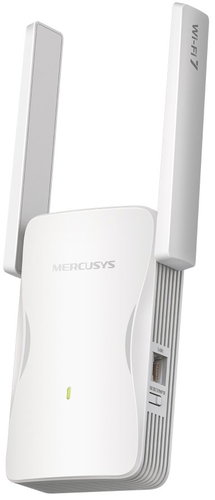
The Mercusys ME25BE Wi-Fi extender extends your wireless network coverage and eliminates signal dead spots in your home. The device works as a dual-band repeater, receiving the existing signal from your router and broadcasting it to other areas. Support for the modern Wi-Fi 7 standard delivers higher transfer speeds, more efficient use of frequency bands, and a significant reduction in data transfer latency. This ensures a stable connection for mobile phones, computers, and other network devices throughout your home. The combined transfer speed reaches up to 3570Mbps across two frequency bands.

Key features of the Mercusys ME25BE Wi-Fi extender, WiFi 7 BE3600
- Supports the modern Wi-Fi 7 wireless standard
- Combined transfer speed of up to 3570Mbps
- EasyMesh technology creates a unified network with a single name
- Multi-colour LED indicator shows the optimal location for installation
- Integrated Ethernet port offers speeds of up to 1000Mbps
- Two adjustable external antennas extend coverage to distant areas
- MERCUSYS mobile app for complete setup from your phone

Modern Wi-Fi 7 standard
The Wi-Fi extender uses Wi-Fi 7 technology, which significantly increases the efficiency of wireless data transmission. The 802.11be standard introduces advanced 4K-QAM encoding and wider channels to transmit a larger volume of information in real time. The device operates simultaneously on the 2.4GHz and 5GHz bands, which prevents interference from surrounding networks. Multi-Link Operation enables simultaneous data sending and receiving on different bands to reduce latency.

Fast connection
The device offers high throughput with speeds of up to 2882Mbps on the 5GHz band and 688Mbps on the 2.4GHz band. These parameters are sufficient for smooth high-definition video streaming, online gaming, and downloading large files. Two adjustable, high-gain external antennas help direct the signal precisely where it's needed.

EasyMesh technology
Compatibility with the EasyMesh standard creates a single, unified network with one name and password throughout your home. As you move between rooms, your devices automatically connect to the strongest signal source without any dropouts. The system works with routers and access points from different manufacturers that support the same standard. The seamless mesh network effectively prevents interruptions and delays in the data stream as the user moves around.

Easy setup
Connecting to the main router is very simple – just press the WPS hardware button on both devices. The entire configuration process is completed in a few seconds without any complex setup on a computer. The multi-colour LED signal indicator on the body of the device shows the reception quality from the main router. This smart indicator helps you find the optimal location to achieve the best coverage.

Access point mode
In addition to its wireless signal repeater function, this device also offers an Access Point mode. After connecting to a router with an Ethernet cable, it creates a new dual-band wireless network. This setup method is ideal for places where the wireless signal from the main router cannot penetrate at all. The integrated gigabit port with a speed of 1000Mbps provides a stable wired connection.

Convenient management
You can configure the network and manage connected users directly from your mobile phone or tablet. The MERCUSYS mobile app is available for both Android and iOS and offers a clear interface. Users can easily monitor network status, change passwords, or manage access rights for guests. The MERCUSYS app makes it easy to control your entire home wireless network from anywhere.
Functions:
Access point, Extender, Wi-Fi Mesh
Wi-Fi type:
WiFi 7
Wi-Fi standards:
802.11n, 802.11ac, 802.11ax, 802.11be
Wi-Fi bands:
2.4GHz, 5GHz
Combined transfer speed:
3570Mbps
Number of 1Gbit LAN ports:
1× RJ-45
Specifications
Usage
Functions
Speed
Standards and frequency
Connectors
Antenna features
Advanced parameters
Number of LAN ports
Dimensions and weight
Colour

TP-LINK Czech s.r.o., Pekařská 10a, 15500 Praha 5, Česko, [email protected], www.tp-link.com
TP-LINK Czech, s. r. o., Pekařská 695/10, Jinonice, 155 00 Praha 5, CZ +420 212 812 622 / SK +421 233 006 532, [email protected]
Specifications can be changed without notice. Images are for illustrative purposes only.
