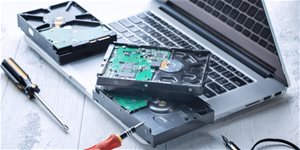
External Hard Drive - with Micro USB-B connector, interface: USB 3.2 Gen 1 (USB 3.0), read speed up to 450MB/s, write speed up to 430MB/s, storage capacity of 1000GB
If you wish to store more data, you'll require the SureFire GX3 Gaming SSD 1TB Black external SSD. It presents a capacity that will be able to store a sum of 1000 GB. The abbreviation SSD signifies Solid State Drive. This means it is a disk without any moving parts. In contrast to a classic HDD, the SSD from Verbatim is faster, and it has better shock resistance. It is suitable for more frequent travel because it better withstands shocks.
SureFire GX3 Gaming SSD 1TB Black External SSD Key Features
Disc type: SSD
Verbatim SSD does not belong to disks sensitive to shock
Its reading speed is 450 MB/s
Writing to disk reaches the speed of 430 MB/s
Interface used: USB 3.2 Gen 1 (USB 3.0)
This package includes Cable, adapter and Backup software
Capacity: 1000 GB
Disk weight: 104 g
SureFire GX3 Gaming SSD 1TB Black Speed and Interface
The maximum reading speed is 450 MB/s. Writing will reach a speed of 430 MB/s. For connection to a computer and data transfer, the SureFire GX3 Gaming SSD 1TB Black disk uses the USB 3.2 Gen 1 (USB 3.0) interface. In addition to the disk, the packaging has Cable, adapter and Backup software.
SureFire GX3 Gaming SSD 1TB Black Interface and Sped
The reading speed reaches a limit of 450 MB/s. Writing proceeds at a speed 430 MB/s. For data transfer or connection to a computer, the SureFire GX3 Gaming SSD 1TB Black drive uses the USB 3,2 Gen 1 (USB 3,0) interface. Besides the drive, the package includes Cable, adapter and Backup software.
HDD and SSD drives are used for permanent storage of data on computers and laptops. But what are the differences between the two, and what are their advantages?
Manufacturer's recommended use of the disc. It specifies whether the disk is suitable for desktops, laptops, servers, data storage, or as an external drive. As a rule, it is not possible to inter...
HDD and SSD drives are used for permanent storage of data on computers and laptops. But what are the differences between the two, and what are their advantages?
Manufacturer's recommended use of the disc. It specifies whether the disk is suitable for desktops, laptops, servers, data storage, or as an external drive. As a rule, it is not possible to inter...
The read speed of a NAS device determines how fast data can be read from the storage device. A faster read speed means faster access to stored files, which is essential for applications requiring high throughput, such as streaming HD video, working quickly with large data files, or efficiently backing up and restoring data. Read speeds depend on the drives you use.
Rychlost zápisu na NAS zařízení udává, jak rychle mohou být data uložena na disk. Tato rychlost je klíčová pro účinné zálohování velkého množství dat, synchronizaci souborů a obecně pro jakékoli operace, při kterých je potřeba zapisovat data na NAS. Vyšší rychlost zápisu znamená lepší výkon zařízení při manipulaci s daty. Rychlost zápisu se odvíjí od toho, jaké disky použijete.
430 MB/s
Material
Plastic
Package contents
adapter, Backup software, Cable
More Specifications
IT TRADE a.s., Brtnická 1486/2, 101 00 Praha 10 - Michle, [email protected], +420 226 253 253
Note:
Specifications can be changed without notice. Images are for illustrative purposes only.
co mám dělat když nemám adobe flash player? disk bez toho nejde konfigurovat a kvůli tomu na něj nemůžu stahovat hry
co mám dělat když nemám adobe flash player? disk bez toho nejde konfigurovat a kvůli tomu na něj nemůžu stahovat hry
Disk se mi po cca roce a půl používání začal odpojovat od počítače. Zkusil jsem jiný kabel, to nepomohlo. Zkusil jsem i upravit vlastnosti USB řadičů, jak zde již bylo jednou razeno. Disk se po chvíli stále odpojil. Teď už ho počítač ani registruje a disk svítí jasnou studeně bílou barvou, oproti klasickému problikáváni RGB.
Disk se mi po cca roce a půl používání začal odpojovat od počítače. Zkusil jsem jiný kabel, to nepomohlo. Zkusil jsem i upravit vlastnosti USB řadičů, jak zde již bylo jednou razeno. Disk se po chvíli stále odpojil. Teď už ho počítač ani registruje a disk svítí jasnou studeně bílou barvou, oproti klasickému problikáváni RGB.
Potřebovala bych poradit, po nějaké době bezproblémového používání se ze dne na den disk zbláznil. Začal se pravidelně odpojovat, aplikace spuštěné z disku kolabují. Výměna USB portu nepomáhá a komplikace dělá i při výměně zařízení. Jak mám nadále postupovat?
Potřebovala bych poradit, po nějaké době bezproblémového používání se ze dne na den disk zbláznil. Začal se pravidelně odpojovat, aplikace spuštěné z disku kolabují. Výměna USB portu nepomáhá a komplikace dělá i při výměně zařízení. Jak mám nadále postupovat?
I bought this drive in May, and today it just started constantly turning on and off, then it completely shut down. I tried plugging it into a different port, but that didn't help. I can't even run a check because it keeps turning off. Could you please advise on what to do?
I bought this drive in May, and today it just started constantly turning on and off, then it completely shut down. I tried plugging it into a different port, but that didn't help. I can't even run a check because it keeps turning off. Could you please advise on what to do?
Dobrý den, po 3 dobu třech měsíců SureFire GX3 fungoval bezvadně, až včera se disk začal v intervalu asi 10-20 vteřin sám od sebe připojovat a odpojovat od notebooku. Zkoušel jsem vyměnit kabely, změnit usb vstupy, nic nepomohlo. Problém v usb vstupech v notebooku není, protože můj druhý starší disk normálně funguje. Nakonec jsem zkusil SureFire GX3 připojit k úplně jinému notebooku a to fungovalo a disk se neodpojuje. Kde je problém?
Předem děkuji za jakoukoliv pomoc
Dobrý den, po 3 dobu třech měsíců SureFire GX3 fungoval bezvadně, až včera se disk začal v intervalu asi 10-20 vteřin sám od sebe připojovat a odpojovat od notebooku. Zkoušel jsem vyměnit kabely, změnit usb vstupy, nic nepomohlo. Problém v usb vstupech v notebooku není, protože můj druhý starší disk normálně funguje. Nakonec jsem zkusil SureFire GX3 připojit k úplně jinému notebooku a to fungovalo a disk se neodpojuje. Kde je problém?
Předem děkuji za jakoukoliv pomoc
Dobrý den,
disk jsem měl zapojený na PC a vše fungovalo od listopadu 2023. Dnes jsem přišel k PC a místo toho aby svítil tak blikal a PC ho nenačetlo. Po odpojení a opětovné zapojení už nesvití ani nebliká a k PC se nepřipojí. Předpokládám, že bude nutné provést reklamaci, ale hlavně mi jde o data co na něm jsou. Dají se nějak z něj vytáhnou v případě reklamace ?
Dobrý den,
disk jsem měl zapojený na PC a vše fungovalo od listopadu 2023. Dnes jsem přišel k PC a místo toho aby svítil tak blikal a PC ho nenačetlo. Po odpojení a opětovné zapojení už nesvití ani nebliká a k PC se nepřipojí. Předpokládám, že bude nutné provést reklamaci, ale hlavně mi jde o data co na něm jsou. Dají se nějak z něj vytáhnou v případě reklamace ?
Dobrý deň, chcela by som sa spýtať či sa cez disk dajú hrať náročnejšie hry ako napríklad Apex Legends? Taktiež či by sa na tento disk dali stiahnuť Adobre programy (Photoshop, Illustrator..) a či by sa dalo pracovať v nich keby by boli uložené v disku. Ďakujem vopred za odpoveď.
Dobrý deň, chcela by som sa spýtať či sa cez disk dajú hrať náročnejšie hry ako napríklad Apex Legends? Taktiež či by sa na tento disk dali stiahnuť Adobre programy (Photoshop, Illustrator..) a či by sa dalo pracovať v nich keby by boli uložené v disku. Ďakujem vopred za odpoveď.
Try our cookiesAlza.cz a. s., Company identification number 27082440, use cookies and other data to ensure the proper functioning of the website and, with your consent, also, among other things, to personalize advertising and the content of our websites. By clicking on the “I understand“ button, you agree to the use of cookies and the transfer of data regarding the behavior on the website for displaying targeted advertising on social networks and advertising networks on other websites.
We use 8 categories of cookies on our website:
Technical cookies
These are strictly necessary for the functioning of the website and the features you choose to use. Without them, our website would not work; you wouldn't be able to log in to your user account, for example.
Functionality cookies
These cookies allow us to remember your basic choices and improve the user experience. These include remembering your preferred language or allowing you to stay logged in permanently.
Social media cookies
These cookies allow us to easily link you to your social media profile and, for example, allow you to share products and services with your friends and family.
Content personalisation
These cookies allow us to show you content and ads according to the information we have about you to best meet your needs. This includes what content you have viewed, or on what device you are accessing our website.
Non-personalised advertising
These cookies allow us to show you general ads for products and services.
Personalised advertising
Thanks to these cookies, we and our partners can offer you relevant products and services based on your purchases, your shopping behaviour and your preferences.
Audience metrics
These cookies allow us to optimise our site for your convenience based on how you use it. The aim is to remember or anticipate your choices. This includes, for example, the use of features, their location, or the behaviour on the page.
By giving your consent to the processing of cookies, functionality and analytical cookies will be installed on the device you use to browse the website (click on the "I understand" button for both categories, or you can select only one of the categories by clicking on the "Settings" button). We always install technical cookies on your device, even without your explicit consent, because without them our website would simply not work.
You can revoke your consent to the processing of cookies. In connection with our company's cookie processing, you also have the following rights: the right to access cookies, delete, modify, supplement and correct them, restrict processing and the right to lodge a complaint with the Office for Personal Data Protection. Read more about your rights.