
Dobrý den, s televizí máme násludují problém: po naladění normálně funguje a najednou při přepínání programů se nějaké programy vymažou poté se musí znovu naladit, seřadit programy... stalo se to opakovaně kokrétně naposle to vymazalo program stanoce ct, minule zase novu co s tím? děkuji M.P.
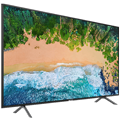
32" JVC LT-32VH52L

Television - SMART LED, 80cm, HD Ready , PPI 400 (50Hz), Direct LED, DVB-T2/S2/C, H.265/HEVC, 3× HDMI, 2× USB, LAN, WiFi, Bluetooth, DLNA, Miracast, HbbTV, Apple TV, Netflix, VESA 200×100 mm, 12W speaker(s), Dolby Digital Plus, A+
Show full description
Code:
WJV032e3
Producer's Website:
Don't like the alternatives? Choose from the full product list
- Help and manuals 11
- Specifications
- Photos & Videos 5
- Alternatives 6
- Accessories and suggested products

32" JVC LT-32VH52L
Discontinued
32" JVC LT-32VH52L
After a long day at the office, it's great to sit back and enjoy your favourite series or sport on a TV with the best picture possible. The generous 32" screen with its HD Ready resolution is just the right size for spacious living rooms. With the help of an LCD LED backlight, you can look forward to uniform and vivid colour tones from corner to corner across the entire screen. You will also be delighted with Smart TV, which allows you to use a wide variety of multimedia applications directly on your TV screen.
32" JVC LT-32VH52L Television Key Features
- 50Hz refresh rate for a beautifully smooth image
- 32" display
- HbbTV services makes it possible to view current programmes archives, games and the latest news
- Connect to the network with built-in WiFi TV
- 200×100 mm VESA mount including all the accessories to install your television to a wall
- DLNA lets multimedia devices communicate with other networked devices
Connectivity and Other Practical Functions
The 32" JVC LT-32VH52L comes with an internal DVB-S2 tuner, so you can pick up a satellite signal for exceptional coverage and a wider choice of channels. If you want to view cable television, you can connect using the widely-used DVB-C tuner. To make the most of Smart features, you will need to get online. Luckily, this JVC television has an Ethernet port for you to connect to the network. If you don't like cables in your living room, you can connect to the internet wirelessly with the help of WiFi. There is also a web browser to surf the net on your television screen. Bluetooth technology allows you to pair the TV with other electronic devices, such as your mobile, keyboard or mouse. Finally, you can use the USB port to enjoy movies or view photos from an external disk or memory stick.
Specifications
Screen size and resolution
Maximum resolution
Display resolution
Screen
Operating system
Operating system
Application
Global applications
Czech apps
Slovak apps
TV functions
Hotel Mode, Playback from USB
SMART functions
Dimensions and weight
Height without stand
Depth without stand
VESA mounting
Colour
Colour
Audio
Audio formats
More Specifications

ETA a. s., nám. Práce 2523, 760 01 Zlín, [email protected]
Note:
Specifications can be changed without notice. Images are for illustrative purposes only.