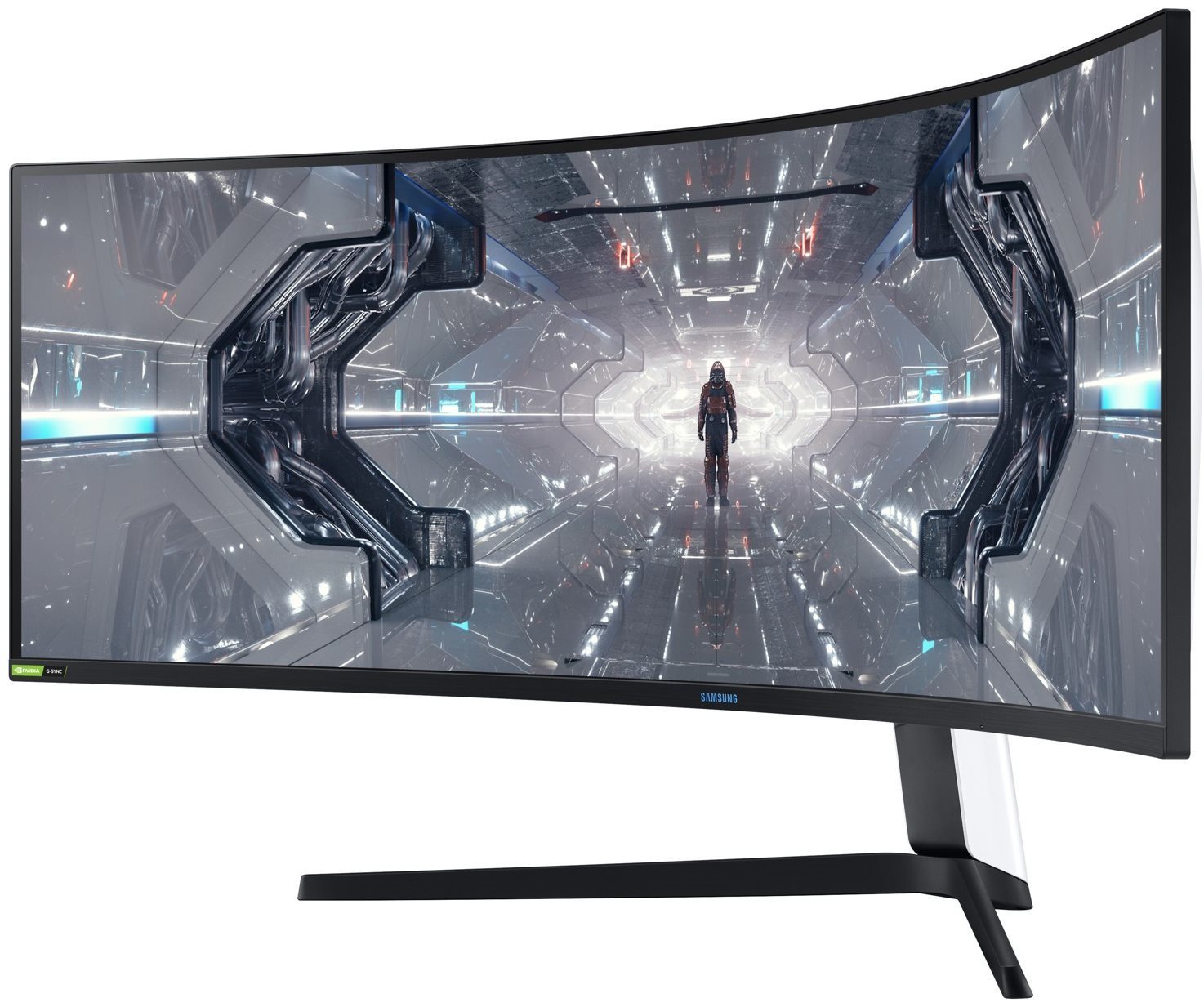
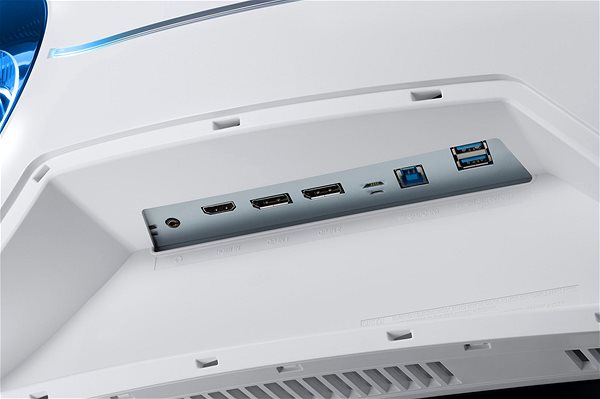
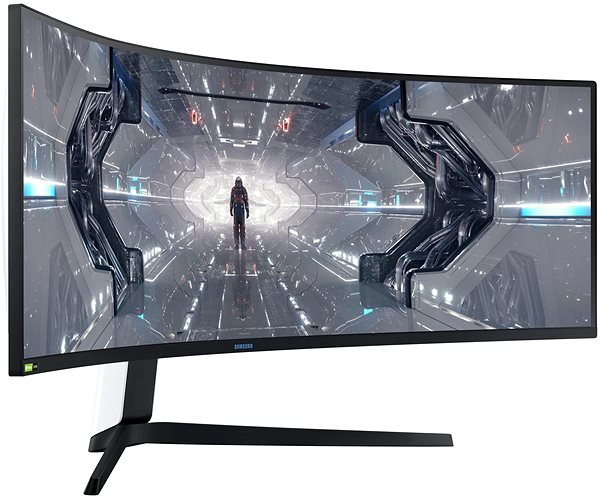
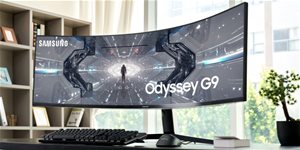
This Samsung LCD monitor will expand your PC with a widescreen panel with a screen size of 49". The aspect ratio is 32:9. The LCD monitor uses the QLED technology, which is known for great colour rendering and perfectly rendered black colour. The image resolution of the monitor is 5120 × 1440. The fast response of 1 ms is great for intense games and keeps the images very clear. Its refresh rate of 240 Hz is perfect for gamers, significantly reduces eye strain, and it seamlessly renders content. The Samsung monitor has a brightness of 1000 cd/m2. An unmissable feature is the slightly curved screen, which will intensify your gaming experience. The DisplayPort 1.4 and HDMI 2.0 must be used for connecting to a PC.
49" Samsung Odyssey G9 LCD Monitor Key Features
LCD monitor measuring: 49"
Curved LCD monitor will offer you a whole new gaming experience
Resolution of 5120 × 1440
LCD monitor made with QLED technology
1 ms response time, refresh rate of 240 Hz
Brightness: 1000 cd/m2
FreeSync for synchronisation with AMD graphics cards
LCD monitor compatible with 100×100 VESA mounting
Practical USB hub for connecting other electronics
Blue light filter for better sleep
Picture in picture allows you to watch two image sources
Renders image with high dynamic range
Connectivity: usb 3.2 gen 1 (usb 3.0)
49" Samsung Odyssey G9 Monitor Design
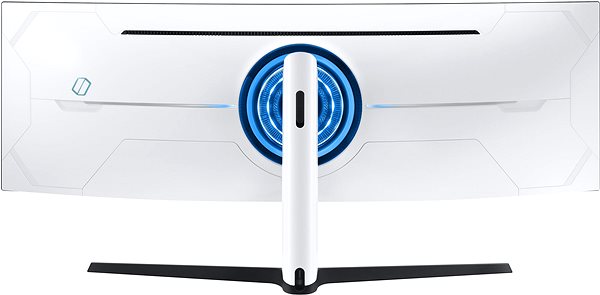
Besides a classic stand, the computer monitor can be mounted onto a wall with a VESA stand. For maximum work comfort, this model can also work as a USB hub. The input interface is essential. The 49" Samsung Odyssey G9 uses the DisplayPort 1.4 and HDMI 2.0 type.
Practical Functions of the 49" Samsung Odyssey G9 Monitor
While working in the night, you will appreciate the blue light filter built into the monitor, which makes it easier for you to fall asleep after work. The Flicker-Free function provides an effective protection against eye fatigue by removing screen flickering. This monitor includes a highly demanded feature for gamers called FreeSync, which is image synchronisation with AMD graphics cards. The 49" Samsung Odyssey G9 monitor also fully supports the novel and practical picture in picture (PIP) function for watching two video sources simultaneously.
Denotes the distance between the lower left and upper right corner of the screen. It is quoted in inches,while 1 "= 2.54 cm. How big a diagonal measurement to choose with which device and what are the benefitsand the disadvantages?
The monitor resolution type refers to the number of pixels that can be displayed on the monitor screen. Choosing the right resolution type can have a significant impact on the overall experience of using your monitor, whether it's for work, gaming or watching movies.
Monitor resolution refers to the number of pixels on the monitor screen, expressed as width × height. Higher resolutions provide a more detailed and clearer image, while lower resolutions may be suitable for smaller monitors or to save power.
Denotes the distance between the lower left and upper right corner of the screen. It is quoted in inches,while 1 "= 2.54 cm. How big a diagonal measurement to choose with which device and what are the benefitsand the disadvantages?
The monitor resolution type refers to the number of pixels that can be displayed on the monitor screen. Choosing the right resolution type can have a significant impact on the overall experience of using your monitor, whether it's for work, gaming or watching movies.
Monitor resolution refers to the number of pixels on the monitor screen, expressed as width × height. Higher resolutions provide a more detailed and clearer image, while lower resolutions may be suitable for smaller monitors or to save power.
The monitor connection type refers to the interface that is used to transmit the video signal from the source (e.g. computer) to the monitor. Different connection types support different resolutions and refresh rates and can affect the quality and performance of the display on the monitor.
The European Commission has recently approved new energy labels for household appliances. You will find them in stores starting from the 2021. Which appliances are affected by the changes? What should the consumer prepare for and what will the new energy labels look like? In this article, we bring you an overview of the most important changes.
130 kWh/1000h
Energy efficiency class in HDR mode
G
More Specifications
Samsung Electronics Czech and Slovak, s.r.o., V parku 2323/14, Chodov, 148 00 Praha 4, 800 726 786, [email protected]
Creating a better world – the immodest vision which has driven Samsung since its inception in 1938. The courage to invest in the development of new technologies is typical for the company, as evidenced by a series of visionary solutions. Currently, Samsung is the largest group of companies in South Korea and the third largest worldwide conglomerate by revenue.
Samsung consumers associate the brand with high-quality consumer electronics. It is known for its Galaxy series, one of the best and most sought after mobile phones in its class. One must also mention Samsung TVs, where the company has long been at the cutting edge in technology and quality. The competence of the company is much broader. It is active in machinery and heavy industry, chemicals, construction, retail, and financial services.
Note:
Specifications can be changed without notice. Images are for illustrative purposes only.
Zdravím,
je možnost tento monitor připojit a zárověň nabíjet na nejnovětší macbook pro? Aby byl pouze připojený jeden jediný kabel a né 2 (do monitoru a pak zvlášť nabíjení), pokud ano je jento kabel součástí balení nebo se musí dokoupit? Můžete popřípadě poslat link na něj. Kdyby ne vyřešila by to nějaká dokovací stanice pro to ? např tohle https://www.alza.cz/hp-spectre-thunderbolt-dock-g2-euro-d5823849.htm Děkuji
Zdravím,
je možnost tento monitor připojit a zárověň nabíjet na nejnovětší macbook pro? Aby byl pouze připojený jeden jediný kabel a né 2 (do monitoru a pak zvlášť nabíjení), pokud ano je jento kabel součástí balení nebo se musí dokoupit? Můžete popřípadě poslat link na něj. Kdyby ne vyřešila by to nějaká dokovací stanice pro to ? např tohle https://www.alza.cz/hp-spectre-thunderbolt-dock-g2-euro-d5823849.htm Děkuji
Dobrý deň chcel by som sa spýtať nakoľko mám problém , či je normálne , že po zapnutí PC občas ostane obrazovka čierna a musím vypnúť komplet PC aj s monitorom z elektriky a celé zapnúť od začiatku. Deje sa to ešte niekomu? Je to na reklamáciu? PC má len 3 mesiace. A rovnako , keď sa chvíľku nepoužíva PC a upadne do tzv spánkového režimu rovnako ostane čierny obraz a musím všetko vypnúť taktiež z elektriky a zapnúť od začiatku. Ďakujem za odpoveď
Dobrý deň chcel by som sa spýtať nakoľko mám problém , či je normálne , že po zapnutí PC občas ostane obrazovka čierna a musím vypnúť komplet PC aj s monitorom z elektriky a celé zapnúť od začiatku. Deje sa to ešte niekomu? Je to na reklamáciu? PC má len 3 mesiace. A rovnako , keď sa chvíľku nepoužíva PC a upadne do tzv spánkového režimu rovnako ostane čierny obraz a musím všetko vypnúť taktiež z elektriky a zapnúť od začiatku. Ďakujem za odpoveď
Dobrý den, rozumím správně tomu, že monitor má jen pomalé HDMI 2.0, tj. není možné před HDMI využít vyšší frekvenci než 60 Hz? Přes USB-C to umožňuje? Tj. NEO, které stojí o cca 15.000 Kč víc se liší hlavně tím HDMI 2.1? Nerad bych si koupil 240 Hz monitor a pak jel na 60 Hz. Děkuji Vám za pomoc.
Dobrý den, rozumím správně tomu, že monitor má jen pomalé HDMI 2.0, tj. není možné před HDMI využít vyšší frekvenci než 60 Hz? Přes USB-C to umožňuje? Tj. NEO, které stojí o cca 15.000 Kč víc se liší hlavně tím HDMI 2.1? Nerad bych si koupil 240 Hz monitor a pak jel na 60 Hz. Děkuji Vám za pomoc.
Dobrý den,
mohl by mi někdo vysvětlit, jakým způsobem dokáže tento monitor přenést přes DP 1.4 nebo HDMI 2.0 v rozlišení 5120 × 1440 a 10-bit barevné hloubce 240 fps? Děkuji.
Dobrý den,
mohl by mi někdo vysvětlit, jakým způsobem dokáže tento monitor přenést přes DP 1.4 nebo HDMI 2.0 v rozlišení 5120 × 1440 a 10-bit barevné hloubce 240 fps? Děkuji.
Dobry den mam zajem o tento monitor ale docela me desi vase cena kterou uvadite. V dobe kdy nemaji lidi penize zvysujete cenu oproti oficialni cene skoro o 25 tisic? To mi prijde pritazene za vlasy. Zvlaste kdyz cena uz byla oznamena takze nemuzete rict ze nebyla. Uz vyslo nekolik clanku s odkazem na cenu na oficialnim shopu Samsung.
Dobry den mam zajem o tento monitor ale docela me desi vase cena kterou uvadite. V dobe kdy nemaji lidi penize zvysujete cenu oproti oficialni cene skoro o 25 tisic? To mi prijde pritazene za vlasy. Zvlaste kdyz cena uz byla oznamena takze nemuzete rict ze nebyla. Uz vyslo nekolik clanku s odkazem na cenu na oficialnim shopu Samsung.
Dobrý den , mám zájem o monitor odyssey gaming monitor G9 Neo 49" 1)ale nevím zda jdou k němu připojit dva počítače najednou a přepínat signál mezi nimi a zda jde připojit k monitoru jednu klávesnici a jednu myš a tím ovládat jeden nebo druhý počítač podle toho ,na který je zrovna přeplý signál ,jako to jde třeba u 37,5" EIZO FlexScan EV3895-BK .2Jaký je rozdíl mezi G9 a g9 Neo? Děkuji
Dobrý den , mám zájem o monitor odyssey gaming monitor G9 Neo 49" 1)ale nevím zda jdou k němu připojit dva počítače najednou a přepínat signál mezi nimi a zda jde připojit k monitoru jednu klávesnici a jednu myš a tím ovládat jeden nebo druhý počítač podle toho ,na který je zrovna přeplý signál ,jako to jde třeba u 37,5" EIZO FlexScan EV3895-BK .2Jaký je rozdíl mezi G9 a g9 Neo? Děkuji
Magyarországra történő kiszállításért tekintse meg ezt a termékoldalt: 49" Samsung Odyssey G9
Try our cookiesAlza.cz a. s., Company identification number 27082440, use cookies and other data to ensure the proper functioning of the website and, with your consent, also, among other things, to personalize advertising and the content of our websites. By clicking on the “I understand“ button, you agree to the use of cookies and the transfer of data regarding the behavior on the website for displaying targeted advertising on social networks and advertising networks on other websites.
We use 8 categories of cookies on our website:
Technical cookies
These are strictly necessary for the functioning of the website and the features you choose to use. Without them, our website would not work; you wouldn't be able to log in to your user account, for example.
Functionality cookies
These cookies allow us to remember your basic choices and improve the user experience. These include remembering your preferred language or allowing you to stay logged in permanently.
Social media cookies
These cookies allow us to easily link you to your social media profile and, for example, allow you to share products and services with your friends and family.
Content personalisation
These cookies allow us to show you content and ads according to the information we have about you to best meet your needs. This includes what content you have viewed, or on what device you are accessing our website.
Non-personalised advertising
These cookies allow us to show you general ads for products and services.
Personalised advertising
Thanks to these cookies, we and our partners can offer you relevant products and services based on your purchases, your shopping behaviour and your preferences.
Audience metrics
These cookies allow us to optimise our site for your convenience based on how you use it. The aim is to remember or anticipate your choices. This includes, for example, the use of features, their location, or the behaviour on the page.
By giving your consent to the processing of cookies, functionality and analytical cookies will be installed on the device you use to browse the website (click on the "I understand" button for both categories, or you can select only one of the categories by clicking on the "Settings" button). We always install technical cookies on your device, even without your explicit consent, because without them our website would simply not work.
You can revoke your consent to the processing of cookies. In connection with our company's cookie processing, you also have the following rights: the right to access cookies, delete, modify, supplement and correct them, restrict processing and the right to lodge a complaint with the Office for Personal Data Protection. Read more about your rights.