


Dobrý den, je možné tento router použít jako VPN server pro domácnost?
ASUS RT-N19
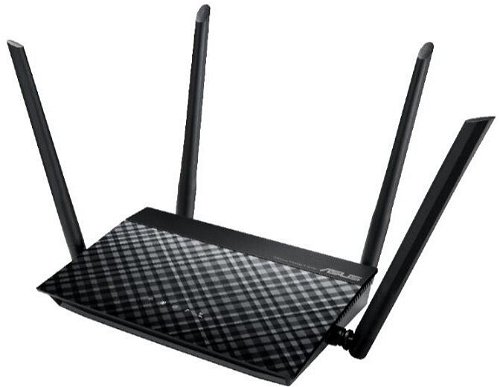
WiFi Router with WiFi 4, 802.11/b/g/n, up to 600 Mb/s, single-band, 2 × LAN up to 100 Mbit, 4× external antenna, WPS, WEP 64bit, WEP 128bit, WPA2, WPA-PSK, WPA2-PSK, WPA-Enterprise and WPA2-Enterprise, QoS (Quality of Service), DMZ (De-militarised Zone), IPv6 Ready, MU-MIMO, port Triggering, UPnP, VPN and parental control
Show full description
Code:
NM145n75
Producer's Website:
Don't like the alternatives? Choose from the full product list
- Reviews 2
- Help and manuals 7
- Specifications
- Photos & Videos 4
- Alternatives 8
- Accessories and suggested products

ASUS RT-N19
Discontinued
ASUS RT-N19
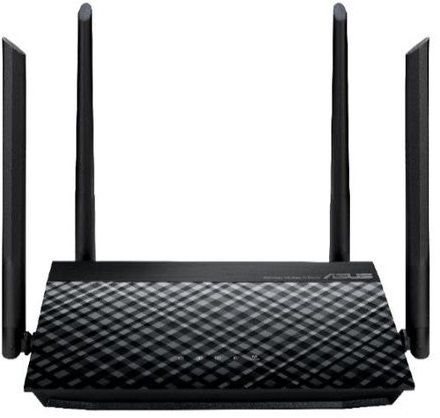
A WiFi router both for home and advanced users. The ASUS RT-N19 provides wireless Internet access for computers, tablets, and mobile phones. It uses 802,11b (2,4GHz), 802,11g (2,4GHz) and 802,11n standards and Single-band frequency., which means it uses one band. The device features 4 external antennas. The total router antenna gain is 2W. The practical DHCP features of this model include Client, DHCP Client List and Address Reservation. The WiFi connection speed can reach up to 600 Mb/s or 100 Mbit if you use LAN cable connection.
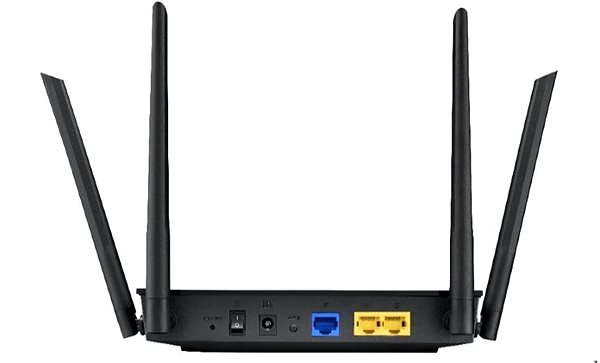
ASUS RT-N19 WiFi Router Key Features
- The router's minimalistic design highlighted by the colour scheme makes it suitable both for home and for office environments
- Supports 802,11b (2,4GHz), 802,11g (2,4GHz) and 802,11n
- Wireless connection speed up to 600 Mb/s
- Easy network security
- Easy router setup
- Parental controls allow you to keep an eye on what your children are doing online
- WiFi Router supports IPv6 protocol
- QoS provides better network traffic management
- Easy peripheral device connection thanks to UPnP
- Network security with DMZ
- Creates multiple data streams for better performance
- Number of external antennas: 4
- ASUS RT-N19 total antenna gain: 2 dBi
Browse Safely with the ASUS RT-N19 WiFi Router
The ASUS RT-N19 WiFi router protects your privacy and keeps your data safe and secure. The device features several different types of encryption: WPS, WEP 64bit, WEP 128bit, WPA2, WPA-PSK, WPA2-PSK, WPA-Enterprise and WPA2-Enterprise. This makes the router a good tool for secure web browsing.
Top Speed for Every PC
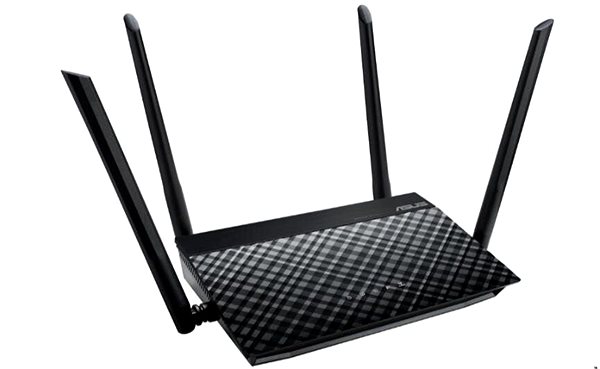
Thanks to integrated QoS. you can manage the router's ASUS RT-N19 bandwidth priority to make the network work the way you need it to.
Simple Setup and Installation with the ASUS RT-N19 Router
The router setup is so easy even a beginner can do it. First, we recommend that you read the initial setup guide that comes with your router. After you are done, you only have to connect the cables and maybe enter the information from your internet provider. The router is equipped with a WPS button that makes it easier to connect your network device service to the router. Just press the button on the WiFi device and you are in.
ASUS RT-N19: When WiFi Isn't Enough, Cable Will Do
Along with WiFi, the router offers a wired LAN option reaching speeds of up to 100 Mbit. LAN internet is usually faster and more stable, though in exchange for some user comfort.
Specifications
Standards and frequency
Functions
Features
Speed
WiFi transmission speed
Type
Security
Antenna features
Antenna gain
Advanced parameters
Advanced functions
Service quality
DHCP functions
Dimensions and weight
Width
Height
Depth
Weight
More Specifications

ASUSTek COMPUTER INC. 1F.,No.15, Lide Rd., Beitou Dist., Taipei City 112 Tel: +886-2-2894-3447 Tel: +886-2-2890-7798 https://gr.asus.com/ProductSafety ASUS COMPUTER GmbH Harkortstrasse 21-23 40880 Ratingen Germany, Europe Email: [email protected]
ASUS COMPUTER GmbH, Harkortstrasse 21-23, 40880 Ratingen, Germany, Europe, [email protected]
ASUS is a symbol of the growth of Taiwan's economy. The firm's beginnings date back to April 2, 1989, when as a small manufacturer of motherboards began his work with a few employees. Today, Asus employs more than 12,500 employees worldwide.
ASUS products can be found in almost every category of the information technology marketplace. ASUS is focused on desktops, laptops, phones, optical drives and components. In the manufacture of motherboards, the company is now the dominant player with a staggering 40% market share.
Note:
Specifications can be changed without notice. Images are for illustrative purposes only.
