Try our cookies Alza.cz a. s., Company identification number 27082440, use cookies and other data to ensure the proper functioning of the website and, with your consent, also, among other things, to personalize advertising and the content of our websites. By clicking on the “I understand“ button, you agree to the use of cookies and the transfer of data regarding the behavior on the website for displaying targeted advertising on social networks and advertising networks on other websites.
Alzak icon
Catalogue
Price
-
Availability
Order status
Newest orders

Data Backup

Data backup is an important process for every PC user. Not only can you prevent permanent data loss with regular backups, but in some cases, you can also access your data from other devices. The same applies to mobile phones, so here's some important information on how to back up your PC and phone data.

Continue

Why Do You Need Data Backup? 5 Most Common Causes of Data Loss

Data Backup is essential if you want to prevent losses that can be caused by a variety of reasons.

  1. Inadvertent deletion or misuse.
  2. Natural and physical causes such as fire or flood.
  3. Deletion or corruption of files due to a virus infection.
  4. Theft, damage, sabotage or the purchase of a new device.
  5. Unpredictable errors such as a power failure and the failure of a hard disk or program.

How Do I Back Up Data on My Computer?

Before you can back up your computer data, you need to choose a storage location. Nowadays, 4 main methods are popular. We will go through all of these methods and reveal their advantages and disadvantages.

Back Up Data on Computer Disks

One of the most common choices PC users make is to back up data to disks. There are 3 basic types:

Use Internal Drives for Data Backup

Internal drives are part of computer assemblies. This is a fairly ideal solution for desktop PC owners who plan to upgrade over the years. However, laptop owners may have difficulty selecting a compatible drive and installing it, as some machines do not have extra space for them.

  • Great selection.
  • They never get lost.
  • Non-transferable.
  • Not always suitable for laptops.

External Drives for Data Backup

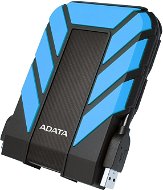
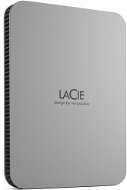
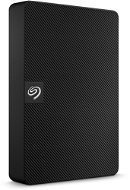
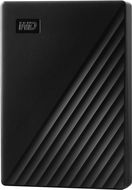
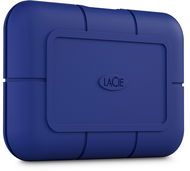
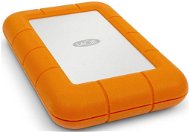
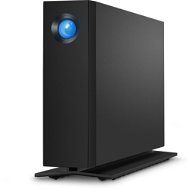
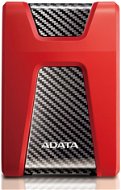
External drives are connected to the computer with a USB cable. They are therefore also suitable for laptops, for travelling, but also for the TV, in case you want to play or record video content. They are also very reliable and usually offer large storage capacities of up to 4TB or even more in some cases.

  • Wide compatibility.
  • High capacity and reliability.
  • Possibility of loss.
  • They can be damaged if not handled properly.

i

Internal and External Drives can be Further Divided into HDDs and SSDs.

  1. HDDs are cheaper, but are more easily damaged and tend to be noisy.
  2. SSDs are guaranteed to transfer data at high speeds, but they tend to be much more expensive.

Flash Drives for Data Backup

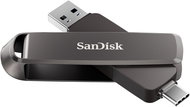
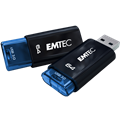
Flash drives are small storage devices that plug into the USB connectors of other devices, similar to external models. Thanks to their small size and the universal USB connector, you can take them virtually anywhere.

  • Low price.
  • Compact dimensions.
  • Wide compatibility.
  • Easy to use.
  • High possibility of loss.
  • Low capacity up to a maximum of 1TB.
  • If the data is corrupted, you cannot save it.

OTG flash drives are compatible with computers and some phones and tablets. Before purchasing, make sure your smart device supports OTG.

Smart NAS Storage for Data Backup

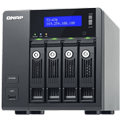
NAS (Network Attached Storage) are smart storage devices that allow you to back up data from multiple computers at the same time. They usually contain several disks at once, which can be accessed by everyone, as long as you have an internet connection. Installation can be a little more complicated and requires advanced IT skills.

  • Many advanced features.
  • Low energy consumption.
  • Suitable for home and business.
  • High capacity that can be expanded.
  • Higher price.
  • More complicated installation.
  • A more space-intensive solution.
  • Important to check from time to time.

i

NAS storage can be expanded at any time with compatible disks.

The Cloud for Online Data Backup

The backup of data to the cloud is becoming increasingly popular. You can choose from many different paid, as well as free, operators that allow you to back up data on your personal and completely online virtual drive. Capacity and other functions depend on the operators. Some even offer corporate plans.

  • Data cannot be lost.
  • Easy to use.
  • Sync with other devices.
  • You just need an internet connection to access it.
  • Depends on your internet speed.
  • The most useful functions must often be paid for.
  • Security depends on the operator and your account.

Cloud Service Providers for Data Backup

In the following table, we have prepared a short overview of the most popular cloud services which you can use to back up data. Together we will look at their capacities and prices.

Operator Free capacity Premium capacity Price/month Data encryption
Microsoft OneDrive 5GB 100GB to 6TB £1.99 to £7.99
Google Drive 15GB 100GB to 2TB £1.59 to £10
Apple iCloud 5GB 50GB to 2TB £1 to £9
DropBox 2GB 2TB £13

Price and cloud capacity aren't everything when you back up data. You should also consider which devices are supported and advanced features such as tracking previous file versions or two-factor authentication during login.

Media for Data Backup

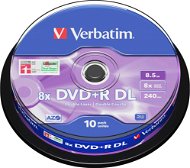
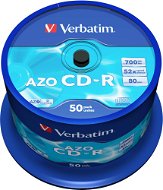
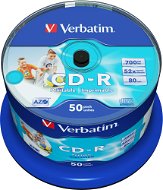
Burning to CD/DVD is not as popular today as it was in the past for data backup. To back up your data, you will need disks and a burner, which not every computer has these days. To read, you will need a CD/DVD reader. CD/DVD-Rs, which are only usable once, can provide an interesting advantage in some situations.

  • Cheap method.
  • Easy to use.
  • Compatible with various players.
  • Low capacity.
  • Scratching tendency.
  • Requires a burner for backup.

i

If you plan to change the content on the disks, select the type of CD-RW or DVD-RW/DVD+RW.

Methods for Data Backup to Physical Storage

Have you chosen physical storage but are not sure how to start backing up? The 3 most common methods to back up data are:

Manual Backup

We are all familiar with manual backups - just take a file or folder and copy it to a storage location of your choice. It's an easy, free and time-saving process, but you have to check previous versions yourself and, most importantly, remember to back up yourself. It is also important to name all folders and files correctly.

Manual backup goes hand in hand with compressing files into a single package, which reduces the overall size and saves space. You can compress the data with WinZip, WinRAR or 7-zip, for example, and you will also need them to open the compressed files later.

Windows 10 Data Backup

Microsoft Windows 10 offers a very simple but not entirely effective automatic data backup system called File History. You can find this service in the settings under the Update and Security tile, then just select the drive and folders you want to back up, and Windows will save past versions of documents over time.

i

Users of Apple's iMac computers will enjoy a similar feature called Time Machine.

Advanced Data Backup Programs

The higher leagues of data backup are specialized backup programs. Once set up, they back up automatically and offer advanced features such as compression, bi-directional synchronization, tracking of previous versions, folder mirroring, or even full-image backups.

Disk imaging creates an exact copy of the entire disk, including programs, operating system and settings. This is a much faster and more compact solution than simple cloning. The advantage is the ability to store multiple copies for when you need to roll back the system or have a new PC.

Data Backup of Your Phone

Backing up your data is not unique to computers. Nowadays we recommend backing up your smartphones regularly too. Android phones are usually handled by Google, while iPhones use Apple's iCloud. But you can also use other cloud services on both phones.

Data Backup of Android Phones

Android phones most often use Google data backup. Just sign in to your Google account in the settings and then choose what data you want to back up and sync. A Google backup of your phone can include photos, videos, contacts, emails, messages, documents, as well as selected files on Google Drive.

i

Some brands of Android phones also offer their own backup services. It is also popular to back up your data to a computer via the phone manufacturer's program.

Data Backup of Apple iPhones

iPhone Smartphones from Apple have their own backups via iCloud. This is set up through an Apple ID profile for each user and is synchronised with other Apple devices. You can also back up data from your iPhone to your iMac by connecting it with a cable.

Interested in learning more about data backup? We have prepared a detailed article for your mobiles.

Hide description
Was this information useful?
This form is used only for evaluating the information in the description above.
If you have any question about our products, services, transport or any other request, please contact our customer support.
What should be improved? Is anything missing here? Is anything wrong? Share it with us.
1,176 Results
Asustor Lockerstor 6 Gen2-AS6706T -  NAS Free delivery
Alzaboxes and stores
5.0
Watch Price/Availability
Asustor Lockerstor 6 Gen2-AS6706T
NAS 6×, processor: Intel Celeron N5105 2 GHz, 8 GB DDR4 (max 16 GB ), 2 × USB 3.2 Gen 1 (USB 3.0), desktop
  1,009 €
Buy
In stock 4 pcs at the supplier's
Order Code: ASUSTOR22_03
Asustor Lockerstor 8-AS6508T -  NAS Free delivery
Alzaboxes and stores
4.0
Watch Price/Availability
Asustor Lockerstor 8-AS6508T
NAS 8×, processor: Intel Atom C3538 2,1 GHz, 8 GB DDR4 (max 16 GB ), desktop
  1,139 €
Buy
In stock 2 pcs at the supplier's
Order Code: QL351b14
Synology DS3622xs+ -  NAS Free delivery
Alzaboxes and stores
Watch Price/Availability
Synology DS3622xs+
NAS 12×, processor: Intel Xeon 2,2 GHz, 16 GB DDR4 (max 48 GB ), 2 × USB 3.2 Gen 1 (USB 3.0), desktop
  3,639 €
Buy
In stock > 5 pcs at the supplier's
Order Code: SnLG2021_012
QNAP TS-h765eU-8G -  NAS Free delivery
Alzaboxes and stores
Watch Price/Availability
QNAP TS-h765eU-8G
NAS 4×, processor: Intel Atom 3,4 GHz, 8 GB DDR5 (max 16 GB ), 1 × USB 3.2 Gen 1 (USB 3.0), for rack
  1,189 €
Buy
In stock > 5 pcs at the supplier's
Order Code: Qnap25032
QNAP TVS-h474-PT-8G -  NAS Free delivery
Alzaboxes and stores
Watch Price/Availability
QNAP TVS-h474-PT-8G
NAS 4×, processor: Intel Pentium Gold G7400 3,7 GHz, 8 GB DDR4 (max 64 GB ), 1 × USB 3.2 Gen 1 (USB 3.0), desktop
  1,759 €
Buy
In stock 2 pcs at the supplier's
Order Code: Qnap22_56
QNAP TVS-h874-i5-32G -  NAS Free delivery
Alzaboxes and stores
Watch Price/Availability
QNAP TVS-h874-i5-32G
NAS 8×, processor: Intel Core i5 4,4 GHz, 32 GB DDR4 (max 128 GB ), 3 × USB 3.2 Gen 1 (USB 3.0), desktop
  3,519 €
Buy
In stock 3 pcs at the supplier's
Order Code: Qnap22_59
Synology DS2422+ -  NAS Free delivery
Alzaboxes and stores
Watch Price/Availability
Synology DS2422+
NAS 12×, processor: AMD Ryzen V1500B 2,2 GHz, 4 GB DDR4 (max 32 GB ), 2 × USB 3.2 Gen 1 (USB 3.0), 1 × eSATA, desktop
  2,339 €
Buy
In stock 2 pcs at the supplier's
Order Code: SNLG24_012
Watch Price/Availability
Asustor Flashstor 6-FS6706T
NAS 6×, processor: Intel Celeron 2,91 GHz, 4 GB DDR4 (max 16 GB ), 2 × USB 3.2 Gen 1 (USB 3.0), desktop
Discounted -1 % 618.90 € 628.90 €
Buy
In stock 4 pcs at the supplier's
Order Code: Asust23_01
Add to PC configurator
Watch Price/Availability
ADATA XPG GAMMIX S70 BLADE 512GB
SSD M,2 2280, M,2 (PCIe 4,0 4x NVMe) , 3D NAND, theoretical lifespan 370TBW
  136.90 €
Buy
In stock > 5 pcs at the supplier's
Order Code: DUxgs70ba4
QNAP TS-855X-8G -  NAS Free delivery
Alzaboxes and stores
Watch Price/Availability
QNAP TS-855X-8G
NAS 8×, processor: Intel Atom C5125 2,8 GHz, 8 GB DDR4 (max 128 GB ), 3 × USB 3.2 Gen 1 (USB 3.0), desktop
  2,009 €
Buy
In stock 1 pcs at the supplier's
Order Code: Qnap25022
QNAP TVS-h674-i3-16G -  NAS Free delivery
Alzaboxes and stores
Watch Price/Availability
QNAP TVS-h674-i3-16G
NAS 6×, processor: Intel Core i3 3,3 GHz, 16 GB DDR4 (max 128 GB ), 3 × USB 3.2 Gen 1 (USB 3.0), desktop
  2,639 €
Buy
In stock 3 pcs at the supplier's
Order Code: Qnap22_57
Add to PC configurator
Watch Price/Availability
Kingston DC2000B 480GB
SSD M,2 2280, M,2 (PCIe 4,0 4x NVMe) , TLC (Triple-Level Cell), theoretical lifespan 350TBW
  561.90 €
Buy
In stock > 5 pcs at the supplier's
Order Code: FTdc2000b3
QNAP TVS-h874-i7-32G -  NAS Free delivery
Alzaboxes and stores
Watch Price/Availability
QNAP TVS-h874-i7-32G
NAS 8×, processor: Intel Core i7 4,4 GHz, 32 GB DDR4 (max 64 GB ), 3 × USB 3.2 Gen 1 (USB 3.0), desktop
  3,889 €
Buy
In stock > 5 pcs at the supplier's
Order Code: Qnap23_001
Add to PC configurator
Watch Price/Availability
Patriot P400 V4 2TB
SSD M,2 2280, M,2 (PCIe 4,0 4x NVMe) , theoretical lifespan 640TBW
  354.90 €
Buy
In stock 1 pcs at the supplier's
Order Code: DP828e7
QNAP TS-432X-4G -  NAS Free delivery
Alzaboxes and stores
Watch Price/Availability
QNAP TS-432X-4G
NAS 4×, processor: Alpine AL524 2 GHz, 4 GB DDR4 (max 16 GB ), 2 × USB 3.2 Gen 1 (USB 3.0), desktop
  829.90 €
Buy
In stock 3 pcs at the supplier's
Order Code: Qnap24003
Asustor Lockerstor 4 Gen3 - AS6806T -  NAS Free delivery
Alzaboxes and stores
Watch Price/Availability
Asustor Lockerstor 4 Gen3 - AS6806T
NAS 6×, processor: AMD Ryzen V3C14 2,3 GHz, 16 GB DDR5 (max 64 GB ), 3 × USB 3.2 Gen 1 (USB 3.0), desktop
  1,899 €
Buy
In stock 2 pcs at the supplier's
Order Code: Asust25005
Add to PC configurator
Watch Price/Availability
Lexar NQ790 512GB
SSD M,2 2280, M,2 (PCIe 4,0 4x NVMe) , 3D NAND, theoretical lifespan 300TBW
  125.90 €
Buy
In stock > 5 pcs at the supplier's
Order Code: DLnq790c
Add to PC configurator
Watch Price/Availability
SANDISK OPTIMUS GX 7100 500GB
SSD M,2 2280, M,2 (PCIe 4,0 4x NVMe) , TLC (Triple-Level Cell), theoretical lifespan 300TBW
  159.90 €
Buy
In stock > 5 pcs at the supplier's
Order Code: DUog71a1
Add to PC configurator
Watch Price/Availability
Lexar NS100 128GB
SSD 2,5", SATA III, theoretical lifespan 60TBW
  43.90 €
Buy
In stock > 5 pcs at the supplier's
Order Code: DLns100a
WD_BLACK SN8100 NVMe SSD POWERED BY SANDISK 4 TB, [With Heatsink] - SSD Free delivery
Alzaboxes and stores
Add to PC configurator
Watch Price/Availability
WD_BLACK SN8100 NVMe SSD POWERED BY SANDISK 4 TB, [With Heatsink]
SSD M,2 2280, M,2 (PCIe 5,0 4x NVMe), TLC (Triple-Level Cell), theoretical lifespan 2400TBW
Amazing Deal 974.90 € Save 614.10 €
Buy
In stock > 5 pcs at the supplier's
Order Code: FWsn81b4
Add to PC configurator
Watch Price/Availability
WD_BLACK SN8100 NVMe SSD POWERED BY SANDISK 1 TB, [With Heatsink]
SSD M,2 2280, M,2 (PCIe 5,0 4x NVMe), TLC (Triple-Level Cell), theoretical lifespan 600TBW
Amazing Deal 299.90 € Save 118 €
Buy
In stock 3 pcs at the supplier's
Order Code: FWsn81b2
Kingston DC3000ME 15.36TB - SSD Free delivery
Alzaboxes and stores
Add to PC configurator
Watch Price/Availability
Kingston DC3000ME 15.36TB
SSD 2,5", U,2, TLC (Triple-Level Cell), theoretical lifespan 28032TBW
  9,039 €
Buy
In stock 3 pcs at the supplier's
Order Code: FTd3m3
Add to PC configurator
Watch Price/Availability
Lexar NM990 4TB
SSD M,2 2280, M,2 (PCIe 5,0 4x NVMe), 3D NAND, theoretical lifespan 3000TBW
  688.90 €
Buy
In stock > 5 pcs at the supplier's
Order Code: DLnm990f
Add to PC configurator
Watch Price/Availability
Lexar NM1090 PRO 4TB
SSD M,2 2280, M,2 (PCIe 5,0 4x NVMe), 3D NAND, theoretical lifespan 2800TBW
  721.90 €
Buy
In stock > 5 pcs at the supplier's
Order Code: DLnm1090f
In the category Data Backup on Alza.sk, we currently have a total of 1175 products, which you can easily buy online and get quickly delivered. See all of your purchases and make orders on our easy-to-use app.
Check out products sorted by price starting with the lowest price in the category cheap data Backup Check out products sorted by price starting with the highest price in the category best sellers, best data Backup You’ll find products sorted by reviews starting from the highest ranked in data Backup reviews
P-DC1-WEB24