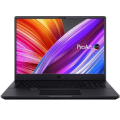
The great little mini ultrabook Dell XPS is great for work and for fun. Its construction combines solid metal and light plastic. This Dell XPS 13 (7390) Silver 7390-68800 boasts parameters which make it ideal for more demanding users. All this is included in a compact design suitable for travel. At the core is a more economical, yet quite powerful, a quad-core Intel Core i5 processor. Data will be taken care of by a sufficiently sized SSD disk. With its speed, it will greatly simplify work. It has a useful backlit keyboard for work at night. Maximum file security is ensured by the quick fingerprint reader. Of course, your device comes with Windows 10 Pro preinstalled.
Dell XPS 13 (7390) Silver 13,4" Mini Ultrabook Key Features
The construction is reinforced with metal elements
The display of this Dell XPS ultrabook is 13,4"
The monitor type is IPS with resolution of Full HD
Inside is the Intel Core i5 10210U Comet Lake
Has an SSD with a capacity of 256 GB
Dell XPS 13 (7390) Silver ultrabook 7390-68800 has a RAM size of 8 GB
Backlit keyboard makes it easier to work at night
The fingerprint scanner will sign you in
Dell XPS 13 (7390) Silver ultrabook comes preinstalled with Windows 10 Pro operating system
You can use the USB-C port to charge it
Has a lovely silver colour
Total weight of 1,33 kg
Dell ultrabook has dimensions equaling 302 × 11,6 × 199 mm
What type of processor and SSD will be found in the Dell XPS 13 (7390) Silver?
The power and speed of this model is a quad-core processor Intel Core i5 10210U Comet Lake, which runs at a frequency of 1,6 GHz. In its Turbo Boost mode, it can even reach 4,2 GHz. Fast and comfortable work is made possible by LPDDR3-SDRAM random access memory LPDDR3-SDRAM with a size total of 8 GB. The Dell XPS 13 (7390) Silver is equipped with a total 256 GB of memory for data and programmes. A very fast SSD serves as the disc. The advantage of this technology without mechanical parts is its exceptional reliability, speed and shock resistance . A speciality of this model is the possibility to charge the ultrabook with a standard USB-C cable.
The graphics card and display of this Dell 7390-68800 ultrabook
The Dell XPS 13 (7390) Silver is equipped with a 13,4" display with Full HD resolution of 1920×1080px, which is one of the most sought after variants with a pleasantly fine and detailed image. The display is anti-reflective, which is sure to reduce glare while maintaining image vividness. The image quality is ensured by IPS technology. This means it has very good viewing angles and it will perfectly handle true colour rendering. The luminosity here can reach an exceptional and impressive 472 Nits. The graphics card is integrated, and it will be sufficient for less demanding tasks. The type of graphics card is Intel UHD Graphics.
Connectivity and connectors of the Dell XPS
For wireless connections with electronics, it has Bluetooth v5.0. The WiFi module of the computer handles the standards of WiFi 6. The popular USB-C connector. 3× is integrated in this model and you can even charge the ultrabook through it. More uncommon, but very useful, is the Thunderbolt interface. The Dell XPS has a classic 3.5mm jack also for connecting headphones, as well as speakers. Photographers and others are certain to like the useful memory card reader. Of course, there is a webcam for communication with friends or colleagues. It boasts a resolution of 720 px.
The size of RAM is one of the most important factors affecting overall computer performance. RAM serves as temporary storage for the data that the computer processes. The more RAM a computer has, the more tasks it can process simultaneously without slowing down. 8 GB of RAM is often considered the minimum for most tasks, while demanding applications such as games and professional graphic design or video editing software may require 16 GB of RAM or more.
Processor frequency, often referred to as clock speed, is a key indicator of processor performance. It is measured in gigahertz (GHz) and represents how many operations a processor can perform per second. Higher frequency generally means higher performance, but it can also lead to higher power consumption. It is important to find the right balance between performance and efficiency for your specific needs.
The type of storage in a laptop can have a significant impact on its performance and price. The two most common types are Hard Disk Drive (HDD) and Solid State Drive (SSD). HDD is an older technology with moving parts and provides a large amount of storage space at a low cost. SSDs are faster, quieter and more reliable, but generally more expensive.
Generally, the higher the number, the more powerful the processor. For an office PC, a basic processor series will be more than sufficient, but for more challenging work and gaming you will require a more advanced processor.
Počet jadier v procesore ovplyvňuje výkon vášho stolného počítača. Viac jadier znamená väčšie možnosti pre multitasking, rýchlejšie spracovanie náročných aplikácií a celkovo vyššiu výkonnosť. Ako ale zistiť, koľko jadier potrebujete? V tomto článku sa pozrieme na to, čo znamená počet jadier, ako ovplyvňuje výkon vášho desktopu, a poradíme, podľa čoho sa pri výbere orientovať.
Processor frequency, often referred to as clock speed, is a key indicator of processor performance. It is measured in gigahertz (GHz) and represents how many operations a processor can perform per second. Higher frequency generally means higher performance, but it can also lead to higher power consumption. It is important to find the right balance between performance and efficiency for your specific needs.
The size of RAM is one of the most important factors affecting overall computer performance. RAM serves as temporary storage for the data that the computer processes. The more RAM a computer has, the more tasks it can process simultaneously without slowing down. 8 GB of RAM is often considered the minimum for most tasks, while demanding applications such as games and professional graphic design or video editing software may require 16 GB of RAM or more.
Dedicated graphics cards have their own integrated memory and are offered by established manufacturers such as NVIDIA and AMD. Integrated cards have lower power consumption and are particularly...
The type of storage in a laptop can have a significant impact on its performance and price. The two most common types are Hard Disk Drive (HDD) and Solid State Drive (SSD). HDD is an older technology with moving parts and provides a large amount of storage space at a low cost. SSDs are faster, quieter and more reliable, but generally more expensive.
Determines the way in which the hard drive is connected to the computer, namely the type of connector through which the drive connects to the device. Each type of connection is...
Dell Products, Raheen Business Park, Limerick, Ireland, [email protected], www.dell.com
This American multinational corporation based in Round Rock (Texas, USA) is a leading player in the field of information technology. The Dell brand carries the hallmark of quality and is known throughout the world. In 2010, it ranked fifth in the poll of most admired computer companies.
Dell's operations are incredibly broad - the company can be found not only in personal computers, servers, storage devices, switches, software and peripherals, but also HDTV, cameras, printers and MP3 players. The company, whose history began in 1984, now ranks among the giants in the field.
Note:
Specifications can be changed without notice. Images are for illustrative purposes only.
kolko rocny NBD servis je na danom produte? 1,2 ci 3 ?
kolko rocny NBD servis je na danom produte? 1,2 ci 3 ?
Try our cookiesAlza.cz a. s., Company identification number 27082440, use cookies and other data to ensure the proper functioning of the website and, with your consent, also, among other things, to personalize advertising and the content of our websites. By clicking on the “I understand“ button, you agree to the use of cookies and the transfer of data regarding the behavior on the website for displaying targeted advertising on social networks and advertising networks on other websites.
We use 8 categories of cookies on our website:
Technical cookies
These are strictly necessary for the functioning of the website and the features you choose to use. Without them, our website would not work; you wouldn't be able to log in to your user account, for example.
Functionality cookies
These cookies allow us to remember your basic choices and improve the user experience. These include remembering your preferred language or allowing you to stay logged in permanently.
Social media cookies
These cookies allow us to easily link you to your social media profile and, for example, allow you to share products and services with your friends and family.
Content personalisation
These cookies allow us to show you content and ads according to the information we have about you to best meet your needs. This includes what content you have viewed, or on what device you are accessing our website.
Non-personalised advertising
These cookies allow us to show you general ads for products and services.
Personalised advertising
Thanks to these cookies, we and our partners can offer you relevant products and services based on your purchases, your shopping behaviour and your preferences.
Audience metrics
These cookies allow us to optimise our site for your convenience based on how you use it. The aim is to remember or anticipate your choices. This includes, for example, the use of features, their location, or the behaviour on the page.
By giving your consent to the processing of cookies, functionality and analytical cookies will be installed on the device you use to browse the website (click on the "I understand" button for both categories, or you can select only one of the categories by clicking on the "Settings" button). We always install technical cookies on your device, even without your explicit consent, because without them our website would simply not work.
You can revoke your consent to the processing of cookies. In connection with our company's cookie processing, you also have the following rights: the right to access cookies, delete, modify, supplement and correct them, restrict processing and the right to lodge a complaint with the Office for Personal Data Protection. Read more about your rights.